Smart plug prices in 2025 range from $8 for basic models to over $30 for premium, feature-rich options, with the average mid-range plug costing $12-$18. The primary factors influencing cost are connectivity type (Wi-Fi, Zigbee/Z-Wave, Matter), advanced features like energy monitoring or dimming, and the physical form factor. Understanding these differences helps consumers select the best value without overpaying for unnecessary functionalities.
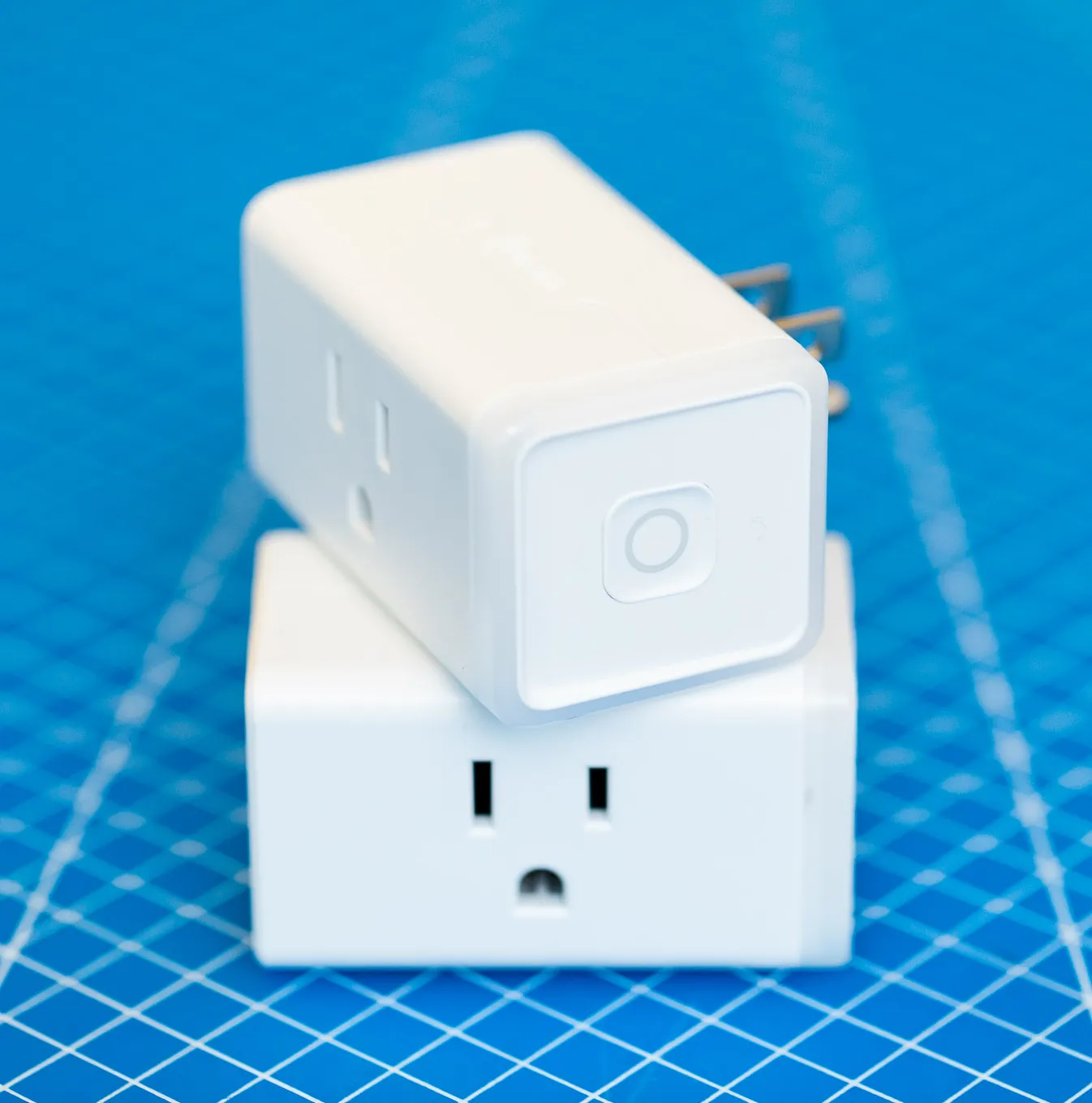
What Really Drives Smart Plug Prices?
It’s easy to think, “a plug is a plug,” but in the smart world, that couldn’t be further from the truth. The price tag on a smart plug is a direct reflection of its technology, features, and the ecosystem it belongs to. Let’s break down the key factors that separate a budget buy from a premium investment. For shop curated smart home on this site.
Connectivity: The Invisible Language of Your Home
This is arguably the biggest price differentiator. How a plug “talks” to your network and other devices determines its speed, reliability, and whether you need extra hardware.
- Wi-Fi: This is the most common and often the most affordable option. These plugs connect directly to your home’s Wi-Fi router, just like your phone or laptop. They’re a breeze to set up, which makes them perfect for beginners. The downside? If you have too many Wi-Fi devices, you can sometimes clog up your network.
- Bluetooth/BLE: Some plugs use Bluetooth for initial setup or direct control when you’re nearby. They are generally low-power but have a limited range and aren’t ideal for controlling devices when you’re away from home unless they also have Wi-Fi.
- Zigbee/Z-Wave: These are mesh network protocols. Think of it like a team of devices passing messages along to each other. They are incredibly reliable and use very little power, but here’s the kicker: they almost always require a separate hub (like an Amazon Echo with a built-in Zigbee hub or a dedicated hub like SmartThings). The plugs themselves might be cheap, but you have to factor in the cost of the hub if you don’t already have one.
- Matter: This is the new kid on the block, and it’s a major upgrade. Matter is a universal standard designed to make all your smart devices from different brands (Apple, Google, Amazon, etc.) work together seamlessly. Plugs with Matter support offer future-proofing and incredible flexibility, but they often come with a slightly higher price tag for now. As adoption grows, we expect these prices to become more competitive.
According to Dr. Alistair Finch, a leading IoT analyst, “Matter is set to flatten the smart home landscape. While early-adopter pricing is a factor in 2025, the long-term value of a device that works with any ecosystem is undeniable. Consumers should view it as an investment in a hassle-free future.”
Feature Set: From Simple On/Off to Mini-Accountant
|
Our Picks for the Best Smart Plug in 2026
As an Amazon Associate, we earn from qualifying purchases.
|
||
| Num | Product | Action |
|---|---|---|
| 1 | TP-Link Tapo Matter Supported Smart Plug Mini, Compact Design, 15A/1800W Max, Super Easy Setup, Works with Apple Home, Alexa & Google Home, UL Certified, 2.4G Wi-Fi Only, White, Tapo P125M(3-Pack) |

|
| 2 | Kasa Smart Plug Ultra Mini 15A, Smart Home Wi-Fi Outlet Works with Alexa, Google Home & IFTTT, No Hub Required, UL Certified, 2.4G WiFi Only, 2 Count (Pack of 1)(EP10P2) , White |
|
| 3 | Kasa Smart Plug HS103P4, Smart Home Wi-Fi Outlet Works with Alexa, Echo, Google Home & IFTTT, No Hub Required, Remote Control, 15 Amp, UL Certified, 4-Pack, White |
|
| 4 | Amazon Basics Smart Plug, Works with Alexa Only, 2.4 GHz Wi-Fi, No Hub Required, 4-Pack, White |
|
| 5 | Kasa Smart Plug HS103P2, Smart Home Wi-Fi Outlet Works with Alexa, Echo, Google Home & IFTTT, No Hub Required, Remote Control,15 Amp,UL Certified, (Pack of 2) White |
|
| 6 | Kasa Smart Plug Mini 15A, Apple HomeKit Supported, Smart Outlet Works with Siri, Alexa & Google Home, UL Certified, App Control, Scheduling, Timer, 2.4G WiFi Only, 4 Count (Pack of 1) (EP25P4), White |
|
| 7 | Govee Smart Plug, WiFi Plugs Work with Alexa & Google Assistant, Smart Outlet with Timer & Group Controller, WiFi Outlet for Home, No Hub Required, ETL & FCC Certified, 2.4G WiFi Only, 2 Pack |
|
| 8 | Amazon Basics Smart Plug, Works with Alexa Only, 2.4 GHz Wi-Fi, No Hub Required, 2 Pack, White |
|
| 9 | Govee Smart Plug, WiFi Plugs Work with Alexa & Google Assistant, Smart Outlet with Timer & Group Controller, WiFi Outlet for Home, No Hub Required, ETL & FCC Certified, 2.4G WiFi Only, 4 Pack |
|
| 10 | Kasa Smart Plug Mini 15A, Smart Home Wi-Fi Outlet Works with Alexa, Google Home & IFTTT, No Hub Required, UL Certified, 2.4G WiFi Only, 4-Pack(EP10P4) , White |
|
Beyond basic remote control, extra features add both utility and cost.
- Energy Monitoring: This is a killer feature. Plugs with energy monitoring can tell you exactly how much electricity a connected appliance is using in real-time and over time. Want to find out which device is the “energy vampire” in your living room? This is how you do it. This feature typically adds a few dollars to the price but can pay for itself in energy savings.
- Dimming & Scheduling: Basic plugs offer simple on/off. More advanced (and expensive) models, often designed for lamps, might include dimming capabilities. Nearly all smart plugs offer scheduling (e.g., turn on the coffee maker at 7 AM), but some offer more complex routines like “vacation mode,” which randomly turns lights on and off to simulate someone being home.
- Form Factor: Size and Shape Matter: Older smart plugs were bulky beasts that would block the second outlet. Modern designs are much more compact. You’ll often pay a small premium for an ultra-compact or “mini” design that plays nice with other plugs. Outdoor-rated, weatherproof smart plugs will also naturally cost more due to their rugged construction.
Beyond the Price Tag: Are Cheaper Plugs a Good Deal?
When you see a 4-pack of smart plugs for a price that seems too good to be true, it probably is. While you can find some fantastic budget-friendly options from reputable brands, be wary of no-name plugs from unknown sellers.
Here’s why a slightly more expensive plug from a known brand is often the smarter choice:
- Safety Certifications: Look for plugs with certifications like UL or ETL. This means they’ve been independently tested to meet safety standards for electrical devices, protecting you from fire hazards. A cheap, uncertified plug is a risk not worth taking.
- App Quality & Support: A brand like TP-Link Kasa or Wyze has a well-developed, user-friendly app and provides regular security updates. A cheap plug might rely on a generic, clunky app that rarely gets updated, leaving your network vulnerable.
- Reliability: I once bought a super-cheap smart plug that would randomly disconnect from my Wi-Fi. The “savings” weren’t worth the frustration of having to constantly reset it. A reputable brand invests in better components for a more stable connection.
How Do You Set Up a Smart Plug? It’s Easier Than You Think!
Setting up your first smart plug is a fantastic “aha!” moment. Honestly, it usually takes less than five minutes.
Here’s the typical process:
- Download the App: Find the manufacturer’s app in the Apple App Store or Google Play Store (e.g., Kasa Smart, Wyze, or the brand-specific app). Create an account.
- Plug It In: Plug the smart plug into a wall outlet. A light on the plug will usually start blinking, indicating it’s in pairing mode.
- Connect to Wi-Fi: Open the app and tap “Add Device.” It will guide you to connect the plug to your home’s 2.4GHz Wi-Fi network. Pro tip: Most smart plugs don’t work with 5GHz networks, so make sure your phone is connected to the 2.4GHz band during setup.
- Name Your Device: Give it a simple, intuitive name like “Living Room Lamp” or “Coffee Maker.” This is especially important for voice control later.
- Plug in Your Appliance: That’s it! You can now control whatever is plugged into it from your phone, anywhere in the world.
Smart Plug Price Comparison: Feature Breakdown
To make this easier to visualize, here’s a table breaking down what you can generally expect at different price points. Prices are per-plug estimates and can vary based on sales and pack size.
| Feature Tier | Estimated Price (per plug) | Key Features & Best For |
|---|---|---|
| Budget Basic | $8 – $12 | On/Off, Scheduling, Voice Control (Alexa/Google). Perfect for beginners, lamps, fans, and holiday lights. Simple and effective. |
| Mid-Range Value | $12 – $18 | Everything in Basic + Energy Monitoring, Compact Design. The sweet spot for most users. Ideal for tracking power usage on TVs, computers, or space heaters. |
| Premium & Niche | $18 – $30+ | Everything in Mid-Range + Matter Support, Dimming, Outdoor Rating. For smart home enthusiasts who want maximum compatibility or need specialized plugs for outdoor or high-power use. |
Integrating Plugs into Your Smart Home Ecosystem
A smart plug truly shines when it’s part of a larger team. Connecting it to a voice assistant like Amazon Alexa, Google Assistant, or Apple HomeKit unlocks the magic of voice control and automation routines.
- Amazon Alexa: Simply enable the brand’s “Skill” in the Alexa app. Once linked, you can say, “Alexa, turn on the bedroom fan.”
- Google Assistant: Link your account in the Google Home app. Now you can say, “Hey Google, good morning,” and have a routine that turns on your smart plug-connected coffee maker.
- Apple HomeKit: This ecosystem is known for its security. You’ll need a plug that is specifically “HomeKit-compatible,” which often involves scanning a QR code for setup. These can sometimes be slightly more expensive due to Apple’s certification requirements.
Frequently Asked Questions (FAQ)
Do smart plugs use a lot of electricity themselves?
No, a smart plug’s own consumption is minimal. In standby mode, it typically uses less than 1 watt of power. The energy savings from turning off power-hungry devices far outweighs the plug’s own tiny usage.
Can a smart plug be hacked?
Anything connected to the internet has a potential risk. To minimize this, always buy from reputable brands that issue security updates, use a strong and unique password for your account, and ensure your home Wi-Fi network is secure.
Do I need a special hub for a smart plug?
For most Wi-Fi smart plugs, you do not need a hub. They connect directly to your router. You only need a hub if you choose plugs that use protocols like Zigbee or Z-Wave, and your main smart speaker doesn’t have that hub built-in.
What happens if the internet goes down?
If your internet is down, you won’t be able to control the plug from your phone when you’re away. However, most plugs still function as a normal outlet (you can turn them on/off with a physical button on the plug), and any pre-set schedules are often stored locally on the plug and will continue to run.
Can I plug a power strip into a smart plug?
It is generally not recommended. A smart plug has a maximum power rating (usually around 15 amps). Plugging a power strip into it and then plugging in multiple devices can easily overload the smart plug, creating a fire hazard. Always check the power draw of your appliances.
Your Smart Home Journey Starts Here
Navigating the world of smart plugs doesn’t have to be complicated. As our smart plug price comparison shows, the key is to look beyond the price tag and focus on value. For most people, a mid-range plug with energy monitoring from a trusted brand offers the perfect blend of features, safety, and affordability. By understanding what drives the cost, you can make an informed choice that will serve you well as you begin to build a smarter, more convenient home.
Frequently Asked Questions
Do smart plugs consume a lot of electricity themselves?
No, a smart plug's own power consumption is minimal, typically less than 1 watt in standby mode. The energy savings achieved by using the plug to turn off power-hungry devices far exceeds its own tiny usage.
Is it possible for a smart plug to be hacked?
Any device connected to the internet carries a potential security risk. To minimize this, always purchase smart plugs from reputable brands that provide regular security updates, use a strong and unique password for your account, and ensure your home Wi-Fi network is secure.
Do I need a special hub to use a smart plug?
Most Wi-Fi smart plugs do not require a separate hub; they connect directly to your home router. A hub is only necessary if you opt for plugs using protocols like Zigbee or Z-Wave, and your existing smart speaker does not have a built-in hub for these protocols.
What happens to smart plugs if the internet connection goes down?
If your internet connection is lost, you will not be able to control the smart plug remotely from your phone. However, most plugs retain their basic functionality, allowing manual on/off control via a physical button, and any pre-set schedules are often stored locally on the device and will continue to operate.
Can a power strip be safely plugged into a smart plug?
It is generally not recommended to plug a power strip into a smart plug. Smart plugs have a maximum power rating, typically around 15 amps. Connecting a power strip with multiple devices can easily exceed this limit, creating a potential fire hazard. Always verify the power draw of your appliances.
How to Set Up a Smart Plug
Setting up a smart plug is a quick and easy process, usually taking less than five minutes, allowing you to control appliances remotely.
Locate and download the specific manufacturer's app (e.g., Kasa Smart, Wyze) from your device's app store. Once installed, create a user account within the application.
Insert the smart plug into a standard wall outlet. A blinking light on the plug typically indicates that it has entered pairing mode, ready to connect to your network.
Open the app and select the 'Add Device' option. Follow the in-app instructions to connect the smart plug to your home's 2.4GHz Wi-Fi network. Remember that most smart plugs are not compatible with 5GHz networks.
Assign a simple and intuitive name to your smart plug, such as 'Living Room Lamp' or 'Coffee Maker'. This naming convention is crucial for easy identification and effective voice control later on.
Once the setup is complete, plug the desired appliance into the smart plug. You can now control this appliance remotely using the app on your phone, from anywhere with an internet connection.
Smart home that does not lock you in
Free PDF — protocol compatibility matrix for 30 hubs and devices.
The explanation about Matter compatibility really cleared things up for me. I’ve been trying to future-proof my smart home, and knowing which plugs support it is a huge plus. I invested in a couple of the higher-end Matter-enabled plugs, and the setup was surprisingly smooth. It’s reassuring to know they’ll integrate well with new devices down the line.
I was really on the fence about upgrading my old smart plugs, but the breakdown of Wi-Fi vs. Zigbee/Z-Wave connectivity finally convinced me. I went with a couple of the mid-range Zigbee options, and the difference in responsiveness is amazing. Plus, the energy monitoring feature has already helped me identify a few energy hogs around the house. Definitely worth the slightly higher price point.
I’ve been looking for smart plugs that offer dimming capabilities for my bedroom lights, and it was helpful to see that called out as a premium feature. I ended up getting one that was around the $25 mark, and it works perfectly with my existing smart home hub. It’s great to finally have granular control over the lighting without having to replace the whole fixture.
I picked up a few of the basic $8 smart plugs for some lamps, and they work fine for on/off. However, I was a bit disappointed that they don’t have any energy monitoring. I guess I should have paid closer attention to the features list, but I assumed it would be standard. For simple tasks, they’re okay, but next time I’ll spend a little more for the extra functionality.