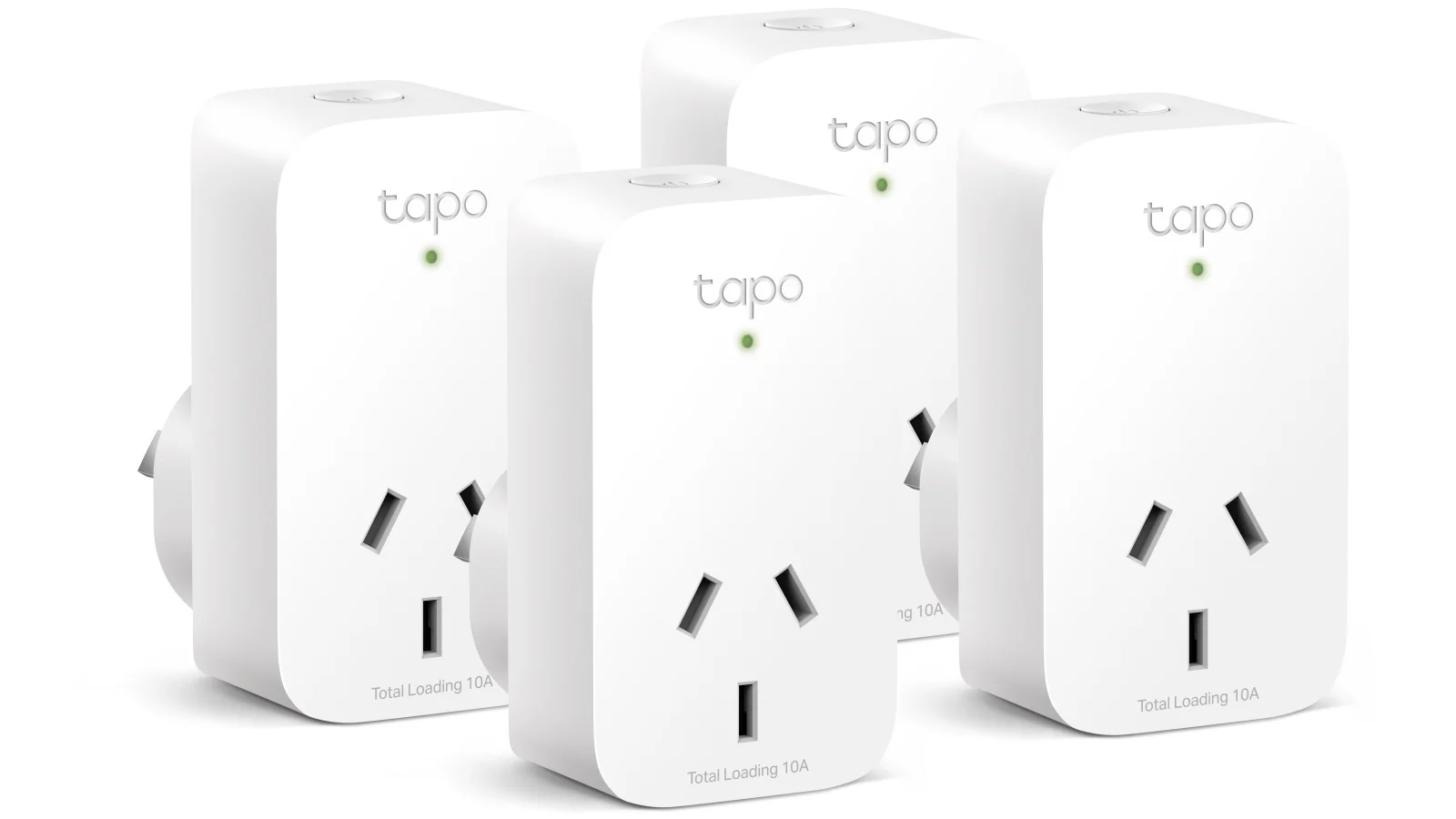
Your journey into home automation begins by purchasing a smart plug starter kit, which typically includes one or two smart plugs and provides everything needed to start automating home devices. These kits offer a low-risk, high-reward entry point into smart home technology, making it accessible and affordable for beginners. They allow you to control ordinary appliances remotely via smartphone or voice, set schedules, and even monitor energy usage, transforming a regular home into a more convenient and efficient living space.
What Exactly Is a Smart Plug, Anyway?
A smart plug is a small device that plugs into a standard electrical outlet. You then connect a “dumb” appliance, such as a lamp, fan, or coffee maker, into the smart plug. This instantly transforms the simple appliance into a smart device that can be controlled from anywhere using a smartphone, tablet, or voice commands.
It acts as an intelligent intermediary between the power source and your gadget, connecting to your home’s Wi-Fi network to receive remote commands. This is the easiest and most affordable way to begin using smart home technology without requiring advanced technical skills.
Why You Should Buy a Smart Plug Starter Kit
Jumping directly into a comprehensive smart home setup can be overwhelming and expensive. A starter kit is the ideal solution, typically including one or two smart plugs and all necessary components to begin automating your home. It offers a low-risk, high-reward entry point into home automation.
Simply put, a starter kit simplifies the entire process. It is designed for beginners, featuring straightforward instructions and a gentle learning curve. You will quickly learn to set up schedules and routines like an expert. My own experience began with a simple two-pack; I was initially skeptical, but the moment I commanded my living room lamp to turn on from the kitchen and it actually worked, I was convinced. It felt like magic.
The Core Features: What Can These Gadgets Do?
Smart plugs are more than just advanced on/off switches. Their true value lies in their features, which are designed to enhance convenience and efficiency in your daily life.
- Remote Control: This fundamental feature allows you to turn appliances on or off from anywhere in the world via a dedicated app on your phone, provided you have an internet connection.
- Voice Control: A significant upgrade, most smart plugs integrate seamlessly with voice assistants like Amazon Alexa, Google Assistant, and Apple’s Siri. A simple command such as, “Hey Google, turn on the coffee maker,” is all that is required.
- Scheduling and Timers: You can program devices to activate or deactivate at specific times. For example, set your lights to turn on at sunset and off at sunrise, or schedule a fan to turn off after you’ve fallen asleep. The possibilities are extensive.
- Away Mode: This intelligent feature simulates occupancy when you are away, such as on vacation. It randomly cycles your lights on and off during the evening, which can deter potential intruders.
- Energy Monitoring: Many advanced smart plugs can track the electricity consumption of an appliance. This is excellent for identifying energy-intensive devices and finding ways to reduce your electricity bill.
Setting Up Your First Smart Plug: A No-Sweat Guide
Concerned about a complex setup? There’s no need to be. Modern smart plugs are designed for plug-and-play simplicity. Here’s how the process typically unfolds:
- Unbox and Plug In: Remove the smart plug from its packaging and insert it into a wall outlet. A small light will usually begin blinking, indicating it is ready for pairing.
- Download the App: Scan the QR code provided in the manual or search for the manufacturer’s app in your phone’s app store (e.g., Kasa Smart, TP-Link Tapo, Wyze).
- Create an Account: You will need to create a free account. This account will manage your devices and settings within the app.
- Connect to Wi-Fi: Follow the in-app instructions. You will typically be prompted to connect to your home’s 2.4GHz Wi-Fi network. Pro tip: Most smart devices do not operate on 5GHz networks, so ensure you are connecting to the correct one.
- Name Your Device: Assign your plug a descriptive name like “Living Room Lamp” or “Bedroom Fan.” This simplifies voice control later on.
- Start Automating! That’s it. You are now ready to explore schedules, timers, and voice commands. The entire process often takes less than five minutes.
Beyond Turning on a Lamp: Creative Ways to Use Your Plugs
Once you master the basics, you will discover numerous opportunities for automation. Here are a few creative ideas to get you started:
- Morning Routine Master: Connect your coffee maker, bedside lamp, and even a small radio to smart plugs. Create a “Good Morning” routine that activates them all at your wake-up time.
- Pet Comfort: Attach a fan or a small heater to a smart plug to ensure your pets remain comfortable while you are at work, especially during extreme weather conditions.
- Holiday Hero: Automate your holiday lights to turn on at dusk and off at bedtime. This eliminates the need to go outside in the cold to plug and unplug them.
- Peace of Mind: Connect devices you frequently worry about, such as a hair straightener or a clothes iron. A quick check on your phone can confirm it is off, saving you a trip back home.
Let’s Talk Savings: Smart Plugs and Your Energy Bill
Can a small plug genuinely save you money? Absolutely. The key is addressing “vampire power” or “phantom load,” which is the energy electronics consume even when turned off or in standby mode. Consider your TV, game console, and microwave.
According to studies from Lawrence Berkeley National Laboratory, vampire power can account for up to 10% of your home’s total electricity usage.
By plugging these devices into a smart plug and setting a schedule to completely cut their power overnight or while you’re at work, you can eliminate this wasted energy. If your plug includes energy monitoring, you can identify the worst offenders and make more informed usage decisions.
Playing Nicely with Others: Ecosystem Integration
Your smart plugs do not have to operate in isolation. They are designed to integrate within a larger smart home ecosystem. When you are looking to buy a smart plug starter kit, compatibility is essential. The three major ecosystems are:
- Amazon Alexa: If you own an Echo device, look for plugs labeled “Works with Alexa.”
- Google Assistant: For users with a Google Nest device or those using the assistant on their phone, check for “Works with Google Home/Assistant” compatibility.
- Apple HomeKit: Apple users should seek HomeKit-enabled plugs, which offer seamless integration with Siri and the Home app.
Most brands support Alexa and Google Assistant, while HomeKit compatibility can sometimes be less common or come at a higher price. The emerging Matter standard aims to unify all these ecosystems, simplifying cross-platform compatibility in the future.
Which Ecosystem is Right for You?
|
Our Picks for the Best Smart Plug in 2026
As an Amazon Associate, we earn from qualifying purchases.
|
||
| Num | Product | Action |
|---|---|---|
| 1 | TP-Link Tapo Matter Supported Smart Plug Mini, Compact Design, 15A/1800W Max, Super Easy Setup, Works with Apple Home, Alexa & Google Home, UL Certified, 2.4G Wi-Fi Only, White, Tapo P125M(3-Pack) |

|
| 2 | Kasa Smart Plug Mini 15A, Apple HomeKit Supported, Smart Outlet Works with Siri, Alexa & Google Home, UL Certified, App Control, Scheduling, Timer, 2.4G WiFi Only, 4 Count (Pack of 1) (EP25P4), White |
|
| 3 | Kasa Smart Plug Mini 15A, Smart Home Wi-Fi Outlet Works with Alexa, Google Home & IFTTT, No Hub Required, UL Certified, 2.4G WiFi Only, 4-Pack(EP10P4) , White |
|
| 4 | Amazon Basics Smart Plug, Works with Alexa Only, 2.4 GHz Wi-Fi, No Hub Required, 2 Pack, White |
|
| 5 | Amazon Basics Smart Plug, Works with Alexa Only, 2.4 GHz Wi-Fi, No Hub Required, 4-Pack, White |
|
| 6 | Kasa Smart Plug Ultra Mini 15A, Smart Home Wi-Fi Outlet Works with Alexa, Google Home & IFTTT, No Hub Required, UL Certified, 2.4G WiFi Only, 2 Count (Pack of 1)(EP10P2) , White |
|
| 7 | Govee Smart Plug, WiFi Plugs Work with Alexa & Google Assistant, Smart Outlet with Timer & Group Controller, WiFi Outlet for Home, No Hub Required, ETL & FCC Certified, 2.4G WiFi Only, 4 Pack |
|
| 8 | Kasa Smart Plug HS103P2, Smart Home Wi-Fi Outlet Works with Alexa, Echo, Google Home & IFTTT, No Hub Required, Remote Control,15 Amp,UL Certified, (Pack of 2) White |
|
| 9 | Kasa Smart Plug HS103P4, Smart Home Wi-Fi Outlet Works with Alexa, Echo, Google Home & IFTTT, No Hub Required, Remote Control, 15 Amp, UL Certified, 4-Pack, White |
|
| 10 | Govee Smart Plug, WiFi Plugs Work with Alexa & Google Assistant, Smart Outlet with Timer & Group Controller, WiFi Outlet for Home, No Hub Required, ETL & FCC Certified, 2.4G WiFi Only, 2 Pack |
|
| Ecosystem | Best For | Key Strengths |
|---|---|---|
| Amazon Alexa | Users with Echo devices | Widest range of compatible devices, powerful routines. |
| Google Assistant | Android users, Google service fans | Superior conversational AI, seamless integration with Nest. |
| Apple HomeKit | Apple ecosystem devotees | Strong focus on security and privacy, slick user interface. |
As Dr. Alistair Finch, a leading IoT analyst, states, “The goal of smart home technology is no longer just about remote control; it’s about creating an ambient, responsive environment. A smart plug is the simplest, most powerful building block for that vision, making sophisticated automation accessible to everyone.”
Checklist: What to Look for When You Buy a Smart Plug Starter Kit
Ready to make a purchase? Keep these points in mind to ensure you acquire the best kit for your specific needs.
- Ecosystem Compatibility: Does it work with Alexa, Google Assistant, or Apple HomeKit? Choose the system you already use or intend to use.
- Size and Shape: Will the plug obstruct the other outlet? Look for compact, round, or offset designs that are “outlet-friendly.”
- Wi-Fi Connection: Does it require a separate hub, or does it connect directly to Wi-Fi? Most modern starter kits are hub-less, which is significantly simpler for beginners.
- Power Rating: Verify the maximum amperage (typically 10A or 15A). For high-power appliances like space heaters, you will need a plug rated for 15A.
- Energy Monitoring: Do you wish to track your power consumption? If so, ensure this feature is explicitly listed.
- Brand Reputation: Opt for reputable brands such as TP-Link Kasa, Wyze, or Meross. They provide reliable apps, consistent security updates, and superior customer support.
- Local Plug Type: Confirm you are purchasing the correct plug type for your country (e.g., Type B for the USA/Canada, Type G for the UK).
Frequently Asked Questions
Do I need a smart home hub to use a smart plug?
In most cases, no. The majority of smart plug starter kits available today connect directly to your home’s Wi-Fi network, eliminating the need for additional hardware like a Zigbee or Z-Wave hub.
Can a smart plug damage my appliances?
No, a smart plug is designed to safely transmit electricity to your appliance, functioning identically to a standard wall outlet. As long as you do not exceed the plug’s maximum power rating, your appliances will remain perfectly safe.
What happens if my internet goes down?
If your Wi-Fi connection is lost, you will be unable to control the smart plug remotely from your phone or with voice commands. However, any schedules or timers stored directly on the device may still operate, and you can always manually turn it on or off using the physical button on the plug itself.
Are smart plugs secure?
Reputable manufacturers prioritize security, employing encryption and providing regular firmware updates to address vulnerabilities. To maintain safety, always select a well-known brand, use a strong, unique password for the app, and ensure your home Wi-Fi network is secured.
Can I use a smart plug outdoors?
You should only use a smart plug outdoors if it is specifically rated for outdoor use. Outdoor models are constructed to be weatherproof and resistant to rain, dust, and temperature fluctuations. Using an indoor plug outside poses a significant safety hazard.
Your Smart Home Awaits
Taking the initial step into home automation can seem daunting, but it doesn’t have to be. It all begins with a straightforward decision. When you buy a smart plug starter kit, you are not merely acquiring a gadget; you are investing in a more convenient, efficient, and secure lifestyle. You are unlocking the potential to transform your ordinary house into a responsive, intelligent home, one plug at a time. So go ahead, plug in, and welcome your smarter home.
Frequently Asked Questions
Do I need a smart home hub to use a smart plug?
No, in most cases, you do not need a smart home hub. The majority of smart plug starter kits available today connect directly to your home's 2.4GHz Wi-Fi network, eliminating the need for additional hardware like a Zigbee or Z-Wave hub.
Can a smart plug damage my appliances?
No, a smart plug is designed to safely transmit electricity to your appliance, functioning identically to a standard wall outlet. As long as you do not exceed the plug's maximum power rating, typically 10A or 15A, your appliances will remain perfectly safe.
What happens if my internet goes down with a smart plug?
If your Wi-Fi connection is lost, you will be unable to control the smart plug remotely from your phone or with voice commands. However, any schedules or timers stored directly on the device may still operate, and you can always manually turn it on or off using the physical button on the plug itself.
Are smart plugs secure for home use?
Reputable manufacturers prioritize security, employing encryption and providing regular firmware updates to address vulnerabilities. To maintain safety, always select a well-known brand, use a strong, unique password for the app, and ensure your home Wi-Fi network is secured with a strong password.
Can I use an indoor smart plug outdoors?
You should only use a smart plug outdoors if it is specifically rated for outdoor use. Outdoor models are constructed to be weatherproof and resistant to rain, dust, and temperature fluctuations. Using an indoor plug outside poses a significant safety hazard and could damage the device or create electrical risks.
Setting Up Your First Smart Plug
This guide provides simple steps to set up your new smart plug, making home automation accessible for beginners.
Remove the smart plug from its packaging and insert it into a wall outlet. A small light will usually begin blinking, indicating it is ready for pairing with your device.
Scan the QR code provided in the manual or search for the manufacturer's app in your phone's app store. Examples include Kasa Smart, TP-Link Tapo, or Wyze.
Follow the in-app instructions to connect the smart plug to your home's 2.4GHz Wi-Fi network. Most smart devices do not operate on 5GHz networks, so ensure you are connecting to the correct one.
Assign your plug a descriptive name like u201cLiving Room Lampu201d or u201cBedroom Fan.u201d This simplifies voice control and organization within the app later on.
Once named, you are ready to explore schedules, timers, and voice commands. The entire setup process often takes less than five minutes, allowing you to quickly begin automating your home.
Smart home that does not lock you in
Free PDF — protocol compatibility matrix for 30 hubs and devices.
I picked up a kit mainly for energy monitoring, and it’s been pretty insightful. I’ve found a few ‘vampire’ devices I didn’t even realize were drawing so much power. The remote control feature is also super handy for my fan in the living room. My only minor gripe is that the app can be a little slow to load sometimes, but once it’s up, it works great.
I finally took the plunge and bought a smart plug starter kit after reading about how easy they are to set up. It’s been a game-changer for my morning routine. Now I can have my coffee maker start brewing before I even get out of bed, and I love being able to turn off the bedroom lamp from downstairs. Definitely a low-risk, high-reward purchase!
These smart plugs are fantastic for making dumb appliances smart! I’ve got one on my kids’ gaming console so I can set schedules for when it turns off, which has saved a lot of arguments. It’s so convenient to control everything from my phone, and the voice command integration with Alexa is seamless. Highly recommend for anyone looking to add some automation.
I was excited to try out a smart plug for my old floor lamp, but I had a bit of trouble with the initial pairing process. It took a few tries to get it connected to my Wi-Fi, which was a little frustrating. Once it was set up, though, it works fine for scheduling the lamp to turn on and off. I just wish the setup was a bit more straightforward for beginners.