A smart plug is a small adapter that connects to a regular electrical outlet, allowing you to control any plugged-in device remotely via a smartphone app or voice commands, even offering energy monitoring to reduce electricity consumption. These devices provide convenience, security, and potential savings, making them an excellent entry point into smart home automation.
What Exactly Is a Smart Plug, Anyway?
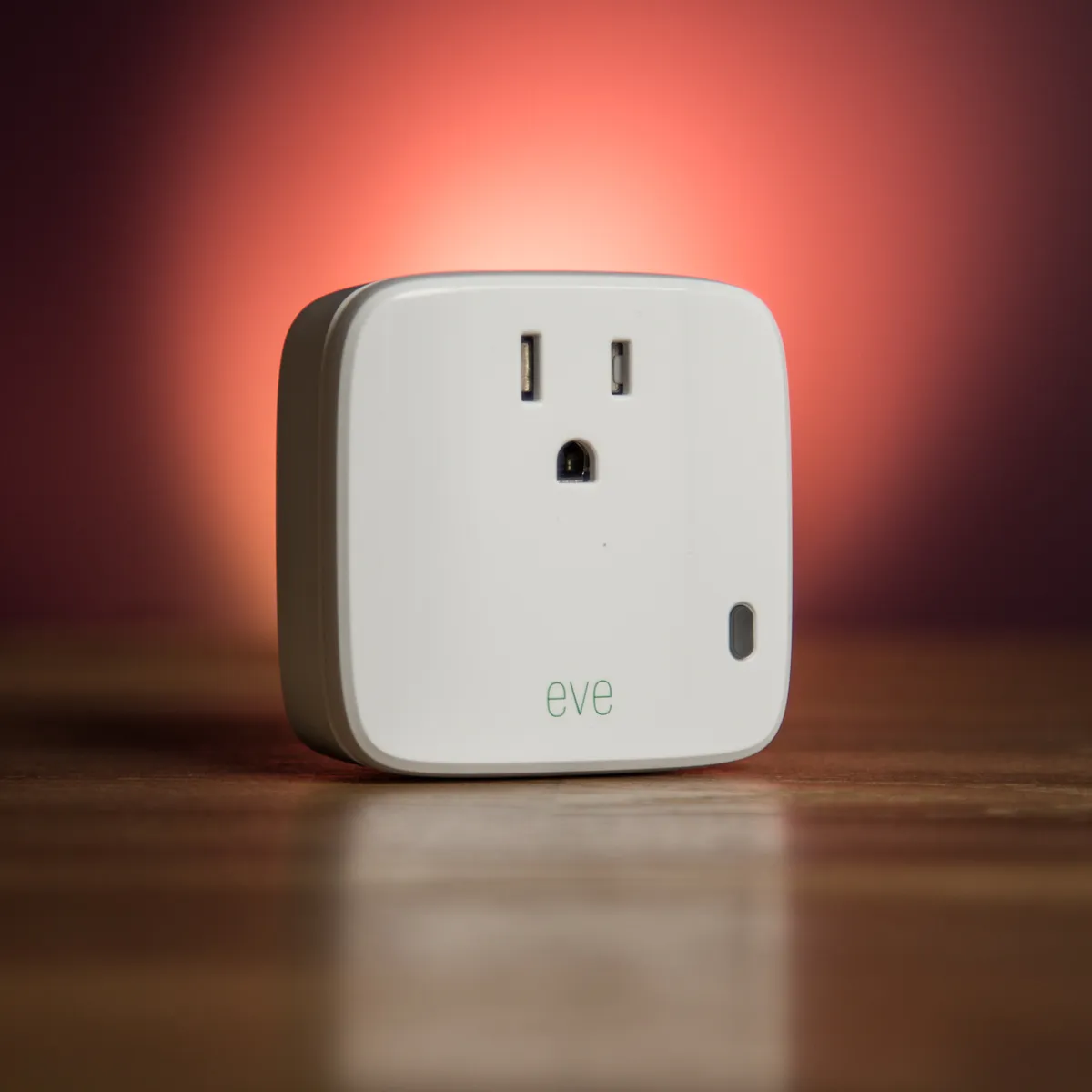
A smart plug is a small adapter that you plug into a regular electrical outlet. You then plug another device, like a lamp, fan, or kitchen appliance, into the smart plug. In essence, it acts as a gatekeeper for the power flowing to your device, and you get to be the one who opens and closes the gate, from anywhere in the world. For explore our smart home reviews on this site.
These devices connect to your home’s Wi-Fi network, allowing you to control them through a smartphone app or with your voice via a smart assistant like Alexa or Google Assistant. They’ve evolved from the clunky, mechanical timers of the past into sleek, intelligent hubs that are the perfect entry point into the world of smart homes.
Unpacking the Magic: Core Features of a Smart Plug
When you first get your hands on a smart plug, you might think it’s just a simple on/off switch. But the real power lies in the software and features packed inside.
- Remote Control: This is the foundational feature. As long as you have an internet connection, you can turn the connected appliance on or off from your phone, whether you’re in the next room or on vacation across the country.
- Scheduling and Timers: This is where the automation begins. You can set schedules for your devices to turn on and off at specific times. For example, have your coffee maker start brewing five minutes before your alarm goes off, or automatically turn off the holiday lights at midnight.
- Voice Control: “Hey Google, turn on the living room fan.” The ability to control your devices with a simple voice command is a game-changer. It’s the kind of futuristic convenience that quickly becomes second nature.
- Energy Monitoring: Many models come with the ability to track the energy consumption of the device plugged into them. This is fantastic for identifying which appliances are the biggest “energy vampires” and for making more informed decisions to lower your electricity bill.
How Do I Set Up My New Smart Plug?
Worried about a complicated installation process? Don’t be. Setting up a smart plug is usually incredibly straightforward and takes less than five minutes. Seriously, it’s easier than brewing a pot of coffee.
- Plug It In: Take the smart plug out of the box and plug it into the wall outlet you want to use. A light on the plug will usually start blinking, indicating it’s ready for setup.
- Download the App: Scan the QR code in the manual or search for the manufacturer’s app in your phone’s app store (e.g., Kasa Smart, TP-Link Tapo, Gosund).
- Create an Account: You’ll need to create a free account within the app. This is how the service links the physical plug to your control.
- Connect to Wi-Fi: Follow the in-app instructions. This usually involves connecting your phone to the smart plug’s temporary Wi-Fi network, then telling the plug your home Wi-Fi password. The plug will then connect directly to your home network.
- Name Your Device: Give your plug a logical name like “Bedroom Lamp” or “Kitchen Fan.” This makes it much easier to identify in the app and to control with your voice. That’s it! You’re ready to go.
Can Smart Plugs Really Save You Money on Electricity?
Yes, they absolutely can, primarily by tackling “vampire power,” also known as phantom load. This is the electricity that your electronics consume even when they’re turned off or in standby mode. Think about your TV, game console, or computer chargers. While the individual draw is small, it adds up significantly across all the devices in your home over a year.
By using a smart plug to schedule these devices to completely power down overnight or when you’re at work, you cut off that phantom load at the source. An energy-monitoring smart plug takes this a step further by showing you exactly how much power a device is using, empowering you to make smarter choices.
“The single biggest, often overlooked, benefit of smart plugs isn’t just the convenience—it’s the insight. When you can see precisely how much energy that old space heater or entertainment center is using, you’re no longer guessing. You’re making data-driven decisions that directly impact your wallet and the environment.”
Making It All Work Together: Smart Plugs in Your Smart Home Ecosystem
A smart plug is great on its own, but its true potential is unlocked when it becomes part of a larger smart home ecosystem. The “big three” are Amazon Alexa, Google Assistant, and Apple HomeKit.
- Amazon Alexa: Simply enable the manufacturer’s “skill” in the Alexa app, and your plugs will be discoverable. You can then include them in routines, like a “Good Morning” routine that turns on your lamp and coffee maker simultaneously.
- Google Assistant: The process is similar. You link your smart plug account in the Google Home app. This allows you to control your plugs with any Google Nest speaker or through the Assistant on your phone.
- Apple HomeKit: Plugs that are compatible with HomeKit often feature a scannable code for instant setup within the Apple Home app. HomeKit is known for its strong focus on security and seamless integration with other Apple devices.
Before you buy a smart plug with free shipping, always check the product description or packaging for compatibility logos to ensure it will work with your preferred assistant. As the smart home world evolves, standards like Matter are emerging to make this interoperability even easier, a point highlighted by industry experts.
“We’re moving past the ‘walled garden’ phase of the smart home,” notes technology analyst Dr. Alistair Finch. “The rise of universal standards like Matter means consumers can buy with confidence, knowing their devices will communicate with each other regardless of the brand. A smart plug purchased today will be a foundational piece of a more connected, intuitive home for years to come.”
What to Look for When You Buy a Smart Plug with Free Shipping
Not all smart plugs are created equal. As you browse for options, keep this checklist in mind to find the perfect fit for your needs.
Your Smart Plug Pre-Purchase Checklist
|
Our Picks for the Best Smart Plug in 2026
As an Amazon Associate, we earn from qualifying purchases.
|
||
| Num | Product | Action |
|---|---|---|
| 1 | Kasa Smart Plug Mini 15A, Smart Home Wi-Fi Outlet Works with Alexa, Google Home & IFTTT, No Hub Required, UL Certified, 2.4G WiFi Only, 4-Pack(EP10P4) , White |

|
| 2 | TP-Link Tapo Matter Supported Smart Plug Mini, Compact Design, 15A/1800W Max, Super Easy Setup, Works with Apple Home, Alexa & Google Home, UL Certified, 2.4G Wi-Fi Only, White, Tapo P125M(3-Pack) |
|
| 3 | Kasa Smart Plug HS103P4, Smart Home Wi-Fi Outlet Works with Alexa, Echo, Google Home & IFTTT, No Hub Required, Remote Control, 15 Amp, UL Certified, 4-Pack, White |
|
| 4 | Amazon Basics Smart Plug, Works with Alexa Only, 2.4 GHz Wi-Fi, No Hub Required, 4-Pack, White |
|
| 5 | Kasa Smart Plug Ultra Mini 15A, Smart Home Wi-Fi Outlet Works with Alexa, Google Home & IFTTT, No Hub Required, UL Certified, 2.4G WiFi Only, 2 Count (Pack of 1)(EP10P2) , White |
|
| 6 | Amazon Basics Smart Plug, Works with Alexa Only, 2.4 GHz Wi-Fi, No Hub Required, 2 Pack, White |
|
| 7 | Govee Smart Plug, WiFi Plugs Work with Alexa & Google Assistant, Smart Outlet with Timer & Group Controller, WiFi Outlet for Home, No Hub Required, ETL & FCC Certified, 2.4G WiFi Only, 4 Pack |
|
| 8 | Kasa Smart Plug Mini 15A, Apple HomeKit Supported, Smart Outlet Works with Siri, Alexa & Google Home, UL Certified, App Control, Scheduling, Timer, 2.4G WiFi Only, 4 Count (Pack of 1) (EP25P4), White |
|
| 9 | Govee Smart Plug, WiFi Plugs Work with Alexa & Google Assistant, Smart Outlet with Timer & Group Controller, WiFi Outlet for Home, No Hub Required, ETL & FCC Certified, 2.4G WiFi Only, 2 Pack |
|
| 10 | Kasa Smart Plug HS103P2, Smart Home Wi-Fi Outlet Works with Alexa, Echo, Google Home & IFTTT, No Hub Required, Remote Control,15 Amp,UL Certified, (Pack of 2) White |
|
- Ecosystem Compatibility: Does it explicitly state “Works with Alexa,” “Works with Google Assistant,” or “Works with Apple HomeKit”? This is the most important factor.
- Size and Shape: Look at the product photos carefully. Some bulky smart plugs can block the second outlet on a standard wall plate. Look for compact, round, or offset designs to avoid this common frustration.
- Wi-Fi Requirements: Nearly all smart plugs operate on the 2.4GHz Wi-Fi band. This won’t be an issue for most modern routers, but it’s something to be aware of.
- Energy Monitoring: Do you want to be able to track power usage? If so, make sure this feature is specifically listed. It often costs a few dollars more but can be well worth the investment.
- Safety Certifications: Look for certifications like UL or ETL. These indicate that the product has been tested by a third-party organization and meets stringent safety standards. This is especially crucial for any device that handles electricity.
- Free Shipping Considerations: Finding a deal to buy a smart plug with free shipping is great, but ensure it’s from a reputable seller or the official brand store. This often means better customer support and a more reliable warranty process if you ever need it.
Frequently Asked Questions (FAQ)
Q: Do smart plugs use a lot of electricity themselves?
A: No, a smart plug’s own energy consumption is incredibly low, typically less than 1 watt. The energy it saves by turning off power-hungry devices far outweighs the tiny amount it uses to stay connected to Wi-Fi.
Q: Do I need a special smart home hub to use a smart plug?
A: For most Wi-Fi smart plugs, you do not need a separate hub. They connect directly to your home’s Wi-Fi router. Some plugs use other protocols like Zigbee or Z-Wave, which do require a hub, so always check the product details.
Q: Can I use a smart plug outdoors?
A: Only if it is specifically rated for outdoor use. Outdoor smart plugs are built to withstand moisture, dust, and temperature changes. Never use an indoor-rated smart plug outside, as it can be a serious safety hazard.
Q: What happens if my internet goes down?
A: If your Wi-Fi is down, you won’t be able to control the smart plug remotely from your phone or with your voice. However, any schedules you’ve already set are often stored locally on the plug itself and will continue to run as programmed. Most plugs also have a physical on/off button you can use.
Q: Is it safe to use a smart plug with a high-power appliance like a space heater?
A: You must check the smart plug’s maximum power rating (measured in watts or amps). High-draw appliances like space heaters, hair dryers, or large power tools can exceed the limit of a standard smart plug, creating a fire risk. Always use a heavy-duty smart plug specifically designed for such appliances.
Your Smarter Home Awaits
Stepping into the world of home automation doesn’t require a massive budget or a degree in engineering. It can start with something as simple and affordable as a smart plug. From the sheer convenience of turning on a fan without getting up to the peace of mind of knowing you can check on your appliances from anywhere, these little gadgets deliver an outsized impact on your daily life. They are the building blocks of a more connected, efficient, and secure home.
So go ahead, take the first step. Find a great deal, check for compatibility, and buy a smart plug with free shipping today. Your future self will thank you.
Frequently Asked Questions
Do smart plugs consume a lot of electricity themselves?
No, a smart plug's own energy consumption is very low, typically less than 1 watt. The energy saved by turning off power-hungry devices significantly outweighs the minimal amount it uses to maintain a Wi-Fi connection.
Is a special smart home hub required to use a smart plug?
Most Wi-Fi smart plugs do not require a separate hub; they connect directly to your home's Wi-Fi router. However, some plugs using protocols like Zigbee or Z-Wave do need a compatible hub, so always verify product details.
Can smart plugs be safely used outdoors?
Smart plugs can only be used outdoors if they are specifically rated for outdoor conditions. Outdoor-rated smart plugs are designed to withstand moisture, dust, and temperature fluctuations, unlike indoor-rated plugs which pose a safety hazard outside.
What happens to smart plug functionality if the internet goes down?
If your Wi-Fi is down, you cannot control the smart plug remotely via your phone or voice commands. However, any schedules previously set are often stored locally on the plug and will continue to operate as programmed. Most plugs also include a physical on/off button for manual control.
Is it safe to use a smart plug with high-power appliances?
It is crucial to check the smart plug's maximum power rating (in watts or amps) before connecting high-power appliances. Devices like space heaters or hair dryers can exceed the limit of a standard smart plug, creating a fire risk; always use a heavy-duty smart plug designed for such loads.
Smart home that does not lock you in
Free PDF — protocol compatibility matrix for 30 hubs and devices.
These smart plugs are super convenient. I love being able to turn off the kids’ gaming console from my phone when it’s bedtime, even if I’m not in the same room. The setup was pretty straightforward, connecting to my home’s Wi-Fi network was a breeze. My only minor complaint is that some of the apps can be a little clunky to navigate at first.
I’ve been wanting to get into smart home automation for a while, and these smart plugs were the perfect entry point. I use one for my coffee maker so it’s ready when I wake up, and another for my fan. The convenience is amazing, and I feel like my home is a little more secure knowing I can control things even when I’m not there.
I was skeptical about smart plugs at first, but after reading about the energy monitoring feature, I decided to try one for my old space heater. It’s been a game-changer! I can see exactly how much power it’s using and set schedules so it’s not running unnecessarily. Definitely recommend for anyone looking to cut down on their electricity bill.
I got a couple of these to control my lamps, and while the remote control via smartphone app works well, I found that the voice command feature with my smart assistant isn’t always as responsive as I’d hoped. Sometimes I have to repeat myself a few times. It’s still useful for basic on/off, but the voice control could be smoother.