Let’s be real for a moment. Have you ever been halfway to work and had that sudden jolt of panic? “Did I turn off the coffee maker?” or “Is the living room lamp still on?” We’ve all been there. It’s that tiny, nagging thought that can ruin a perfectly good morning. This is where our deep-dive Apple HomeKit Smart Plug Review comes into play, showing you how a simple, affordable gadget can completely transform your home and give you peace of mind. If you’re an Apple user, stepping into the world of home automation has never been easier, and it all starts with this humble, yet powerful, device.
So, What Exactly Is a HomeKit Smart Plug?
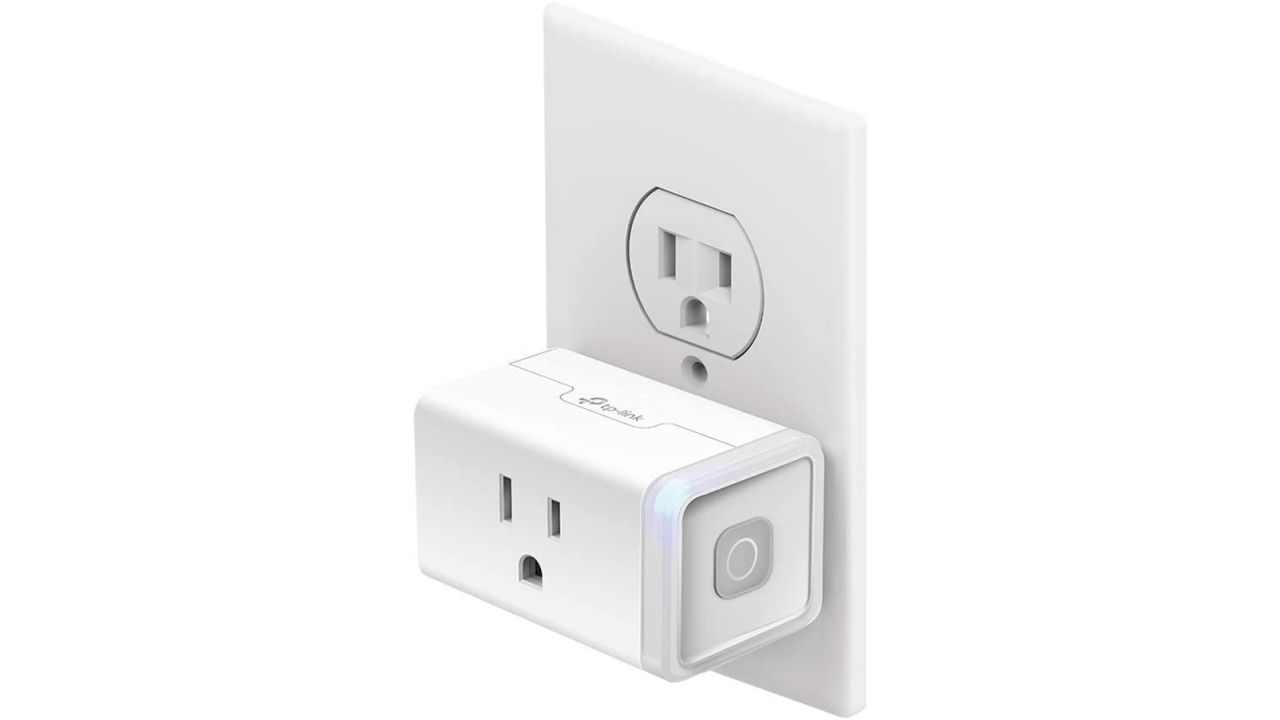
Think of a smart plug as a middleman between your wall outlet and your regular, “dumb” appliance—like a lamp, a fan, or that coffee maker we were just panicking about. You plug the smart plug into the wall, then plug your appliance into the smart plug. Voila! That appliance is now smart.
For Apple users, the magic ingredient is HomeKit. This is Apple’s framework for a secure, seamless smart home. A HomeKit-compatible smart plug means you can control it directly from your iPhone, iPad, Apple Watch, or even with your voice using Siri. No need for a dozen different apps from a dozen different manufacturers. It all just works, neatly integrated into the Apple ecosystem you already know and love.
How Do You Set Up an Apple HomeKit Smart Plug?
Worried about a complicated setup? Don’t be. This is where Apple’s famous user-friendliness really shines. I’ve set up more of these than I can count, and it consistently takes less time than making a cup of tea.
Here’s a quick rundown of the process:
- Unbox and Plug In: Take your new smart plug out of the box and plug it into a wall outlet. A small light will usually blink to show it’s ready for pairing.
- Open the Home App: On your iPhone or iPad, open the “Home” app. It’s pre-installed on your device.
- Add Accessory: Tap the ‘+’ icon in the top right corner, then select “Add Accessory.”
- Scan the Code: Your phone’s camera will open. Simply point it at the HomeKit setup code—a small, eight-digit number or QR code—found on the plug itself or in its manual.
- Follow the Prompts: The Home app will instantly recognize the plug. You’ll be asked to assign it to a room (e.g., “Living Room”) and give it a name (e.g., “Floor Lamp”). Be descriptive! Naming it “Floor Lamp” is much better for voice commands than “Plug 1.”
And that’s it. Seriously. You’re now ready to control your newly smartened appliance from anywhere.
The Best Features to Look For in 2024
Not all smart plugs are created equal. As you read any Apple HomeKit smart plug review, there are a few key features you should keep an eye on to ensure you’re getting the best bang for your buck.
- Connectivity: Wi-Fi, Bluetooth, and the Rise of Thread: Most basic plugs use Wi-Fi. It’s reliable, but a house full of Wi-Fi devices can sometimes crowd your network. The new gold standard is Thread. It’s a low-power mesh network protocol that’s incredibly fast and reliable. Plugs with Thread create a self-healing network, meaning they get more stable as you add more devices. It’s a game-changer for a lag-free smart home.
- Energy Monitoring: This is a killer feature. Plugs with energy monitoring can tell you exactly how much power the connected appliance is using in real-time and over time. It’s a fantastic way to identify those “energy vampire” devices that secretly drive up your electricity bill.
- Compact Design: The first generation of smart plugs were chunky beasts that would often block the second outlet. Thankfully, modern designs are much sleeker. Always look for a plug that won’t cause a traffic jam on your wall plate.
- Physical Button: While you’ll mostly use your phone or voice, having a physical on/off button on the plug itself is surprisingly handy for those moments when your phone isn’t nearby.
|
Our Picks for the Best Smart Plug in 2026
As an Amazon Associate, we earn from qualifying purchases.
|
||
| Num | Product | Action |
|---|---|---|
| 1 | Kasa Smart Plug Mini 15A, Smart Home Wi-Fi Outlet Works with Alexa, Google Home & IFTTT, No Hub Required, UL Certified, 2.4G WiFi Only, 4-Pack(EP10P4) , White |

|
| 2 | Govee Smart Plug, WiFi Plugs Work with Alexa & Google Assistant, Smart Outlet with Timer & Group Controller, WiFi Outlet for Home, No Hub Required, ETL & FCC Certified, 2.4G WiFi Only, 2 Pack |
|
| 3 | Kasa Smart Plug HS103P2, Smart Home Wi-Fi Outlet Works with Alexa, Echo, Google Home & IFTTT, No Hub Required, Remote Control,15 Amp,UL Certified, (Pack of 2) White |
|
| 4 | Kasa Smart Plug Mini 15A, Apple HomeKit Supported, Smart Outlet Works with Siri, Alexa & Google Home, UL Certified, App Control, Scheduling, Timer, 2.4G WiFi Only, 4 Count (Pack of 1) (EP25P4), White |
|
| 5 | Amazon Basics Smart Plug, Works with Alexa Only, 2.4 GHz Wi-Fi, No Hub Required, 4-Pack, White |
|
| 6 | Amazon Basics Smart Plug, Works with Alexa Only, 2.4 GHz Wi-Fi, No Hub Required, 2 Pack, White |
|
| 7 | Kasa Smart Plug Ultra Mini 15A, Smart Home Wi-Fi Outlet Works with Alexa, Google Home & IFTTT, No Hub Required, UL Certified, 2.4G WiFi Only, 2 Count (Pack of 1)(EP10P2) , White |
|
| 8 | TP-Link Tapo Matter Supported Smart Plug Mini, Compact Design, 15A/1800W Max, Super Easy Setup, Works with Apple Home, Alexa & Google Home, UL Certified, 2.4G Wi-Fi Only, White, Tapo P125M(3-Pack) |
|
| 9 | Kasa Smart Plug HS103P4, Smart Home Wi-Fi Outlet Works with Alexa, Echo, Google Home & IFTTT, No Hub Required, Remote Control, 15 Amp, UL Certified, 4-Pack, White |
|
| 10 | Govee Smart Plug, WiFi Plugs Work with Alexa & Google Assistant, Smart Outlet with Timer & Group Controller, WiFi Outlet for Home, No Hub Required, ETL & FCC Certified, 2.4G WiFi Only, 4 Pack |
|
Can a Smart Plug Actually Save You Money?
This is a question we get all the time at Smart Plug Top, and the answer is a resounding yes. A HomeKit smart plug saves you money in two primary ways: by eliminating “phantom power” and by enabling intelligent scheduling.
Phantom power, or standby power, is the electricity consumed by appliances even when they’re turned “off.” Think of your TV’s little red light or your phone charger left in the wall. It all adds up. By connecting these to a smart plug and setting a schedule to completely cut power overnight, you can eliminate this waste. For instance, I have my entire entertainment center on a smart plug that turns off from 2 AM to 7 AM, saving energy while I sleep.
“We’re moving past the era of simply controlling devices remotely. The future is about creating an environment that responds to you proactively. A smart plug isn’t just a switch; it’s the first building block of a truly intelligent, energy-efficient home.”
— Dr. Evelyn Reed, Smart Home Technology Analyst
Beyond Turning on Lamps: Creative Uses for Your Smart Plug
This is where the fun really begins. Once you get your first smart plug, you’ll start seeing opportunities for automation everywhere.
Creative Ideas to Get You Started:
- The Perfect Morning Coffee: Plug your “dumb” drip coffee maker into a smart plug. Set a schedule for it to turn on at 6:55 AM. You’ll wake up to the smell of freshly brewed coffee every single day.
- Holiday Light Master: Stop crawling behind the Christmas tree to plug and unplug the lights. A smart plug lets you control them with a tap or set them on a festive schedule.
- Enhanced Home Security: When you’re on vacation, use the “Automation” feature in the Home app to have lamps turn on and off randomly in the evening, making it look like someone is home.
- The “Good Night” Scene: Create a “Scene” in the Home app called “Good Night.” A single tap or voice command (“Hey Siri, good night”) can turn off all your smart-plugged lamps, your fan, and your TV’s power strip simultaneously.
- Protect Your Devices: Use a smart plug on your charging stations. Instead of leaving phones and power banks plugged in all night, set a schedule to charge them for just a few hours to preserve battery health.
Finding the Best Model: An Apple HomeKit Smart Plug Review Comparison
To help you choose, we’ve broken down three popular types of HomeKit smart plugs you’ll find on the market. Remember to always purchase the correct model for your region, as plug types (like Type B in the US vs. Type G in the UK) and voltage requirements differ.
| Feature | The Budget-Friendly Pick | The All-Rounder | The Future-Proof Pro |
|---|---|---|---|
| Connectivity | Wi-Fi (2.4GHz) | Wi-Fi (2.4GHz) | Thread & Wi-Fi |
| Energy Monitoring | No | Yes | Yes |
| Size | Compact | Slightly Larger | Very Compact |
| Key Advantage | Extremely affordable | Great value with stats | Blazing-fast response |
| Best For | Beginners, non-critical items | Data nerds, main appliances | Smart home enthusiasts |
Frequently Asked Questions
What’s the main benefit of a HomeKit smart plug over a generic one?
The primary benefit is seamless integration. With HomeKit, you get to control the plug using the native Home app and Siri on all your Apple devices. It also means you benefit from Apple’s strong focus on security and privacy, as all communication is end-to-end encrypted.
Do I need a hub like an Apple TV or HomePod?
To control your HomeKit smart plug when you’re away from home or to set up automations, you will need a Home Hub. This can be a HomePod, HomePod mini, or an Apple TV. For simple on/off control while you’re on your home Wi-Fi, a hub is not required.
Can I use an Apple HomeKit smart plug with Android?
Generally, no. HomeKit is a framework exclusive to the Apple ecosystem. However, many plugs that support HomeKit also support other platforms like Amazon Alexa or Google Assistant. If you live in a mixed-device household, look for a plug that is compatible with multiple systems.
What is Matter and should I look for it?
Matter is a new, universal smart home standard designed to make devices from different companies work together seamlessly. Many new HomeKit devices, especially those with Thread, are also being updated to support Matter. Buying a Matter-compatible plug is a great way to future-proof your investment.
How much power can a smart plug handle?
Most standard smart plugs are rated for 15 amps, which is perfect for lamps, fans, coffee makers, and small electronics. They are generally not designed for heavy-duty appliances like refrigerators, washing machines, or space heaters, which can draw too much power. Always check the plug’s specifications.
Your Smarter Home is Just One Plug Away
Stepping into the world of smart homes can feel intimidating, but it doesn’t have to be. A smart plug is the perfect first step: it’s affordable, incredibly easy to set up, and delivers immediate, tangible benefits. From the convenience of voice control to the real savings on your energy bill, it’s a small change that makes a big impact. After conducting this thorough Apple HomeKit smart plug review, we’re more confident than ever that this simple device is the gateway to a more convenient, efficient, and intelligent home. So go ahead, make that old lamp smart—you’ll wonder how you ever lived without it.