Welcome to the future, where your coffee maker starts brewing the moment your alarm goes off and you can turn off the living room lamp from your bed. Sounds like science fiction? It’s not. It’s the simple, affordable magic of a smart plug. If you’re looking to Buy Smart Plug Online, you’ve landed in the perfect spot. This isn’t just another product page; this is your comprehensive guide to understanding, choosing, and mastering the device that will be the cornerstone of your smart home. Let’s dive in and turn your regular home into a brilliant one.
From Clunky Timers to Smart Hubs: A Quick History
Remember those old mechanical outlet timers? The ones with the little plastic pins you had to push in and out, making a constant, annoying clicking sound? They were the ancestors of today’s smart plugs. The idea was simple: automate your devices. But the execution was clumsy. Fast forward to today, and thanks to the explosion of home Wi-Fi and the Internet of Things (IoT), those clunky timers have evolved into sleek, silent, and incredibly intelligent devices that you can control from anywhere in the world with a tap on your phone.
What Exactly is a Smart Plug and How Does It Work?
So, what is this little gadget, really?
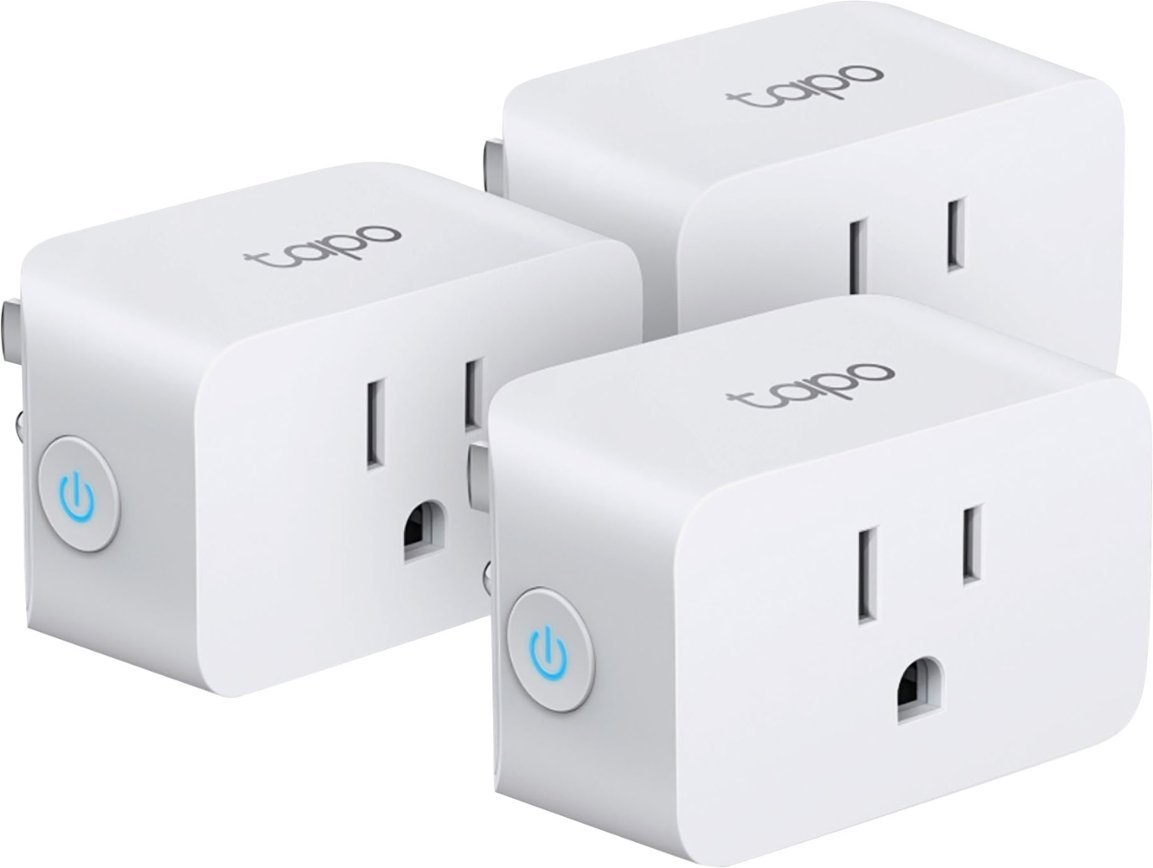
A smart plug is a small adapter that you plug into a regular electrical outlet. You then plug your “dumb” appliance—like a lamp, a fan, or a coffee maker—into the smart plug. In an instant, that appliance becomes smart. It works by connecting to your home’s Wi-Fi network, allowing you to control it remotely through a smartphone app or with your voice via a smart assistant. Think of it as a remote-controlled power switch for any outlet in your home.
Key Features to Look For When You Buy Smart Plug Online
Navigating the sea of options when you decide to buy smart plug online can feel overwhelming. Don’t worry, we’ve broken down the essential features you need to consider.
Connectivity: Wi-Fi, Bluetooth, Zigbee, and Matter
- Wi-Fi: This is the most common type. These plugs connect directly to your home’s Wi-Fi router, making them incredibly easy to set up. No extra hardware needed. The vast majority of smart plugs you’ll find online are Wi-Fi-based.
- Bluetooth: Some plugs use Bluetooth for initial setup or for control when you’re within range. They are less common as a primary connection method for remote access.
- Zigbee/Z-Wave: These are low-power mesh networks. Plugs using these protocols require a separate hub (like an Amazon Echo with a built-in Zigbee hub or a Samsung SmartThings hub). The benefit? They are often more reliable and don’t congest your Wi-Fi network.
- Matter: This is the new kid on the block. Matter is a unifying standard designed to make smart home devices from different brands work together seamlessly. A Matter-certified plug is a great future-proof investment.
Voice Assistant Compatibility
Are you a “Hey Google,” “Alexa,” or “Hey Siri” person? Make sure the smart plug you choose is compatible with your preferred voice assistant. Most major brands support Amazon Alexa and Google Assistant, while compatibility with Apple HomeKit can sometimes be more specific. Being able to say “Hey Google, turn on the coffee maker” is a game-changer for your morning routine.
Energy Monitoring
This is a killer feature. Smart plugs with energy monitoring can track how much electricity the connected appliance is using. You can see real-time power consumption and historical data right in the app. It’s a fantastic tool for identifying “vampire devices” that suck power even when turned off and for making smarter decisions to lower your electricity bill.
Scheduling and Timers
This is the bread and butter of smart plugs. You can set schedules for your devices to turn on and off automatically.
- Schedule your living room lamps to turn on at sunset.
- Set a timer to turn off your fan after 30 minutes.
- Create a “Vacation Mode” or “Away Mode” that randomly turns lights on and off to make it look like someone is home.
Form Factor and Design
Don’t overlook the physical design! Some bulky smart plugs can be so wide they block the second outlet. Look for a compact, round, or rectangular design that ensures you can still use both sockets in a standard wall plate.
Getting Started: Your First Smart Plug Setup in 5 Easy Steps
From my own experience, the setup process is a piece of cake and usually takes less than five minutes. Here’s the typical flow:
- Unbox and Plug In: Take the smart plug out of its box and plug it into a wall outlet. A small light will usually start blinking, indicating it’s in pairing mode.
- Download the App: Scan the QR code in the manual or search for the manufacturer’s app in the Apple App Store or Google Play Store. Create an account if required.
- Connect to Wi-Fi: Open the app and follow the prompts to add a new device. You’ll typically need to select your home’s 2.4GHz Wi-Fi network and enter the password. (Note: Most smart plugs don’t work with 5GHz networks).
- Name Your Device: The app will discover the plug. Give it a descriptive name like “Living Room Lamp” or “Bedroom Fan.” This is what you’ll use for voice commands.
- Connect to Your Voice Assistant: Open your Google Home or Amazon Alexa app, go to the “Devices” section, and link the smart plug’s brand account. Your new plug will appear, ready for voice control. Voilà!
Beyond the Basics: Creative Ways to Use Your Smart Plugs
Once you have one, you’ll start seeing opportunities everywhere. Here are some of our favorite creative uses:
- Morning Routine Automation: Plug your coffee maker (a non-digital one with a physical switch) and a lamp into smart plugs. Create a “Good Morning” routine that turns them both on when your alarm goes off.
- The ‘Pretend You’re Home’ Security Trick: Use the scheduling or “Away Mode” to have lamps in different rooms turn on and off throughout the evening when you’re on vacation.
- Protect Your Electronics: Connect your phone or laptop charger to a smart plug and set a timer to turn it off after two hours to prevent overcharging and save energy.
- Holiday Decoration Hero: Forget crawling behind the Christmas tree to plug in the lights. A smart plug makes it effortless.
- Instant Slow Cooker: Put your ingredients in the slow cooker in the morning, but don’t turn it on. Use your smart plug to start it remotely a few hours before you get home, so dinner is perfectly cooked and not overdone.
The Real Payoff: How Smart Plugs Save You Money
It might seem counterintuitive that a device that’s always on can save you money, but it’s true. The magic lies in eliminating “vampire power” or “standby power.”
Many modern electronics continue to draw a small amount of power even when they are turned off. This can account for up to 10% of your household’s energy use! A smart plug completely cuts the power to the device, ensuring it uses zero electricity when not needed.
An energy-monitoring smart plug takes this a step further, giving you the data you need to identify the biggest energy hogs in your home and adjust your habits accordingly.
|
Our Picks for the Best Smart Plug in 2026
As an Amazon Associate, we earn from qualifying purchases.
|
||
| Num | Product | Action |
|---|---|---|
| 1 | Govee Smart Plug, WiFi Plugs Work with Alexa & Google Assistant, Smart Outlet with Timer & Group Controller, WiFi Outlet for Home, No Hub Required, ETL & FCC Certified, 2.4G WiFi Only, 2 Pack |

|
| 2 | Kasa Smart Plug HS103P2, Smart Home Wi-Fi Outlet Works with Alexa, Echo, Google Home & IFTTT, No Hub Required, Remote Control,15 Amp,UL Certified, (Pack of 2) White |
|
| 3 | TP-Link Tapo Matter Supported Smart Plug Mini, Compact Design, 15A/1800W Max, Super Easy Setup, Works with Apple Home, Alexa & Google Home, UL Certified, 2.4G Wi-Fi Only, White, Tapo P125M(3-Pack) |
|
| 4 | Govee Smart Plug, WiFi Plugs Work with Alexa & Google Assistant, Smart Outlet with Timer & Group Controller, WiFi Outlet for Home, No Hub Required, ETL & FCC Certified, 2.4G WiFi Only, 4 Pack |
|
| 5 | Kasa Smart Plug Mini 15A, Smart Home Wi-Fi Outlet Works with Alexa, Google Home & IFTTT, No Hub Required, UL Certified, 2.4G WiFi Only, 4-Pack(EP10P4) , White |
|
| 6 | Kasa Smart Plug Ultra Mini 15A, Smart Home Wi-Fi Outlet Works with Alexa, Google Home & IFTTT, No Hub Required, UL Certified, 2.4G WiFi Only, 2 Count (Pack of 1)(EP10P2) , White |
|
| 7 | Amazon Basics Smart Plug, Works with Alexa Only, 2.4 GHz Wi-Fi, No Hub Required, 4-Pack, White |
|
| 8 | Kasa Smart Plug Mini 15A, Apple HomeKit Supported, Smart Outlet Works with Siri, Alexa & Google Home, UL Certified, App Control, Scheduling, Timer, 2.4G WiFi Only, 4 Count (Pack of 1) (EP25P4), White |
|
| 9 | Amazon Basics Smart Plug, Works with Alexa Only, 2.4 GHz Wi-Fi, No Hub Required, 2 Pack, White |
|
| 10 | Kasa Smart Plug HS103P4, Smart Home Wi-Fi Outlet Works with Alexa, Echo, Google Home & IFTTT, No Hub Required, Remote Control, 15 Amp, UL Certified, 4-Pack, White |
|
Integrating Plugs into Your Smart Home Ecosystem
A single smart plug is useful, but its true power is unleashed when it becomes part of a larger ecosystem.
Google Assistant & Google Home
With Google, you can group your smart plugs into “Rooms” (e.g., “Living Room”) and create powerful “Routines.” For instance, a “Movie Night” routine could dim your smart lights, turn on the TV (via a smart plug on the power strip), and turn on your ambient lamp.
Amazon Alexa
Alexa offers similar functionality with “Groups” and “Routines.” You can say, “Alexa, goodnight,” and trigger a routine that turns off all the smart plugs downstairs, turns on your bedroom fan, and starts a sleep sounds playlist.
Apple HomeKit
HomeKit provides a secure and private way to control your smart home devices. You can use the “Home” app on your iPhone, iPad, or Mac and control devices with Siri. HomeKit “Scenes” allow you to control multiple accessories at once, like a “Leaving Home” scene that turns everything off.
“The smart plug is the gateway drug to a fully automated home. It’s affordable, incredibly easy to install, and delivers an immediate ‘wow’ factor. We’re moving towards an era of ambient computing, and devices like these, especially with the new Matter protocol, are the building blocks of a truly interconnected and intelligent living space.” – Dr. Alistair Finch, IoT Researcher
Your Pre-Purchase Checklist
Before you click that “buy” button, run through this quick checklist.
| Feature to Check | Why It Matters |
|---|---|
| Voice Assistant Support | Ensure it works with your preferred system (Alexa, Google, Siri). |
| Hub Required? | Most are Wi-Fi and don’t need a hub, but double-check if it’s Zigbee or Z-Wave. |
| Energy Monitoring | A must-have for tracking usage and saving money on your electricity bill. |
| Physical Size | Will it block the other outlet? Look for a compact design. |
| Safety Certifications | Look for certifications like UL or ETL to ensure electrical safety. |
| App Usability | Check app reviews. A buggy or confusing app can ruin the experience. |
| Matter Support | Consider a Matter-certified plug for better future-proofing and interoperability. |
Frequently Asked Questions (FAQ)
Q: Do smart plugs use a lot of electricity themselves?
A: No, smart plugs consume a very small amount of energy to stay connected to your Wi-Fi network, typically less than 1 watt. The energy they save by turning off vampire devices far outweighs their own consumption.
Q: Can I use a smart plug outdoors?
A: Only if it is specifically rated for outdoor use. Outdoor smart plugs are built to withstand rain, dust, and temperature changes. Using an indoor plug outside is a safety hazard.
Q: Do I need a smart home hub to use a smart plug?
A: For most Wi-Fi smart plugs, you do not need a separate hub. They connect directly to your home router. You only need a hub if you choose a plug that uses protocols like Zigbee or Z-Wave.
Q: Are smart plugs safe from a security perspective?
A: Reputable brands prioritize security with encryption and regular firmware updates. To stay safe, always buy from a trusted brand, use a strong and unique password for the app, and keep your home Wi-Fi network secured with a WPA2 or WPA3 password.
Q: What happens to a smart plug when the Wi-Fi goes down?
A: If your Wi-Fi network goes down, you won’t be able to control the plug remotely via the app or voice commands. However, any schedules saved directly onto the plug will usually continue to run, and you can almost always turn it on or off manually using the physical button on the device itself.
Your Smart Home Journey Starts Now
Stepping into the world of smart home technology doesn’t require a huge investment or a complicated installation. It starts with a single, simple device. The smart plug is the perfect first step, offering immediate convenience, control, and even cost savings. It empowers you to make your home work for you, not the other way around. So, when you’re ready to buy smart plug online, you’ll be armed with all the knowledge you need to make a choice that will truly enhance your daily life. Welcome to the club.