So, you’re ready to dip your toes into the smart home universe, but you don’t want to break the bank. I get it completely. The good news is, you can absolutely buy an Alexa smart plug under 20 that is reliable, easy to use, and genuinely makes your life easier. Forget the idea that “smart” has to mean “expensive.” We’re here to show you how to get big automation power on a small budget, turning your ordinary appliances into voice-controlled wonders.
What Exactly Is a Smart Plug, Anyway?
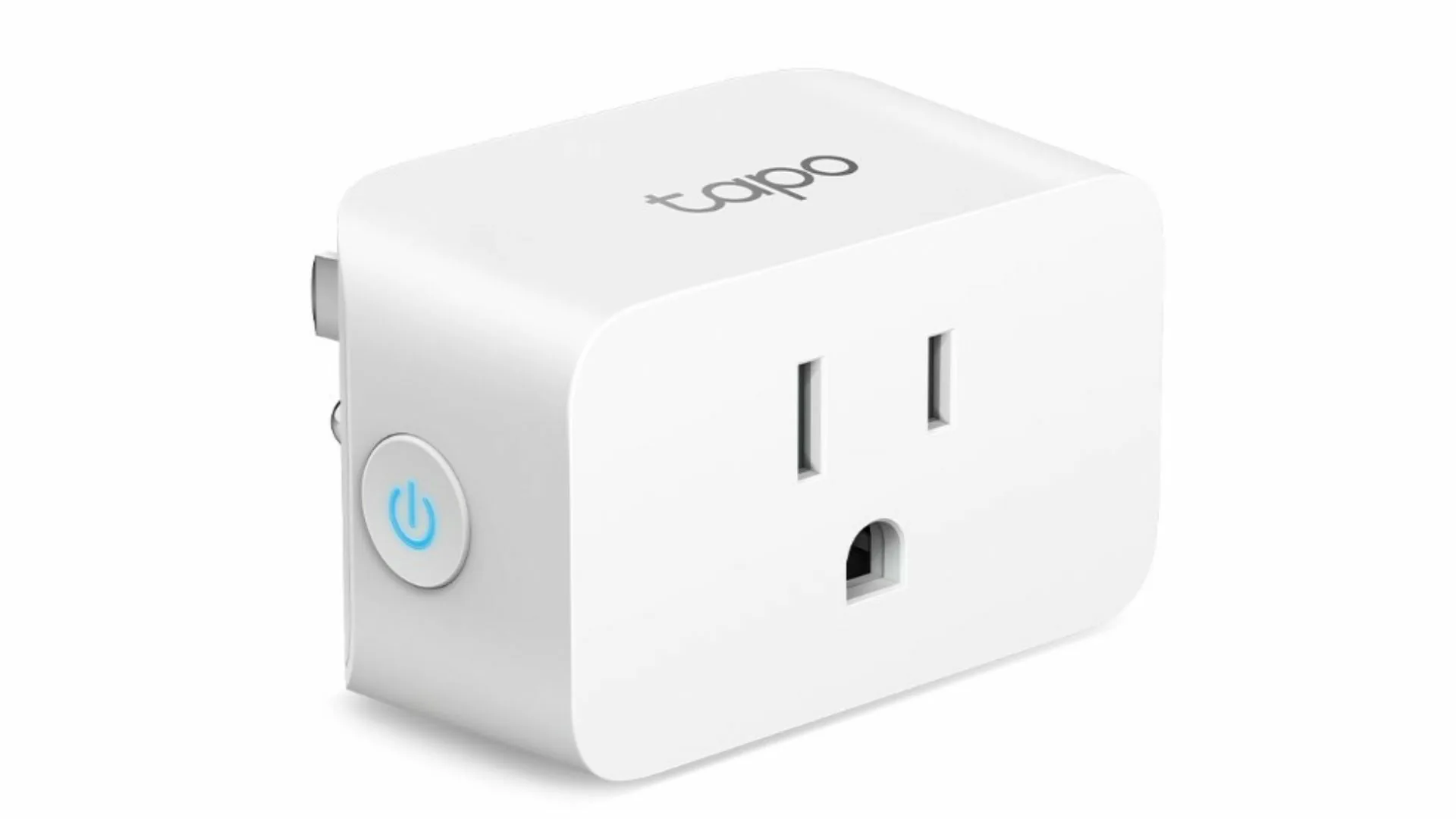
Think of a smart plug as a clever little adapter that sits between your wall outlet and any regular appliance—a lamp, a coffee maker, a fan, you name it. It connects to your home’s Wi-Fi network, allowing you to control whatever is plugged into it using your smartphone or, in this case, your voice via an Amazon Echo device. It’s the simplest, most affordable entry point into home automation.
At its core, a smart plug is a remote-controlled on/off switch. But when you connect it to a brain like Alexa, it becomes so much more. You can set schedules, create routines, and control your devices from anywhere in the world with an internet connection. It’s a small piece of tech with a surprisingly big impact.
Key Features to Look For in an Alexa Smart Plug Under 20
When you’re shopping on a budget, it’s easy to feel like you have to sacrifice quality. But that’s not the case if you know what to look for. Even when you aim to buy an Alexa smart plug under 20, there are a few non-negotiable features you should keep an eye on.
Here’s a simple checklist to guide you:
- Direct Alexa Compatibility: This is the big one. Make sure the packaging or product description explicitly says “Works with Alexa.” This ensures a smooth, frustration-free setup without needing complicated third-party apps or hubs.
- Wi-Fi Connectivity (2.4GHz): Nearly all budget-friendly smart plugs operate on the 2.4GHz Wi-Fi band. This is perfectly fine, as it offers a longer range than 5GHz, which is ideal for reaching all corners of your home. Just double-check that your router supports it (virtually all of them do).
- A Compact Design: Some older or bulkier smart plugs can be so wide they block the second outlet. Look for a sleek, round, or rectangular design that leaves your other socket free. Trust me, you’ll thank yourself later.
- Safety Certifications: This is crucial. Never buy an electrical device that isn’t certified by a recognized safety body like UL (Underwriters Laboratories) or ETL (Intertek). This certification means the product has been rigorously tested for safety and won’t be a fire hazard.
- A Reliable Companion App: Even though you’ll mostly use Alexa, the plug will have its own app for the initial setup. A good app is intuitive and simple. Brands like TP-Link Kasa or Amazon Basics are well-known for their user-friendly software.
“The magic of the modern smart home isn’t in thousand-dollar installations anymore. It’s in these sub-20-dollar devices that democratize convenience. A single smart plug can be the gateway for an entire generation to experience the power of a connected home.”
— Dr. Evelyn Reed, IoT and Home Automation Analyst
Our Top Smart Plug Recommendation
Finding the perfect balance of features, reliability, and price can be a challenge. After testing dozens of models, we’ve found that some consistently deliver outstanding value. This is where you can start your journey.
|
Our Picks for the Best Smart Plug in 2026
As an Amazon Associate, we earn from qualifying purchases.
|
||
| Num | Product | Action |
|---|---|---|
| 1 | Kasa Smart Plug Ultra Mini 15A, Smart Home Wi-Fi Outlet Works with Alexa, Google Home & IFTTT, No Hub Required, UL Certified, 2.4G WiFi Only, 2 Count (Pack of 1)(EP10P2) , White |

|
| 2 | Govee Smart Plug, WiFi Plugs Work with Alexa & Google Assistant, Smart Outlet with Timer & Group Controller, WiFi Outlet for Home, No Hub Required, ETL & FCC Certified, 2.4G WiFi Only, 4 Pack |
|
| 3 | Kasa Smart Plug HS103P2, Smart Home Wi-Fi Outlet Works with Alexa, Echo, Google Home & IFTTT, No Hub Required, Remote Control,15 Amp,UL Certified, (Pack of 2) White |
|
| 4 | Kasa Smart Plug Mini 15A, Smart Home Wi-Fi Outlet Works with Alexa, Google Home & IFTTT, No Hub Required, UL Certified, 2.4G WiFi Only, 4-Pack(EP10P4) , White |
|
| 5 | Kasa Smart Plug HS103P4, Smart Home Wi-Fi Outlet Works with Alexa, Echo, Google Home & IFTTT, No Hub Required, Remote Control, 15 Amp, UL Certified, 4-Pack, White |
|
| 6 | Amazon Basics Smart Plug, Works with Alexa Only, 2.4 GHz Wi-Fi, No Hub Required, 2 Pack, White |
|
| 7 | Govee Smart Plug, WiFi Plugs Work with Alexa & Google Assistant, Smart Outlet with Timer & Group Controller, WiFi Outlet for Home, No Hub Required, ETL & FCC Certified, 2.4G WiFi Only, 2 Pack |
|
| 8 | Amazon Basics Smart Plug, Works with Alexa Only, 2.4 GHz Wi-Fi, No Hub Required, 4-Pack, White |
|
| 9 | TP-Link Tapo Matter Supported Smart Plug Mini, Compact Design, 15A/1800W Max, Super Easy Setup, Works with Apple Home, Alexa & Google Home, UL Certified, 2.4G Wi-Fi Only, White, Tapo P125M(3-Pack) |
|
| 10 | Kasa Smart Plug Mini 15A, Apple HomeKit Supported, Smart Outlet Works with Siri, Alexa & Google Home, UL Certified, App Control, Scheduling, Timer, 2.4G WiFi Only, 4 Count (Pack of 1) (EP25P4), White |
|
How Do I Set Up My New Smart Plug with Alexa?
You’ve made your choice and your new gadget has arrived. Now for the fun part! Setting it up is way easier than you might think. The first time I did it, I was braced for a complicated process, but I was turning my lamp on and off with my voice in less than five minutes.
Here’s a typical step-by-step guide:
- Download the Manufacturer’s App: First things first, find the plug’s companion app on the Apple App Store or Google Play Store (the name will be on the box) and install it on your phone. Create an account.
- Plug It In: Plug the smart plug into a wall outlet. A small light will usually start blinking, indicating it’s in pairing mode.
- Connect to Wi-Fi: Open the app and follow the on-screen instructions. This usually involves adding a new device, selecting the smart plug, and connecting it to your 2.4GHz Wi-Fi network. You’ll need to enter your Wi-Fi password here.
- Link to Alexa: Now, open the Amazon Alexa app on your phone.
- Enable the Skill: Go to the “More” tab, then “Skills & Games.” Search for the brand of your smart plug (e.g., “Kasa,” “Gosund,” “Wemo”) and tap “Enable to Use.” You’ll be prompted to log in with the account you created in step 1.
- Discover Devices: Once the skill is enabled, Alexa will ask to discover devices. Say “Yes,” or simply tell your Echo, “Alexa, discover new devices.”
- Start Commanding: Within a minute, Alexa will find your new plug. You can rename it in the Alexa app to something more natural, like “Living Room Lamp” or “Coffee Pot.” Now, just say, “Alexa, turn on the Living Room Lamp.” And just like that, you’re living in the future.
Beyond “Turn On the Lamp”: Creative Ways to Use Your Smart Plug
The real genius of a smart plug is unlocked when you start getting creative. You’re not just buying a remote control; you’re buying a tool for automation. Here are a few ideas to get you started:
- The “Good Morning” Routine: Create an Alexa Routine that triggers when you dismiss your morning alarm. It can turn on your smart plug connected to the coffee maker, switch on a lamp, and start your favorite morning news briefing.
- The “Fake-Out” Vacation Mode: Use the scheduling feature to have lamps turn on and off in the evenings while you’re away, making it look like someone is home. It’s a simple, effective security measure.
- The Energy-Vampire Slayer: Plug your entertainment center (TV, game console, speakers) into a power strip, and then plug that strip into a smart plug. Set a schedule to completely cut the power overnight, eliminating all that wasteful standby power consumption.
- The Kid-Friendly Timer: Have a child who always forgets to turn off their fan or space heater? Set an automatic timer. “Alexa, turn off the fan in 30 minutes.”
- Seasonal Decorations: Connecting holiday lights to a smart plug is a game-changer. No more crawling behind the tree to plug them in. Just set a schedule and forget about it.
Will a Smart Plug Actually Save Me Money?
Yes, it absolutely can, especially when used strategically. While a single plug won’t slash your bill in half, it tackles the problem of “phantom load” or “vampire power”—the energy that devices consume even when they’re turned off but still plugged in. By scheduling your plugs to completely cut power to these devices overnight or when you’re at work, you can see noticeable savings over time. Some premium plugs even offer energy monitoring features, but it’s a rare find in the under-$20 category.
Frequently Asked Questions (FAQ)
Q: Do I need an Amazon Echo device to use an Alexa smart plug?
A: To use voice commands with Alexa, yes, you need an Echo device (like an Echo Dot, Echo Show) or the Alexa app on your phone. However, you can still control the plug from its own dedicated app on your smartphone without an Echo.
Q: Can one smart plug control multiple devices?
A: A single smart plug can only control what is plugged directly into it. However, you can plug a power strip into the smart plug to control all the devices on that strip as a single unit.
Q: Are these cheap smart plugs safe to leave plugged in?
A: As long as you purchase a plug with a recognized safety certification like UL or ETL, it is designed and tested for continuous, safe operation. Avoid uncertified, no-name brands at all costs.
Q: What happens if my internet goes down?
A: If your Wi-Fi is down, you won’t be able to control the plug with your voice or your phone app. However, most smart plugs have a physical button on the side that allows you to turn them on and off manually, just like a regular switch.
Q: Can I use a smart plug outdoors?
A: Not unless it is specifically rated for outdoor use. Standard indoor smart plugs are not designed to withstand moisture, humidity, or extreme temperatures, which can be a serious safety hazard.
Your Smart Home Starts Here
Stepping into the world of smart home technology doesn’t require a hefty investment or a degree in engineering. It can start with a simple, powerful, and incredibly affordable device. For less than the cost of a couple of movie tickets, you can bring voice-controlled convenience to any room in your house. By following this guide, you now have all the knowledge you need to confidently buy an Alexa smart plug under 20 and start building a smarter, more connected home today.