Let’s be honest, we’ve all been there. You’re tucked into bed, perfectly comfortable, and that nagging thought hits you: “Did I turn off the lamp downstairs?” Or maybe you’re rushing out the door for work and can’t remember if you unplugged the iron. This is where the magic of smart technology comes in, and this in-depth Meross Smart Plug Review is here to show you how a tiny, affordable gadget can fundamentally change your daily routine. We’re going to dive deep into what makes this little device a giant in the world of home automation, and by the end, you’ll know if it’s the missing piece in your smart home puzzle.
A Quick Trip Down Memory Lane: The Smart Plug Evolution
Before we get into the nitty-gritty, it’s worth appreciating how far we’ve come. Remember those clunky, mechanical timers with little plastic pins you had to push in? They were the original “smart” plugs, designed for one thing: turning something on and off at a set time. They did the job, but they were inflexible. Today’s smart plugs, like the ones from Meross, are the super-powered descendants of those timers. They’re connected, intelligent, and infinitely more versatile, turning any “dumb” appliance into a smart one.
What Exactly is the Meross Smart Plug and How Does It Work?
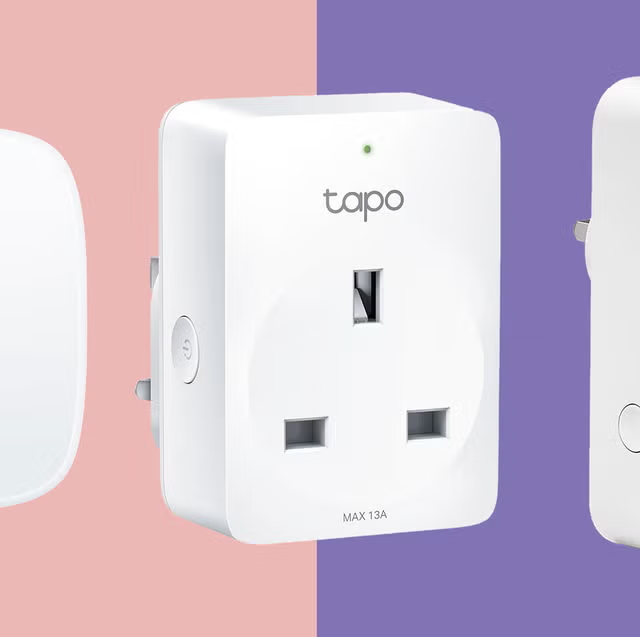
A Meross smart plug is a small adapter that you plug into a regular wall outlet. You then plug your appliance, like a lamp, fan, or coffee maker, into the smart plug. It connects to your home’s Wi-Fi network (typically the 2.4GHz band), allowing you to control the power to that appliance remotely using a smartphone app or voice commands.
Think of it as a smart, internet-connected middleman for your power outlets. Instead of flipping a physical switch, you’re sending a digital signal over the internet to turn the plug on or off. It’s that simple, yet incredibly powerful.
Getting Started: The Meross Smart Plug Setup (It’s a Breeze!)
One of the biggest hurdles for people new to smart homes is the fear of a complicated setup. I get it. But part of this Meross smart plug review is to reassure you: setting this up is ridiculously easy. When I first unboxed mine, I was ready for at least 15 minutes of fiddling. I was done in less than five.
Here’s the simple step-by-step process:
- Download the App: First, grab the Meross app from the Apple App Store or Google Play Store. Create a free account.
- Plug It In: Plug the Meross smart plug into a wall outlet. A small light on the plug will start blinking, indicating it’s ready to be paired.
- Add Device: Open the app, tap the ‘+’ icon to add a new device, and select “Smart Plug.”
- Connect to Wi-Fi: The app will guide you to connect your phone to the plug’s temporary Wi-Fi network. Once connected, you’ll select your home’s 2.4GHz Wi-Fi network and enter the password.
- Name Your Plug: Give it a logical name like “Living Room Lamp” or “Bedroom Fan.” This is crucial for using voice commands later. “Alexa, turn on Living Room Lamp” is much better than “Alexa, turn on Smart Plug 2.”
And that’s it! You’re now ready to control your newly smart appliance from anywhere in the world with an internet connection.
Beyond the Basics: Creative Ways to Use Your Smart Plug
Okay, turning lamps on and off is cool, but the real fun begins when you get creative. This is where a simple device becomes an indispensable part of your home automation.
- The Perfect Morning Routine: Plug your coffee maker into a Meross plug. Set a schedule for it to turn on at 6:55 AM. You’ll wake up to the smell of freshly brewed coffee every single day.
- Holiday Cheer, Automated: Tired of crawling behind the Christmas tree to plug in the lights? A smart plug makes it a one-tap (or one-shout) affair. You can even set schedules for them to turn on at sunset and off at bedtime.
- Enhanced Home Security: Use “Away Mode” in the Meross app. This feature randomly turns connected lights on and off to simulate that someone is home, which can be a powerful deterrent for potential intruders when you’re on vacation.
- Protect Your Electronics: Connect your devices to a power strip, and plug that strip into a Meross plug. You can create a “shutdown” routine that cuts power to everything at once, preventing “vampire power” drain from devices in standby mode.
- The Non-Smart Humidifier: Got a simple humidifier or air purifier with a physical on/off switch? A smart plug instantly allows you to control it remotely or set it on a schedule.
“We’re moving past the era where home automation was a luxury reserved for the tech-savvy elite. Devices like the Meross smart plug are democratizing the smart home, making it accessible, affordable, and genuinely useful for everyone.” – Dr. Alistair Finch, Smart Home Technology Analyst
|
Our Picks for the Best Smart Plug in 2026
As an Amazon Associate, we earn from qualifying purchases.
|
||
| Num | Product | Action |
|---|---|---|
| 1 | Kasa Smart Plug Ultra Mini 15A, Smart Home Wi-Fi Outlet Works with Alexa, Google Home & IFTTT, No Hub Required, UL Certified, 2.4G WiFi Only, 2 Count (Pack of 1)(EP10P2) , White |

|
| 2 | Amazon Basics Smart Plug, Works with Alexa Only, 2.4 GHz Wi-Fi, No Hub Required, 4-Pack, White |
|
| 3 | TP-Link Tapo Matter Supported Smart Plug Mini, Compact Design, 15A/1800W Max, Super Easy Setup, Works with Apple Home, Alexa & Google Home, UL Certified, 2.4G Wi-Fi Only, White, Tapo P125M(3-Pack) |
|
| 4 | Amazon Basics Smart Plug, Works with Alexa Only, 2.4 GHz Wi-Fi, No Hub Required, 2 Pack, White |
|
| 5 | Kasa Smart Plug HS103P4, Smart Home Wi-Fi Outlet Works with Alexa, Echo, Google Home & IFTTT, No Hub Required, Remote Control, 15 Amp, UL Certified, 4-Pack, White |
|
| 6 | Kasa Smart Plug HS103P2, Smart Home Wi-Fi Outlet Works with Alexa, Echo, Google Home & IFTTT, No Hub Required, Remote Control,15 Amp,UL Certified, (Pack of 2) White |
|
| 7 | Kasa Smart Plug Mini 15A, Apple HomeKit Supported, Smart Outlet Works with Siri, Alexa & Google Home, UL Certified, App Control, Scheduling, Timer, 2.4G WiFi Only, 4 Count (Pack of 1) (EP25P4), White |
|
| 8 | Kasa Smart Plug Mini 15A, Smart Home Wi-Fi Outlet Works with Alexa, Google Home & IFTTT, No Hub Required, UL Certified, 2.4G WiFi Only, 4-Pack(EP10P4) , White |
|
| 9 | Govee Smart Plug, WiFi Plugs Work with Alexa & Google Assistant, Smart Outlet with Timer & Group Controller, WiFi Outlet for Home, No Hub Required, ETL & FCC Certified, 2.4G WiFi Only, 4 Pack |
|
| 10 | Govee Smart Plug, WiFi Plugs Work with Alexa & Google Assistant, Smart Outlet with Timer & Group Controller, WiFi Outlet for Home, No Hub Required, ETL & FCC Certified, 2.4G WiFi Only, 2 Pack |
|
Can a Smart Plug Really Save You Money on Your Energy Bill?
Yes, it absolutely can, and it tackles a sneaky culprit known as “vampire power” or “phantom load.” This is the electricity consumed by appliances even when they’re turned off but still plugged in. Think of your TV’s little red light, your microwave’s clock, or your phone charger. Individually, it’s a tiny amount, but collectively, it can account for up to 10% of your household’s energy use.
By using a Meross smart plug to schedule a complete power-off for your entertainment center overnight or for your home office setup on weekends, you’re cutting that phantom load to zero. Over a year, those small savings can really add up. Some Meross models even include energy monitoring, showing you in the app exactly how much power a specific appliance is using. Now that’s smart.
Our Complete Meross Smart Plug Review: A Deep Dive
So, what makes the Meross plug stand out in a crowded market? It boils down to a fantastic combination of reliability, features, and an unbeatable price point.
Key Features Breakdown:
| Feature | What It Does | Why It’s Great |
|---|---|---|
| Remote Control | Turn the plug on/off from anywhere using the Meross app. | You can double-check if you left the iron on from your office, or turn on a fan before you get home on a hot day. |
| Voice Control | Works seamlessly with Amazon Alexa, Google Assistant, and Apple HomeKit. | Hands-free control is the pinnacle of convenience. “Hey Google, good night” can trigger a routine to turn off all your lights. |
| Schedules & Timers | Set specific times for the plug to turn on or off automatically. | Perfect for automating routines, saving energy, and enhancing security. Set it and forget it. |
| No Hub Required | Connects directly to your Wi-Fi network. | This saves you money and complexity. You don’t need to buy a separate, expensive smart home hub to get started. |
| Compact Design | Sleek and small, it typically won’t block the second outlet. | A thoughtful design detail that makes a huge practical difference. |
Integrating Meross into Your Smart Home Ecosystem
A smart device is only as good as its ability to play nicely with others. This is an area where Meross truly excels. Their broad compatibility is a major selling point.
How does Meross work with Alexa or Google Home?
Connecting Meross to your favorite voice assistant is straightforward. In the Alexa or Google Home app, you simply search for the Meross “skill” or “service,” link your Meross account, and all your named plugs will be automatically imported.
Once linked, you can:
- Use simple voice commands: “Alexa, turn on the coffee pot.”
- Create powerful routines: Set up a “Good Morning” routine in your Google Home app that turns on your Meross-connected lamp, tells you the weather, and starts your favorite playlist, all with a single command.
- Group devices: Group multiple Meross plugs together. For instance, create a group called “Downstairs Lights” to control them all at once.
The integration is seamless and reliable, making the Meross plug feel like a native part of your existing smart home setup, whether it’s run by Amazon, Google, or Apple. For more information on securing your connected devices, check out our [link to our guide on smart home security].
Frequently Asked Questions (FAQ)
Here are some quick answers to the most common questions we get about Meross smart plugs.
Q: Do Meross smart plugs work without an internet connection?
A: No. For remote control and voice commands, the plug needs to be connected to your Wi-Fi and the internet. However, any schedules you’ve already set will continue to run even if your internet goes down, as they are stored on the device itself.
Q: Is the Meross smart plug safe to use?
A: Yes. Meross plugs are made with fire-retardant materials and have overload protection. Look for certifications like UL or ETL on the product, which mean they have been tested by third parties for safety standards.
Q: Can I use a Meross smart plug outdoors?
A: You should only use models specifically designed for outdoor use. Meross makes weather-resistant outdoor smart plugs (like the MSS620) that are built to withstand rain and dust. Do not use an indoor plug outside.
Q: Will a Meross smart plug work with my 5GHz Wi-Fi network?
A: No, like most IoT devices, Meross smart plugs connect to the 2.4GHz Wi-Fi band. This band has a longer range and is better at penetrating walls, making it ideal for smart home gadgets. Most modern routers are dual-band, so you’ll have a 2.4GHz network available.
Q: How many Meross plugs can I have in my home?
A: The limit is generally determined by your Wi-Fi router’s capacity rather than the Meross app. A standard home router can typically handle 30-50 connected devices without issue, which is more than enough for most households.
The Verdict: Should You Buy a Meross Smart Plug?
After a thorough Meross smart plug review, the conclusion is a resounding yes. For anyone looking to dip their toes into home automation, or even for seasoned smart home veterans wanting to expand their setup without breaking the bank, Meross is an exceptional choice.
They strike a perfect balance between affordability, reliability, a rich feature set, and top-tier compatibility with all the major smart home ecosystems. The setup is painless, the app is intuitive, and the creative possibilities are nearly endless. You’re not just buying a remote switch; you’re buying convenience, a little peace of mind, and a smarter, more efficient home. It’s time to stop wondering if you left the lights on and start telling your house what to do.