The holidays are magical, but let’s be real for a second. That daily ritual of crawling behind the Christmas tree to plug in the lights, or dashing outside in the cold to illuminate your outdoor display? Not so magical. What if you could control all that festive cheer with just your voice or a tap on your phone? That’s where the humble yet powerful smart plug for Christmas lights comes in, transforming your holiday setup from a chore into a joy. Forget fumbling with tangled cords in the dark; it’s time to bring your decorations into the 21st century.
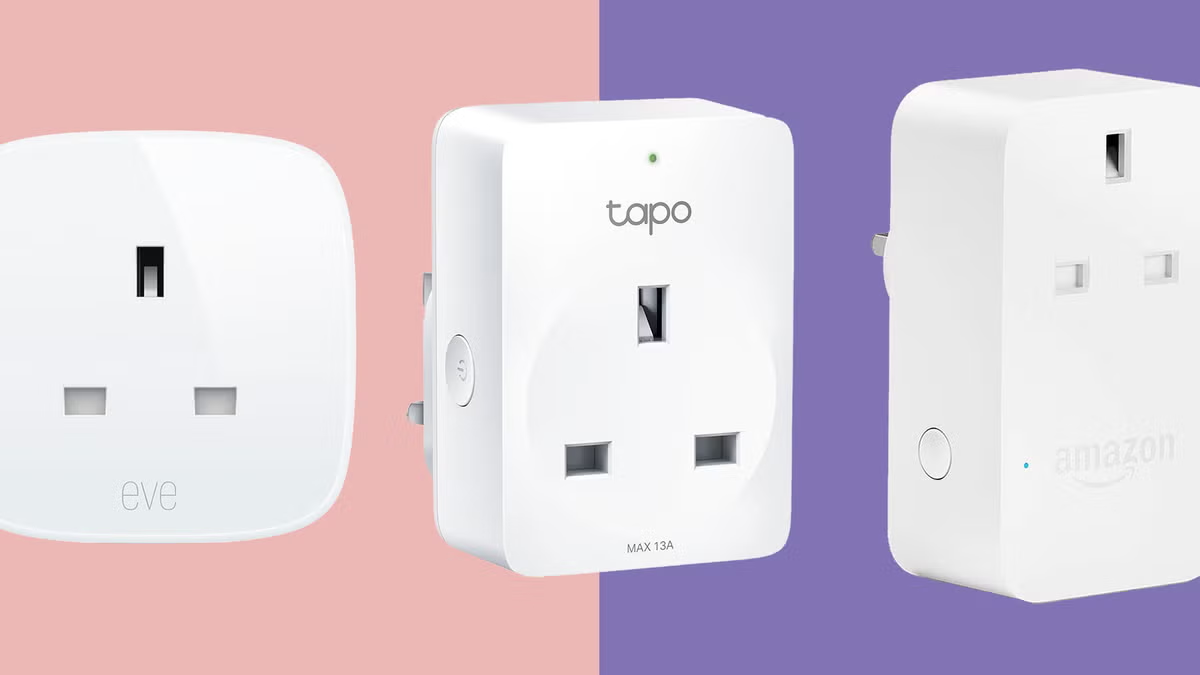
Why Bother with a Smart Plug for Holiday Lights?
You might be thinking, “It’s just a plug, what’s the big deal?” A fair question! But a smart plug is so much more than a simple on/off switch. It’s the gateway to effortless holiday automation.
Think of it as the brain for your decorations. Once you connect your lights to a smart plug, you unlock a world of convenience and control that traditional timers can only dream of.
- Schedules & Timers: Set your lights to turn on automatically at sunset and off at bedtime. No more wondering if you left the Griswold-level display running all night.
- Voice Control: “Hey Google, turn on the Christmas tree.” There’s something undeniably futuristic and fun about commanding your festive lights with your voice. It’s a party trick that never gets old.
- Remote Access: Away for the holidays but want your home to look occupied? Turn your lights on and off from anywhere in the world with your smartphone.
- Energy Savings: By ensuring your lights are only on when you want them to be, a smart plug for Christmas lights can help trim down that surprisingly high holiday electricity bill.
How Does a Smart Plug Actually Work Its Magic?
So, how does this little device pull it off? The concept is brilliantly simple.
A smart plug is essentially an adapter that fits between your wall outlet and the plug of your device (in this case, your Christmas lights). Inside this compact casing is a Wi-Fi chip that connects to your home’s wireless network. This connection is the secret sauce. It allows the plug to receive commands from an app on your smartphone or from a smart home assistant like Amazon Alexa, Google Assistant, or Apple HomeKit. When you issue a command, it travels over the internet to the plug, which then either allows or cuts off the flow of electricity to your lights. It’s like having a remote control for any outlet in your home.
Setting Up Your Smart Plug for Christmas Lights: A Step-by-Step Guide
Getting started is easier than you think. I remember setting up my first one, expecting a technical headache, but I was pleasantly surprised. It took less than five minutes. Here’s the typical process:
- Download the App: Every smart plug brand has its own dedicated app (like Kasa Smart, Wyze, or Meross). The first step is to download the correct one from your phone’s app store.
- Create an Account: You’ll need to sign up for a free account. This is what links the plug to you.
- Plug It In: Plug the smart plug into a wall outlet near your router for the initial setup. A light on the plug will usually start blinking, indicating it’s ready to be paired.
- Connect to Wi-Fi: Open the app and follow the on-screen instructions. You’ll typically select “Add Device,” choose your plug model, and then enter your home Wi-Fi password. Your phone will then connect directly to the plug to share these credentials.
- Name Your Plug: This is the fun part! Give it a logical name like “Christmas Tree” or “Outdoor Reindeer.” This is the name you’ll use for voice commands, so make it something easy to remember and say.
- Plug in the Lights & Test: Now, unplug the smart plug and move it to the outlet you want to use for your lights. Plug your Christmas lights into the smart plug, and you’re all set! Test it using the app and your voice assistant.
Expert Tip: “When setting up, always check the power rating of your smart plug. While most modern LED Christmas lights use very little power, connecting too many old-school incandescent strands to a single plug could overload it. Safety first, always.” – David Chen, Smart Home Integrator
Indoor vs. Outdoor: Choosing the Right Plug for the Job
This is a crucial point. You absolutely cannot use an indoor smart plug for your outdoor decorations. They aren’t built to withstand moisture, dust, or extreme temperatures. Using one outside is a serious safety hazard.
Here’s a quick breakdown to help you choose the right smart plug for Christmas lights:
| Feature | Indoor Smart Plug | Outdoor Smart Plug |
|---|---|---|
| Weather Resistance | None | IP44 rating or higher (splash-proof & dust-resistant) |
| Casing | Lightweight plastic | Rugged, durable, weather-sealed casing |
| Outlets | Typically a single outlet | Often has 2+ outlets with individual weatherproof covers |
| Best For | Christmas tree, window candles, indoor garlands | String lights on the house, inflatable decorations, pathway lights |
When shopping for an outdoor model, look for its “IP” (Ingress Protection) rating. An IP44 rating is a good minimum, meaning it’s protected from splashing water. For areas with heavy rain or snow, look for an even higher rating like IP65.
|
Our Picks for the Best Smart Plug in 2026
As an Amazon Associate, we earn from qualifying purchases.
|
||
| Num | Product | Action |
|---|---|---|
| 1 | Kasa Smart Plug Mini 15A, Smart Home Wi-Fi Outlet Works with Alexa, Google Home & IFTTT, No Hub Required, UL Certified, 2.4G WiFi Only, 4-Pack(EP10P4) , White |

|
| 2 | Amazon Basics Smart Plug, Works with Alexa Only, 2.4 GHz Wi-Fi, No Hub Required, 2 Pack, White |
|
| 3 | Kasa Smart Plug Ultra Mini 15A, Smart Home Wi-Fi Outlet Works with Alexa, Google Home & IFTTT, No Hub Required, UL Certified, 2.4G WiFi Only, 2 Count (Pack of 1)(EP10P2) , White |
|
| 4 | Kasa Smart Plug HS103P4, Smart Home Wi-Fi Outlet Works with Alexa, Echo, Google Home & IFTTT, No Hub Required, Remote Control, 15 Amp, UL Certified, 4-Pack, White |
|
| 5 | Amazon Basics Smart Plug, Works with Alexa Only, 2.4 GHz Wi-Fi, No Hub Required, 4-Pack, White |
|
| 6 | Govee Smart Plug, WiFi Plugs Work with Alexa & Google Assistant, Smart Outlet with Timer & Group Controller, WiFi Outlet for Home, No Hub Required, ETL & FCC Certified, 2.4G WiFi Only, 2 Pack |
|
| 7 | Kasa Smart Plug Mini 15A, Apple HomeKit Supported, Smart Outlet Works with Siri, Alexa & Google Home, UL Certified, App Control, Scheduling, Timer, 2.4G WiFi Only, 4 Count (Pack of 1) (EP25P4), White |
|
| 8 | Govee Smart Plug, WiFi Plugs Work with Alexa & Google Assistant, Smart Outlet with Timer & Group Controller, WiFi Outlet for Home, No Hub Required, ETL & FCC Certified, 2.4G WiFi Only, 4 Pack |
|
| 9 | Kasa Smart Plug HS103P2, Smart Home Wi-Fi Outlet Works with Alexa, Echo, Google Home & IFTTT, No Hub Required, Remote Control,15 Amp,UL Certified, (Pack of 2) White |
|
| 10 | TP-Link Tapo Matter Supported Smart Plug Mini, Compact Design, 15A/1800W Max, Super Easy Setup, Works with Apple Home, Alexa & Google Home, UL Certified, 2.4G Wi-Fi Only, White, Tapo P125M(3-Pack) |
|
Integrating Your Smart Plug into Your Smart Home Ecosystem
The real magic of a smart plug for Christmas lights shines when you connect it to your existing smart home system. This is where you move from simple app control to a seamlessly automated home.
Working with Amazon Alexa
After setting up your plug in its native app, open the Alexa app. Go to “Skills & Games,” search for the smart plug’s brand (e.g., Kasa), and enable the skill. Once you link your accounts, Alexa will discover your new plug. From then on, you can say:
- “Alexa, turn on the Christmas tree.”
- “Alexa, set the patio lights to turn off at 11 PM.”
Connecting to Google Assistant
The process is very similar for Google Home/Nest users. Open the Google Home app, tap the “+” icon, select “Set up device,” and then “Works with Google.” Find your smart plug’s brand in the list, link your accounts, and assign the plug to a room in your home. Now you can use commands like:
- “Hey Google, make the living room festive.” (if you group multiple lights)
- “Hey Google, are the outdoor lights on?”
Using with Apple HomeKit
Some smart plugs work with Apple HomeKit out of the box. These often have a special “HomeKit code” on the device or in the manual. To add them, simply open the Apple Home app, tap “Add Accessory,” and scan the code with your phone’s camera. This integration allows for control via Siri and the Home app across all your Apple devices.
The Unsung Hero: Saving Energy (and Money!) This Holiday
Beyond the convenience, smart plugs are a fantastic tool for energy management. Holiday lights, especially older incandescent models, can be energy hogs.
A smart plug ensures you’re not wasting a single watt. By setting precise schedules, you prevent lights from being left on by mistake overnight or when no one is home to enjoy them. Some advanced smart plugs even offer energy monitoring, showing you exactly how much electricity your festive display is consuming right in the app.
This data can be a real eye-opener and encourage you to switch to more efficient LED lights, saving you even more money in the long run. Consider it a small investment that pays for itself.
Frequently Asked Questions (FAQ)
Q: Do I need a special smart home hub to use a smart plug?
A: Not usually. The vast majority of popular smart plugs today connect directly to your home’s Wi-Fi network and don’t require a separate hub. However, some plugs use other protocols like Zigbee or Z-Wave, which do require a compatible hub (like a Samsung SmartThings or Amazon Echo with a built-in hub). Always check the product description before you buy.
Q: Can I plug a power strip with multiple light strands into one smart plug?
A: Yes, you can, but with a major caveat: you must not exceed the smart plug’s maximum amperage or wattage rating. Add up the total power consumption of all the lights you plan to connect. Most smart plugs are rated for 10 or 15 amps. It’s always safer to use an outdoor-rated power stake that has its own built-in overload protection.
Q: Are outdoor smart plugs really safe in the rain and snow?
A: A properly rated outdoor smart plug (IP44 or higher) is designed to be weather-resistant, not fully waterproof. It can handle splashes, rain, and snow. For maximum safety, it’s best practice to mount the plug in a vertical position at least a few feet off the ground with the outlets facing downward, and to plug it into a GFCI (Ground Fault Circuit Interrupter) outlet.
Q: What happens to my schedule if my home’s Wi-Fi goes out?
A: This depends on the plug. Most modern smart plugs store their schedules locally on the device itself. This means that even if your internet connection drops, the pre-set on/off timer will still function as programmed. However, you won’t be able to control it remotely from your phone until the Wi-Fi is restored.
Q: Can I control my Christmas lights when I’m not at home?
A: Absolutely! That’s one of the best features. As long as your smart plug is connected to your home Wi-Fi and your phone has an internet connection (cellular or Wi-Fi), you can open the app and control your lights from anywhere in the world.
Your Smartest Holiday Season Awaits
Upgrading your holiday display with a smart plug for Christmas lights is one of the easiest and most impactful smart home projects you can undertake. It’s an affordable, simple-to-install solution that removes a daily hassle and adds a touch of modern magic to your festive traditions. So this year, stop crawling behind the tree and start commanding your lights with the power of your voice. Welcome to a brighter, smarter, and more convenient holiday season.
Smart home that does not lock you in
Free PDF — protocol compatibility matrix for 30 hubs and devices.