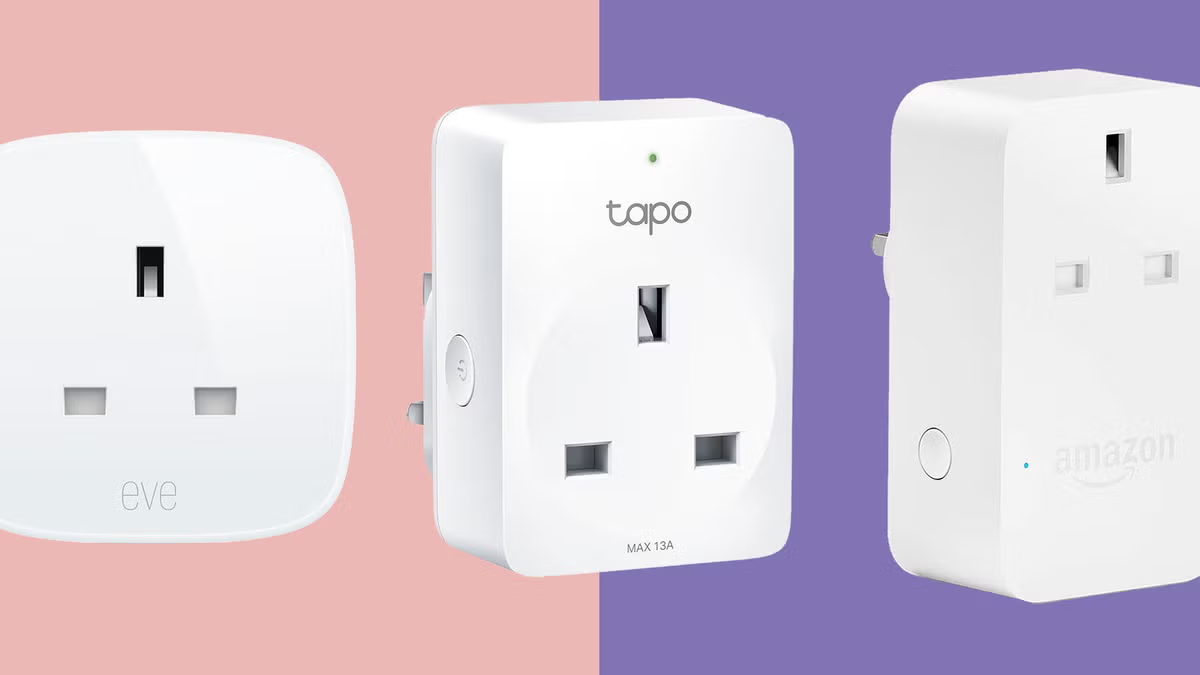
The easiest way to control Christmas lights is by using a smart plug, which allows you to automate schedules, use voice commands, and access them remotely via a smartphone app. This simple device transforms the daily chore of managing holiday lights into a convenient, energy-efficient, and enjoyable experience, eliminating the need to manually plug and unplug decorations.
Why Use a Smart Plug for Holiday Lights?
A smart plug offers significant advantages over traditional timers, providing effortless holiday automation.
It acts as the central control for your decorations, unlocking convenience and advanced control:
- Schedules & Timers: Automatically turn lights on at sunset and off at bedtime, preventing them from running all night.
- Voice Control: Command your festive lights with voice assistants like Google Assistant or Amazon Alexa, e.g., “Hey Google, turn on the Christmas tree.”
- Remote Access: Control your lights from anywhere in the world using your smartphone, making your home appear occupied even when you’re away.
- Energy Savings: By ensuring lights are only active when desired, a smart plug for Christmas lights helps reduce holiday electricity bills.
How Does a Smart Plug Work?
A smart plug functions as an adapter between your wall outlet and your device’s plug, such as Christmas lights. It contains a Wi-Fi chip that connects to your home’s wireless network, enabling it to receive commands from a smartphone app or smart home assistant like Amazon Alexa, Google Assistant, or Apple HomeKit. When a command is issued, it travels over the internet to the plug, which then controls the flow of electricity to your lights, effectively acting as a remote control for any connected outlet.
Setting Up Your Smart Plug for Christmas Lights: A Step-by-Step Guide
Getting started with a smart plug is straightforward and typically takes less than five minutes. Here’s the usual process:
- Download the App: Install the dedicated app for your smart plug brand (e.g., Kasa Smart, Wyze, Meross) from your phone’s app store.
- Create an Account: Sign up for a free account to link the plug to your profile.
- Plug It In: Insert the smart plug into a wall outlet near your router for initial setup. A blinking light usually indicates it’s ready for pairing.
- Connect to Wi-Fi: Open the app, select “Add Device,” choose your plug model, and enter your home Wi-Fi password. Your phone will then connect to the plug to share these credentials.
- Name Your Plug: Assign a memorable name like “Christmas Tree” or “Outdoor Reindeer” for easy voice commands.
- Plug in the Lights & Test: Move the smart plug to your desired outlet, plug in your Christmas lights, and test control via the app and your voice assistant.
Expert Tip: “When setting up, always check the power rating of your smart plug. While most modern LED Christmas lights use very little power, connecting too many old-school incandescent strands to a single plug could overload it. Safety first, always.” – David Chen, Smart Home Integrator
Indoor vs. Outdoor: Choosing the Right Plug
It is critical to use the correct type of smart plug for your decorations. Indoor smart plugs are not designed to withstand moisture, dust, or extreme temperatures and pose a serious safety hazard if used outdoors.
Here’s a comparison to help you select the appropriate smart plug for Christmas lights:
| Feature | Indoor Smart Plug | Outdoor Smart Plug |
|---|---|---|
| Weather Resistance | None | IP44 rating or higher (splash-proof & dust-resistant) |
| Casing | Lightweight plastic | Rugged, durable, weather-sealed casing |
| Outlets | Typically a single outlet | Often has 2+ outlets with individual weatherproof covers |
| Best For | Christmas tree, window candles, indoor garlands | String lights on the house, inflatable decorations, pathway lights |
When purchasing an outdoor model, look for an “IP” (Ingress Protection) rating of at least IP44, which indicates protection from splashing water. For areas with heavy rain or snow, an IP65 rating or higher is recommended.
Integrating Your Smart Plug into Your Smart Home Ecosystem
The full potential of a smart plug for Christmas lights is realized when integrated with your existing smart home system, moving beyond basic app control to seamless automation.
Working with Amazon Alexa
|
Our Picks for the Best Smart Plug in 2026
As an Amazon Associate, we earn from qualifying purchases.
|
||
| Num | Product | Action |
|---|---|---|
| 1 | TP-Link Tapo Matter Supported Smart Plug Mini, Compact Design, 15A/1800W Max, Super Easy Setup, Works with Apple Home, Alexa & Google Home, UL Certified, 2.4G Wi-Fi Only, White, Tapo P125M(3-Pack) |

|
| 2 | Kasa Smart Plug Ultra Mini 15A, Smart Home Wi-Fi Outlet Works with Alexa, Google Home & IFTTT, No Hub Required, UL Certified, 2.4G WiFi Only, 2 Count (Pack of 1)(EP10P2) , White |
|
| 3 | Amazon Basics Smart Plug, Works with Alexa Only, 2.4 GHz Wi-Fi, No Hub Required, 4-Pack, White |
|
| 4 | Kasa Smart Plug HS103P4, Smart Home Wi-Fi Outlet Works with Alexa, Echo, Google Home & IFTTT, No Hub Required, Remote Control, 15 Amp, UL Certified, 4-Pack, White |
|
| 5 | Govee Smart Plug, WiFi Plugs Work with Alexa & Google Assistant, Smart Outlet with Timer & Group Controller, WiFi Outlet for Home, No Hub Required, ETL & FCC Certified, 2.4G WiFi Only, 4 Pack |
|
| 6 | Amazon Basics Smart Plug, Works with Alexa Only, 2.4 GHz Wi-Fi, No Hub Required, 2 Pack, White |
|
| 7 | Kasa Smart Plug HS103P2, Smart Home Wi-Fi Outlet Works with Alexa, Echo, Google Home & IFTTT, No Hub Required, Remote Control,15 Amp,UL Certified, (Pack of 2) White |
|
| 8 | Govee Smart Plug, WiFi Plugs Work with Alexa & Google Assistant, Smart Outlet with Timer & Group Controller, WiFi Outlet for Home, No Hub Required, ETL & FCC Certified, 2.4G WiFi Only, 2 Pack |
|
| 9 | Kasa Smart Plug Mini 15A, Smart Home Wi-Fi Outlet Works with Alexa, Google Home & IFTTT, No Hub Required, UL Certified, 2.4G WiFi Only, 4-Pack(EP10P4) , White |
|
| 10 | Kasa Smart Plug Mini 15A, Apple HomeKit Supported, Smart Outlet Works with Siri, Alexa & Google Home, UL Certified, App Control, Scheduling, Timer, 2.4G WiFi Only, 4 Count (Pack of 1) (EP25P4), White |
|
After setting up your plug in its native app, open the Alexa app. Navigate to “Skills & Games,” search for your smart plug’s brand (e.g., Kasa), and enable the skill. Once accounts are linked, Alexa will discover the new plug, allowing voice commands such as:
- “Alexa, turn on the Christmas tree.”
- “Alexa, set the patio lights to turn off at 11 PM.”
Connecting to Google Assistant
For Google Home/Nest users, the process is similar. Open the Google Home app, tap the “+” icon, select “Set up device,” then “Works with Google.” Find your smart plug’s brand, link accounts, and assign the plug to a room. You can then use commands like:
- “Hey Google, make the living room festive.” (if multiple lights are grouped)
- “Hey Google, are the outdoor lights on?”
Using with Apple HomeKit
Some smart plugs are compatible with Apple HomeKit directly. These devices typically feature a “HomeKit code” on the unit or in the manual. To add them, open the Apple Home app, tap “Add Accessory,” and scan the code with your phone’s camera. This integration enables control via Siri and the Home app across all your Apple devices.
Saving Energy and Money This Holiday Season
Beyond convenience, smart plugs are excellent for energy management. Holiday lights, particularly older incandescent models, can consume significant energy. A smart plug ensures no energy is wasted by allowing precise scheduling, preventing lights from being left on accidentally overnight or when no one is home. Some advanced smart plugs also offer energy monitoring, displaying real-time electricity consumption within the app. This data can highlight energy usage and encourage a switch to more efficient LED lights, leading to greater long-term savings. It’s a small investment that can pay for itself.
Frequently Asked Questions (FAQ)
Q: Do I need a special smart home hub to use a smart plug?
A: Most popular smart plugs connect directly to your home’s Wi-Fi network and do not require a separate hub. However, some plugs use protocols like Zigbee or Z-Wave, which necessitate a compatible hub such as a Samsung SmartThings or an Amazon Echo with a built-in hub. Always verify product specifications before purchase.
Q: Can I plug a power strip with multiple light strands into one smart plug?
A: Yes, you can, provided you do not exceed the smart plug’s maximum amperage or wattage rating. Calculate the total power consumption of all connected lights. Most smart plugs are rated for 10 or 15 amps. For enhanced safety, consider using an outdoor-rated power stake with its own built-in overload protection.
Q: Are outdoor smart plugs truly safe in the rain and snow?
A: A properly rated outdoor smart plug (IP44 or higher) is designed to be weather-resistant, not fully waterproof. It can withstand splashes, rain, and snow. For optimal safety, mount the plug vertically a few feet off the ground with outlets facing downward, and connect it to a GFCI (Ground Fault Circuit Interrupter) outlet.
Q: What happens to my schedule if my home’s Wi-Fi goes out?
A: Most modern smart plugs store their schedules locally on the device itself. This means that if your internet connection drops, the pre-set on/off timers will still function as programmed. However, remote control from your phone will be unavailable until the Wi-Fi connection is restored.
Q: Can I control my Christmas lights when I’m not at home?
A: Yes, remote control is a key feature. As long as your smart plug is connected to your home Wi-Fi and your phone has an active internet connection (cellular or Wi-Fi), you can use the app to control your lights from anywhere in the world.
Your Smartest Holiday Season Awaits
Upgrading your holiday display with a smart plug for Christmas lights is one of the easiest and most impactful smart home projects you can undertake. It’s an affordable, simple-to-install solution that removes a daily hassle and adds a touch of modern magic to your festive traditions. So this year, stop crawling behind the tree and start commanding your lights with the power of your voice. Welcome to a brighter, smarter, and more convenient holiday season.
Frequently Asked Questions
Do I need a special smart home hub to use a smart plug?
No, most popular smart plugs connect directly to your home's Wi-Fi network without requiring a separate hub. However, some plugs using Zigbee or Z-Wave protocols do need a compatible hub like Samsung SmartThings or an Amazon Echo with a built-in hub. Always check the product specifications before purchasing to ensure compatibility.
Can I plug a power strip with multiple light strands into one smart plug?
Yes, you can, but it is crucial not to exceed the smart plug's maximum amperage or wattage rating. Most smart plugs are rated for 10 or 15 amps, so calculate the total power consumption of all connected lights. For enhanced safety, an outdoor-rated power stake with built-in overload protection is recommended.
Are outdoor smart plugs truly safe in the rain and snow?
A properly rated outdoor smart plug (IP44 or higher) is designed to be weather-resistant, capable of handling splashes, rain, and snow, but not fully waterproof. For optimal safety, mount the plug vertically a few feet off the ground with outlets facing downward, and connect it to a GFCI (Ground Fault Circuit Interrupter) outlet.
What happens to my smart plug schedule if my home's Wi-Fi goes out?
Most modern smart plugs store their schedules locally on the device itself. This means that even if your internet connection drops, the pre-set on/off timers will continue to function as programmed. However, you will not be able to control the lights remotely from your phone until the Wi-Fi connection is restored.
Can I control my Christmas lights remotely when I am not at home?
Yes, remote control is a primary feature of smart plugs. As long as your smart plug is connected to your home Wi-Fi and your smartphone has an active internet connection (cellular or Wi-Fi), you can open the dedicated app to control your lights from anywhere in the world.
Smart home that does not lock you in
Free PDF — protocol compatibility matrix for 30 hubs and devices.
I used to dread plugging and unplugging our outdoor Christmas lights every single night. This year, I finally got a smart plug, and it’s been a game-changer! Setting up the schedule was super easy, and now they come on right at dusk and turn off automatically. It’s so much more convenient and I’m sure we’re saving a bit on electricity too.
I bought a smart plug specifically for my outdoor decorations so I could control them remotely. While the app control works well, I found that the range for my Wi-Fi wasn’t quite strong enough to reach the far end of my yard where some lights are. It works perfectly for the closer ones, but I had to get a Wi-Fi extender for the others, which was an extra step I didn’t anticipate.
The voice control feature with Alexa is awesome for our indoor tree. It’s so much fun to just say ‘Alexa, turn on the Christmas tree’ and have it light up. My only minor complaint is that the initial setup took a few tries to connect to my Wi-Fi, but once it was linked, it’s been flawless.
These smart plugs are fantastic for holiday lights! I love that I can set them to turn off at bedtime without having to remember to do it myself. It really makes managing all the decorations so much simpler and more enjoyable. Definitely recommend for anyone with a lot of lights.