Ever had one of those days? You’re rushing home, exhausted, and the only thing you want is a warm, comforting meal. You open the door, and the wonderful aroma of freshly cooked rice fills the air. It’s ready and waiting, perfectly timed for your arrival. A fantasy? Not at all. This little piece of everyday magic is easily achievable with the right smart plug for rice cookers. But with so many gadgets out there, how do you pick the right one, and is it even safe? Let’s dive in and demystify how to bring your trusty rice cooker into the 21st century.
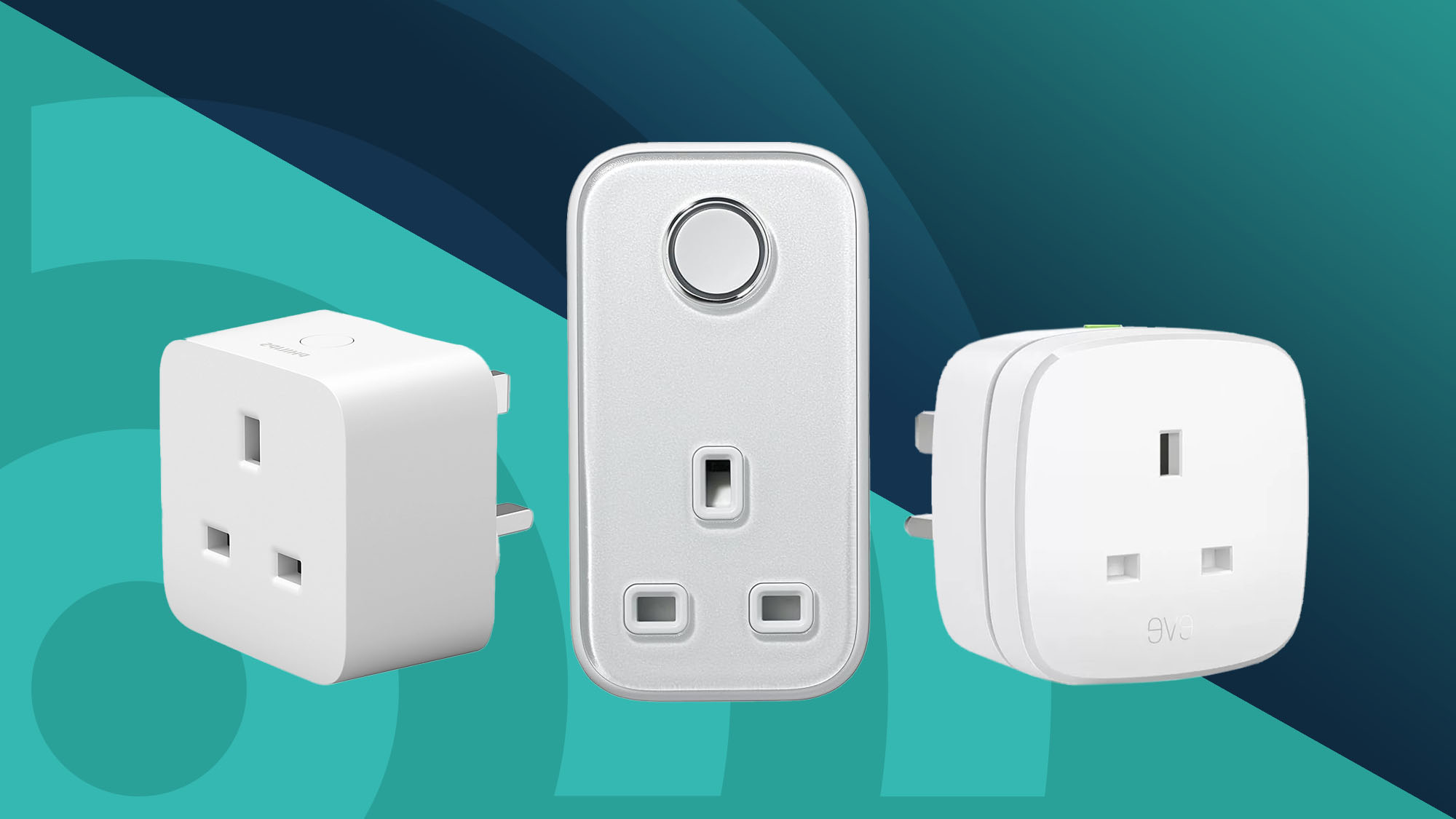
Why Use a Smart Plug for Your Rice Cooker?
You might be thinking, “My rice cooker has a timer, what’s the big deal?” That’s a fair question. But a smart plug offers a level of flexibility and control that built-in timers simply can’t match. It’s not just about scheduling; it’s about true remote control and integration.
Think of a smart plug as a remote-controlled adapter that sits between your appliance and the wall outlet. It connects to your home’s Wi-Fi, allowing you to turn the power on or off from anywhere using an app on your smartphone.
Here’s the real-world difference:
- Ultimate Flexibility: Change of plans? Stuck in traffic? You can delay the cooking start time from your phone. You can’t do that with a basic built-in timer.
- Peace of Mind: Ever have that nagging feeling, “Did I leave the rice cooker on?” With a smart plug, you can just check your app and turn it off from your office, the grocery store, or even from bed.
- Voice Control: Picture this: your hands are full with groceries. A simple “Hey Google, turn on the rice cooker” is all it takes to get things started. It’s a small convenience that feels incredibly futuristic.
- Energy Insights: Many smart plugs can monitor energy consumption. You can see exactly how much electricity your rice cooker is using, helping you become more aware of your home’s energy footprint.
Is It Safe? The Most Important Question Answered
Let’s address the elephant in the room: safety. We’re talking about a heating appliance that uses a good amount of power. Plugging it into a third-party device is a valid concern. The short answer is: yes, it is perfectly safe, provided you use the right type of smart plug and the right type of rice cooker.
Understanding Your Rice Cooker
This is the most crucial part. The success of this setup depends entirely on the kind of rice cooker you own.
- Mechanical/Analog Rice Cookers: These are the perfect candidates. They typically have a single physical switch or lever that you press down to start cooking. When power is supplied, the switch stays in the “cook” position. When you cut the power (with the smart plug) and then restore it, it will start cooking immediately.
- Digital/Electronic Rice Cookers: These are often not compatible. Most rice cookers with digital displays, multiple buttons, and memory functions will reset to a standby mode when power is restored. Turning the power on with a smart plug won’t be enough; you’d still need to physically press a “Start” button on the unit itself, which defeats the purpose.
Pro Tip: Before you buy anything, test your rice cooker. Fill it with water, press the “cook” switch, and then unplug it from the wall. Wait a minute, then plug it back in. If it immediately resumes cooking, you’re good to go! If it just sits there waiting for you to press a button, a smart plug won’t work for remote starting.
Choosing a Safe Smart Plug
Not all smart plugs are created equal. For an appliance like a rice cooker, you need to check the power rating.
- Check the Amps: Most standard rice cookers draw between 5 and 10 amps (A). You should choose a smart plug rated for at least 10A, but a 15A plug is the gold standard for kitchen appliances. It provides a safe buffer and ensures the plug won’t overheat.
- Look for Safety Certifications: Never use a smart plug that isn’t certified by a recognized safety body. In the US, look for a UL (Underwriters Laboratories) or ETL (Intertek) mark. In the UK, look for a CE and UKCA mark. These certifications mean the product has been rigorously tested for safety and won’t be a fire hazard.
How to Choose the Best Smart Plug for Rice Cookers
Now that we’ve covered safety, let’s get to the fun part. What features should you look for?
Key Features to Consider
- High Power Rating (15A): As mentioned, this is non-negotiable for kitchen appliances. It ensures safety and longevity.
- Energy Monitoring: This is a fantastic feature. It helps you understand your appliance’s power draw and can help you identify energy-hungry devices in your home. It’s the difference between a good smart plug and a great one.
- Reliable Wi-Fi Connection: Look for plugs that support a 2.4GHz Wi-Fi band, which is the standard for most smart home devices and offers better range and wall penetration than 5GHz.
- Easy-to-Use App: The app is your command center. It should be intuitive, allowing you to easily set schedules, create timers, and view energy reports without a steep learning curve.
- Voice Assistant Compatibility: Ensure the plug works with your preferred ecosystem, whether it’s Amazon Alexa, Google Assistant, or Apple HomeKit.
|
Our Picks for the Best Smart Plug in 2026
As an Amazon Associate, we earn from qualifying purchases.
|
||
| Num | Product | Action |
|---|---|---|
| 1 | TP-Link Tapo Matter Supported Smart Plug Mini, Compact Design, 15A/1800W Max, Super Easy Setup, Works with Apple Home, Alexa & Google Home, UL Certified, 2.4G Wi-Fi Only, White, Tapo P125M(3-Pack) |

|
| 2 | Govee Smart Plug, WiFi Plugs Work with Alexa & Google Assistant, Smart Outlet with Timer & Group Controller, WiFi Outlet for Home, No Hub Required, ETL & FCC Certified, 2.4G WiFi Only, 4 Pack |
|
| 3 | Kasa Smart Plug Ultra Mini 15A, Smart Home Wi-Fi Outlet Works with Alexa, Google Home & IFTTT, No Hub Required, UL Certified, 2.4G WiFi Only, 2 Count (Pack of 1)(EP10P2) , White |
|
| 4 | Kasa Smart Plug Mini 15A, Apple HomeKit Supported, Smart Outlet Works with Siri, Alexa & Google Home, UL Certified, App Control, Scheduling, Timer, 2.4G WiFi Only, 4 Count (Pack of 1) (EP25P4), White |
|
| 5 | Amazon Basics Smart Plug, Works with Alexa Only, 2.4 GHz Wi-Fi, No Hub Required, 4-Pack, White |
|
| 6 | Govee Smart Plug, WiFi Plugs Work with Alexa & Google Assistant, Smart Outlet with Timer & Group Controller, WiFi Outlet for Home, No Hub Required, ETL & FCC Certified, 2.4G WiFi Only, 2 Pack |
|
| 7 | Kasa Smart Plug HS103P4, Smart Home Wi-Fi Outlet Works with Alexa, Echo, Google Home & IFTTT, No Hub Required, Remote Control, 15 Amp, UL Certified, 4-Pack, White |
|
| 8 | Kasa Smart Plug Mini 15A, Smart Home Wi-Fi Outlet Works with Alexa, Google Home & IFTTT, No Hub Required, UL Certified, 2.4G WiFi Only, 4-Pack(EP10P4) , White |
|
| 9 | Kasa Smart Plug HS103P2, Smart Home Wi-Fi Outlet Works with Alexa, Echo, Google Home & IFTTT, No Hub Required, Remote Control,15 Amp,UL Certified, (Pack of 2) White |
|
| 10 | Amazon Basics Smart Plug, Works with Alexa Only, 2.4 GHz Wi-Fi, No Hub Required, 2 Pack, White |
|
How to Set Up Your Smart Plug in 5 Simple Steps
Ready to get started? The setup process is surprisingly simple and usually takes less than five minutes.
- Plug It In: First, plug the smart plug into the wall outlet where you normally use your rice cooker.
- Download the App: Scan the QR code on the box or search for the manufacturer’s app in your phone’s app store (e.g., Kasa Smart, Gosund, TP-Link).
- Connect to Wi-Fi: Follow the in-app instructions to connect the plug to your home Wi-Fi network. You’ll usually need to enter your Wi-Fi password.
- Name Your Device: Give your plug a clear, easy-to-remember name. Instead of “Smart Plug 3,” name it “Rice Cooker.” This makes voice commands much more natural. “Alexa, turn on Rice Cooker” is much better than “Alexa, turn on Mainstays Plug 8.”
- Prep and Schedule: Plug your (mechanical) rice cooker into the smart plug. Prepare your rice and water in the pot, close the lid, and press the physical “cook” lever down. Now, use the app to set a schedule. For example, if you get home at 6 PM, you can set the plug to turn on at 5:30 PM.
And that’s it! Your “dumb” appliance is now a smart, automated part of your kitchen.
“We’re moving past the era where a ‘smart home’ meant a few clever lightbulbs. The real revolution is in the kitchen, automating the mundane tasks that free up our time. Using a simple device like a smart plug for rice cookers is a perfect first step into a truly connected and helpful home.”
— Dr. Alistair Finch, Smart Home Integration Specialist
Integrating with Your Smart Home Ecosystem
The magic of a smart plug is amplified when it becomes part of a larger system. By connecting it to a voice assistant like Alexa or Google Assistant, you can create powerful routines.
- With Amazon Alexa: You can create a “Dinner Time” routine. When you say, “Alexa, it’s dinner time,” it could turn on the rice cooker, play your favorite cooking playlist, and dim the lights in the dining room.
- With Google Assistant: Use the “Work to Home” routine. When you leave the office, Google Assistant can automatically start your rice cooker, adjust your thermostat, and give you a traffic update.
This level of automation turns a simple on/off switch into a cornerstone of a more convenient lifestyle.
Frequently Asked Questions
Can I use any rice cooker with a smart plug?
No. It’s crucial to use a rice cooker with a mechanical on/off switch. Digital models that require you to press a button after plugging them in are generally not compatible for remote start purposes.
Will a smart plug use a lot of electricity on its own?
Not at all. A smart plug’s standby power consumption is incredibly low, typically less than 1 watt. The cost is negligible, amounting to just a few cents per month.
Can a power outage mess up my schedule?
Most modern smart plugs have a memory function. Once power is restored, they will reconnect to your Wi-Fi and resume their programmed schedule. However, your rice cooker’s mechanical switch might pop up during the outage, so you may need to press it down again.
What other kitchen appliances can I use a smart plug with?
Smart plugs are fantastic for many other simple appliances! Think slow cookers (the ones with a physical dial), coffee makers (non-digital ones), and electric kettles. Always check the appliance’s power draw and ensure your plug can handle it.
Is it complicated to set up different schedules for weekdays and weekends?
Not at all! The companion apps for smart plugs are designed for this. You can easily set a schedule for the rice cooker to turn on at 6 PM on weekdays and perhaps at 1 PM for a lazy Sunday lunch.
Your Smarter Kitchen Awaits
Making the switch to a smart plug for rice cookers is one of the easiest and most affordable ways to dip your toes into the world of home automation. It solves a real-world problem by giving you one less thing to worry about at the end of a long day. You get more control, more convenience, and the simple joy of coming home to a perfectly prepared staple. So go ahead, give your trusty rice cooker the smart upgrade it deserves and take the first step toward a more connected and effortless home.
Smart home that does not lock you in
Free PDF — protocol compatibility matrix for 30 hubs and devices.