You can safely and effectively use a smart plug with a rice cooker, provided you select a mechanical/analog rice cooker and a smart plug rated for at least 15 amps with proper safety certifications like UL or ETL. This setup allows for remote control, scheduling, and energy monitoring, transforming a basic appliance into a smart device for ultimate convenience.
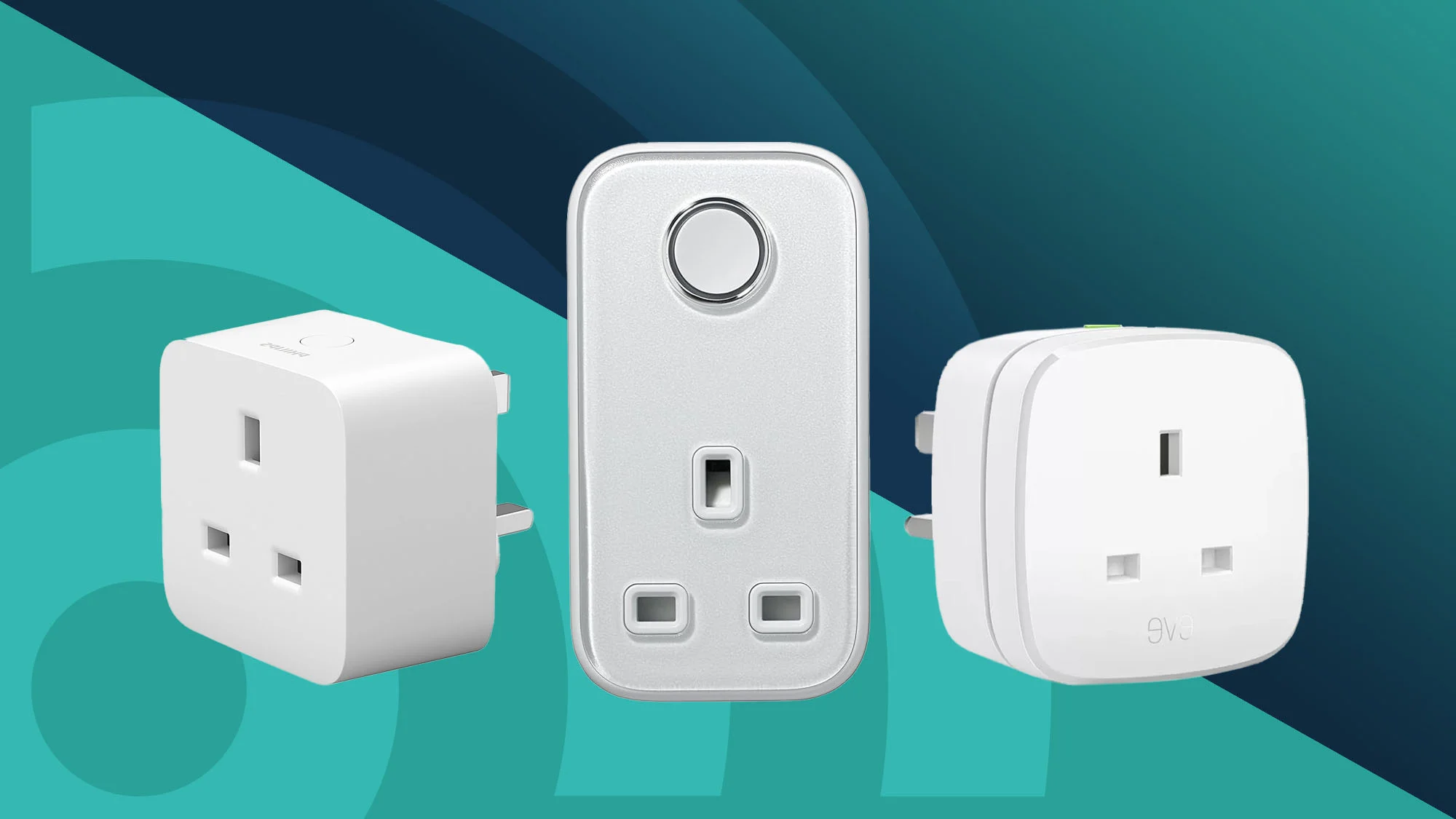
Why Use a Smart Plug for Your Rice Cooker?
While many rice cookers have built-in timers, a smart plug offers enhanced flexibility and remote control that integrated timers cannot match. It acts as a remote-controlled adapter, connecting to your home’s Wi-Fi to allow power control from anywhere via a smartphone app.
Here’s the real-world difference:
- Ultimate Flexibility: If your plans change or you’re delayed, you can easily adjust the cooking start time from your phone, a feature not available with basic built-in timers.
- Peace of Mind: Eliminate the worry of leaving your rice cooker on. You can check its status and turn it off remotely from your office, the grocery store, or even from bed using the app.
- Voice Control: With hands full, a simple voice command like “Hey Google, turn on the rice cooker” can initiate cooking, offering a significant convenience.
- Energy Insights: Many smart plugs provide energy monitoring, allowing you to track your rice cooker’s electricity consumption and better understand your home’s energy footprint.
Is It Safe? The Most Important Question Answered
Safety is a primary concern when using a heating appliance with a third-party device. It is perfectly safe to use a smart plug with a rice cooker, provided you use the correct type of smart plug and a compatible rice cooker model.
Understanding Your Rice Cooker
Compatibility depends entirely on your rice cooker’s design:
- Mechanical/Analog Rice Cookers: These are ideal candidates. They typically feature a single physical switch or lever that remains in the “cook” position when power is supplied. When power is cut and then restored by the smart plug, these models will immediately resume cooking.
- Digital/Electronic Rice Cookers: These are generally not compatible for remote starting. Most digital models with displays, multiple buttons, and memory functions will revert to a standby mode when power is restored. A smart plug will not be sufficient to start them; you would still need to manually press a “Start” button on the unit.
Pro Tip: To test compatibility, fill your rice cooker with water, press the “cook” switch, then unplug it. After a minute, plug it back in. If it immediately resumes cooking, it is compatible. If it remains in standby, a smart plug won’t work for remote starting.
Choosing a Safe Smart Plug
|
Our Picks for the Best Smart Plug in 2026
As an Amazon Associate, we earn from qualifying purchases.
|
||
| Num | Product | Action |
|---|---|---|
| 1 | Govee Smart Plug, WiFi Plugs Work with Alexa & Google Assistant, Smart Outlet with Timer & Group Controller, WiFi Outlet for Home, No Hub Required, ETL & FCC Certified, 2.4G WiFi Only, 2 Pack |

|
| 2 | Govee Smart Plug, WiFi Plugs Work with Alexa & Google Assistant, Smart Outlet with Timer & Group Controller, WiFi Outlet for Home, No Hub Required, ETL & FCC Certified, 2.4G WiFi Only, 4 Pack |
|
| 3 | Amazon Basics Smart Plug, Works with Alexa Only, 2.4 GHz Wi-Fi, No Hub Required, 2 Pack, White |
|
| 4 | Kasa Smart Plug Mini 15A, Smart Home Wi-Fi Outlet Works with Alexa, Google Home & IFTTT, No Hub Required, UL Certified, 2.4G WiFi Only, 4-Pack(EP10P4) , White |
|
| 5 | Kasa Smart Plug HS103P4, Smart Home Wi-Fi Outlet Works with Alexa, Echo, Google Home & IFTTT, No Hub Required, Remote Control, 15 Amp, UL Certified, 4-Pack, White |
|
| 6 | Amazon Basics Smart Plug, Works with Alexa Only, 2.4 GHz Wi-Fi, No Hub Required, 4-Pack, White |
|
| 7 | TP-Link Tapo Matter Supported Smart Plug Mini, Compact Design, 15A/1800W Max, Super Easy Setup, Works with Apple Home, Alexa & Google Home, UL Certified, 2.4G Wi-Fi Only, White, Tapo P125M(3-Pack) |
|
| 8 | Kasa Smart Plug HS103P2, Smart Home Wi-Fi Outlet Works with Alexa, Echo, Google Home & IFTTT, No Hub Required, Remote Control,15 Amp,UL Certified, (Pack of 2) White |
|
| 9 | Kasa Smart Plug Ultra Mini 15A, Smart Home Wi-Fi Outlet Works with Alexa, Google Home & IFTTT, No Hub Required, UL Certified, 2.4G WiFi Only, 2 Count (Pack of 1)(EP10P2) , White |
|
| 10 | Kasa Smart Plug Mini 15A, Apple HomeKit Supported, Smart Outlet Works with Siri, Alexa & Google Home, UL Certified, App Control, Scheduling, Timer, 2.4G WiFi Only, 4 Count (Pack of 1) (EP25P4), White |
|
Not all smart plugs are suitable for high-power appliances. For a rice cooker, you must check its power rating.
- Check the Amps: Standard rice cookers typically draw between 5 and 10 amps (A). You should select a smart plug rated for a minimum of 10A, but a 15A plug is highly recommended for kitchen appliances. This rating provides a safe buffer and prevents overheating.
- Look for Safety Certifications: Always use a smart plug certified by a recognized safety body. In the US, look for UL (Underwriters Laboratories) or ETL (Intertek) marks. In the UK, look for CE and UKCA marks. These certifications confirm the product has undergone rigorous safety testing.
How to Choose the Best Smart Plug for Rice Cookers
Beyond safety, consider these features for optimal performance and convenience.
Key Features to Consider
- High Power Rating (15A): Essential for kitchen appliances to ensure safety and durability.
- Energy Monitoring: This valuable feature helps you track power consumption, aiding in identifying energy-intensive devices and managing your home’s energy use.
- Reliable Wi-Fi Connection: Opt for plugs supporting the 2.4GHz Wi-Fi band, which is standard for most smart home devices and offers superior range and wall penetration compared to 5GHz.
- Easy-to-Use App: The companion app should be intuitive, allowing for straightforward scheduling, timer setup, and energy report viewing without a steep learning curve.
- Voice Assistant Compatibility: Ensure the smart plug integrates with your preferred smart home ecosystem, such as Amazon Alexa, Google Assistant, or Apple HomeKit.
How to Set Up Your Smart Plug in 5 Simple Steps
Setting up a smart plug for your rice cooker is a quick process, typically taking less than five minutes.
- Plug It In: Insert the smart plug into the wall outlet where your rice cooker is normally used.
- Download the App: Scan the QR code on the product box or search for the manufacturer’s app (e.g., Kasa Smart, Gosund, TP-Link) in your smartphone’s app store.
- Connect to Wi-Fi: Follow the in-app instructions to link the smart plug to your home Wi-Fi network, providing your Wi-Fi password when prompted.
- Name Your Device: Assign a clear, memorable name to your plug, such as “Rice Cooker,” to facilitate natural voice commands like “Alexa, turn on Rice Cooker.”
- Prep and Schedule: Plug your mechanical rice cooker into the smart plug. Prepare the rice and water, close the lid, and press the physical “cook” lever down. Then, use the app to set a schedule; for instance, activate the plug at 5:30 PM if you arrive home at 6 PM.
With these steps, your traditional rice cooker becomes a smart, automated kitchen appliance.
“We’re moving past the era where a ‘smart home’ meant a few clever lightbulbs. The real revolution is in the kitchen, automating the mundane tasks that free up our time. Using a simple device like a smart plug for rice cookers is a perfect first step into a truly connected and helpful home.”
— Dr. Alistair Finch, Smart Home Integration Specialist
Integrating with Your Smart Home Ecosystem
The utility of a smart plug is enhanced when integrated into a broader smart home system. Connecting it to voice assistants like Alexa or Google Assistant enables powerful routines.
- With Amazon Alexa: Create a “Dinner Time” routine. Saying “Alexa, it’s dinner time” could simultaneously activate the rice cooker, play a cooking playlist, and dim dining room lights.
- With Google Assistant: Utilize a “Work to Home” routine. As you leave the office, Google Assistant can automatically start your rice cooker, adjust your thermostat, and provide traffic updates.
This level of automation transforms a basic on/off switch into a key component of a more convenient lifestyle.
Frequently Asked Questions
Can I use any rice cooker with a smart plug?
No. It’s crucial to use a rice cooker with a mechanical on/off switch. Digital models that require you to press a button after plugging them in are generally not compatible for remote start purposes.
Will a smart plug use a lot of electricity on its own?
Not at all. A smart plug’s standby power consumption is incredibly low, typically less than 1 watt. The cost is negligible, amounting to just a few cents per month.
Can a power outage mess up my schedule?
Most modern smart plugs have a memory function. Once power is restored, they will reconnect to your Wi-Fi and resume their programmed schedule. However, your rice cooker’s mechanical switch might pop up during the outage, so you may need to press it down again.
What other kitchen appliances can I use a smart plug with?
Smart plugs are fantastic for many other simple appliances! Think slow cookers (the ones with a physical dial), coffee makers (non-digital ones), and electric kettles. Always check the appliance’s power draw and ensure your plug can handle it.
Is it complicated to set up different schedules for weekdays and weekends?
Not at all! The companion apps for smart plugs are designed for this. You can easily set a schedule for the rice cooker to turn on at 6 PM on weekdays and perhaps at 1 PM for a lazy Sunday lunch.
Your Smarter Kitchen Awaits
Making the switch to a smart plug for rice cookers is one of the easiest and most affordable ways to dip your toes into the world of home automation. It solves a real-world problem by giving you one less thing to worry about at the end of a long day. You get more control, more convenience, and the simple joy of coming home to a perfectly prepared staple. So go ahead, give your trusty rice cooker the smart upgrade it deserves and take the first step toward a more connected and effortless home.
Frequently Asked Questions
Can I use any rice cooker with a smart plug?
No, it is crucial to use a rice cooker with a mechanical on/off switch. Digital models that require a button press after plugging in are generally not compatible for remote start purposes, as they revert to standby mode.
Will a smart plug consume a lot of electricity on its own?
Not at all. A smart plug's standby power consumption is very low, typically less than 1 watt. The operational cost is negligible, amounting to only a few cents per month.
What happens to my smart plug schedule during a power outage?
Most modern smart plugs feature a memory function. Upon power restoration, they will automatically reconnect to your Wi-Fi and resume their programmed schedule. However, the rice cooker's mechanical switch might disengage, potentially requiring a manual reset.
What other kitchen appliances are compatible with smart plugs?
Smart plugs are excellent for many simple kitchen appliances, including slow cookers with physical dials, non-digital coffee makers, and electric kettles. Always verify the appliance's power draw to ensure the smart plug can safely handle it.
Is it difficult to set up different smart plug schedules for weekdays and weekends?
No, it is not complicated. The companion apps for smart plugs are specifically designed for flexible scheduling. You can easily configure distinct schedules, such as turning the rice cooker on at 6 PM on weekdays and 1 PM for a Sunday lunch.
Set Up Your Smart Plug for a Rice Cooker
Automate your rice cooker in five simple steps to enjoy perfectly timed meals and enhanced convenience.
Insert the smart plug into the wall outlet where you typically use your rice cooker. Ensure it is securely seated in the receptacle.
Scan the QR code provided on the smart plug's packaging or search for the manufacturer's app (e.g., Kasa Smart, Gosund) in your smartphone's app store. Install the app on your device.
Follow the in-app instructions to connect the smart plug to your home's 2.4GHz Wi-Fi network. You will need to enter your Wi-Fi password during this process to establish the connection.
Assign a clear and memorable name to your smart plug within the app, such as u201cRice Cooker.u201d This makes it easier to identify and control the device, especially when using voice commands.
Plug your mechanical rice cooker into the smart plug. Prepare your rice and water, close the lid, and press the physical u201ccooku201d lever down. Finally, use the app to set your desired cooking schedule, for example, turning the plug on 30 minutes before you arrive home.
Smart home that does not lock you in
Free PDF — protocol compatibility matrix for 30 hubs and devices.
I tried this with my older analog rice cooker, and while the remote control aspect is cool, I found the energy monitoring feature wasn’t as precise as I hoped. It gives a general idea, but I was looking for more detailed consumption data. It’s still useful for turning it on and off from my phone, but the energy tracking was a bit of a letdown for me.
This is such a simple yet effective hack for making a basic appliance smart. I already had a few UL-certified smart plugs around, so it was an easy setup. The flexibility to adjust cooking times from anywhere is truly unmatched by the built-in timers. My rice is perfectly cooked every time now, even when my schedule is unpredictable.
The idea of remote control for my rice cooker is awesome, and it mostly delivers. I love being able to schedule it to start before I even get out of bed. My only minor complaint is that the app for the smart plug I bought (a popular brand mentioned in the post) can be a little finicky sometimes, requiring a restart. Still, it’s a huge upgrade for convenience.
I was skeptical about using a smart plug with my old mechanical rice cooker, but this setup is a game-changer! Being able to start dinner on my way home from work is incredibly convenient. I picked up a 15-amp rated plug as suggested, and it’s been working flawlessly. No more soggy rice because I forgot to start it on time!