Welcome to the future, where your voice is the ultimate remote control. If you’ve just unboxed a shiny new smart plug and are wondering how to get it talking to your favorite virtual assistant, you’re in the right place. Figuring out how to connect a smart plug to Alexa can feel a bit daunting at first, but trust me, it’s simpler than you think. In a few minutes, you’ll be turning lamps, fans, and coffee makers on and off with a simple command. Let’s dive in and transform your home, one plug at a time.
Before You Begin: A Quick Smart Plug 101
Before we get to the nuts and bolts, let’s appreciate the tiny marvel of technology you’re holding. Smart plugs aren’t a brand-new invention, but they’ve come a long way. Early home automation was clunky and expensive, reserved for tech enthusiasts with deep pockets. Today, a smart plug is an affordable entry point into the smart home ecosystem for everyone.
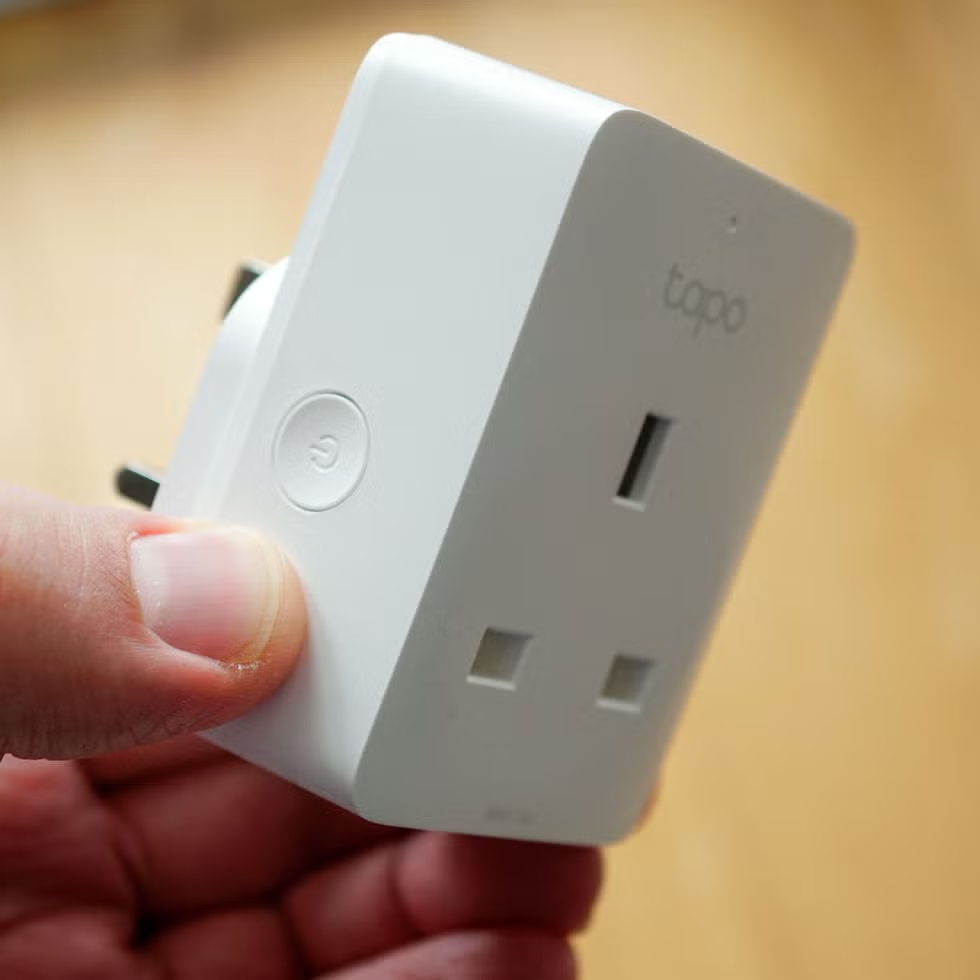
At its core, a smart plug is a simple device that fits between your wall outlet and the appliance you want to control. It connects to your home’s Wi-Fi network, allowing you to turn the power supply on or off remotely using an app or, more importantly for us, a voice assistant like Amazon’s Alexa. This simple on/off capability unlocks a world of convenience and automation.
The Main Event: How to Connect Smart Plug to Alexa Step-by-Step
Alright, let’s get down to business. The process is generally the same for most brands, whether you’re using a Kasa, TP-Link, Gosund, or Amazon’s own smart plug. The connection is a two-phase process: first, you set up the plug in its own native app, and second, you link that app to Alexa.
Phase 1: Setting Up the Smart Plug in Its Own App
Every smart plug comes with instructions to download its manufacturer’s app (e.g., Kasa Smart, Smart Life, Gosund). Don’t skip this step! Alexa needs to communicate with this service to control your plug.
- Download the App: Head to the Apple App Store or Google Play Store and download the specific app mentioned in your smart plug’s manual. Create an account if required.
- Plug It In: Plug your new smart plug into a wall outlet. A light on the plug should start blinking, indicating it’s in pairing mode. If it’s not blinking, there’s usually a small button on the side you can press and hold for a few seconds to reset it.
- Add the Device: Open the manufacturer’s app and look for an “Add Device,” “Add New,” or a “+” icon. Follow the on-screen instructions.
- Connect to Wi-Fi: You’ll be prompted to select your home Wi-Fi network and enter the password.
Important Tip: Most smart plugs only work on a 2.4GHz Wi-Fi network. Modern routers often broadcast both 2.4GHz and 5GHz bands. If you have trouble connecting, make sure your phone is connected to the 2.4GHz network during setup.
- Name Your Plug: Once connected, the app will ask you to give the plug a name. Be strategic! Use a simple, easy-to-say name like “Living Room Lamp,” “Bedroom Fan,” or “Coffee Maker.” This is the name you’ll eventually use in your voice commands to Alexa. Avoid complex names like “John’s Side Table Lamp #1.”
Once you can turn the plug on and off using its native app, you’re ready for the magic part.
Phase 2: Linking with Your Amazon Alexa App
Now we’ll teach Alexa how to talk to your new device. This is where the magic of “Skills” comes in. Think of Alexa Skills as apps for your Echo device.
- Open the Alexa App: Launch the Amazon Alexa app on your smartphone or tablet.
- Go to ‘Skills & Games’: Tap the “More” button in the bottom-right corner, then select “Skills & Games.”
- Search for the Skill: Tap the search icon (magnifying glass) in the top right and type the name of your smart plug’s brand or app (e.g., “Kasa,” “Smart Life”).
- Enable the Skill: Select the correct skill from the search results and tap “Enable to Use.”
- Link Your Accounts: You’ll be redirected to a login page for your smart plug’s app. Enter the username and password you created in Phase 1. This authorizes Alexa to access and control your devices.
- Discover Devices: After linking, a confirmation screen will appear. Close it, and Alexa will prompt you to discover devices. Tap “Discover Devices.” Alexa will scan your network for new smart home gadgets it can control. This can take up to 45 seconds.
- Success! If all went well, Alexa will notify you that it found your new plug. It should appear in your device list under the name you gave it, like “Living Room Lamp.”
You can now say, “Alexa, turn on the Living Room Lamp,” and watch it light up. Congratulations, you now know how to connect a smart plug to Alexa!
What Can You Do After Connecting Your Smart Plug?
The fun doesn’t stop at simple voice commands. Now that your plug is part of the Alexa ecosystem, you can integrate it into Routines and Groups.
- Create Groups: In the Alexa app, you can group devices. For example, create a “Living Room” group with your smart plug and any smart bulbs. Then you can say, “Alexa, turn off the living room,” and everything will shut down at once.
- Build Routines: This is where the real power lies. A Routine is a series of actions triggered by a single command.
- “Good Morning” Routine: Set up a routine triggered by “Alexa, good morning.” It could turn on your smart-plug-connected coffee maker, switch on your bedside lamp, and then read you the daily news.
- “Movie Night” Routine: A command like “Alexa, it’s movie night” could dim your smart lights and turn on a lamp connected to a smart plug for ambient lighting.
- Scheduled Routines: Have your lights turn on automatically at sunset or turn off a fan in the middle of the night after you’ve fallen asleep.
I remember my first “Aha!” moment. I had an old, non-smart space heater in my chilly home office. By connecting it to a smart plug and creating a schedule, it would automatically warm up the room 15 minutes before I started work each morning. It’s these small automations that make a huge difference in daily life.
Do Smart Plugs Really Save You Money on Energy Bills?
Yes, they absolutely can. Smart plugs help you eliminate “vampire power” or “phantom load,” which is the energy consumed by electronics even when they are turned off or in standby mode. By putting devices like TVs, game consoles, and computer chargers on a smart plug schedule that completely cuts power overnight, you can see a noticeable reduction in your energy consumption over time.
|
Our Picks for the Best Smart Plug in 2026
As an Amazon Associate, we earn from qualifying purchases.
|
||
| Num | Product | Action |
|---|---|---|
| 1 | Amazon Basics Smart Plug, Works with Alexa Only, 2.4 GHz Wi-Fi, No Hub Required, 2 Pack, White |

|
| 2 | TP-Link Tapo Matter Supported Smart Plug Mini, Compact Design, 15A/1800W Max, Super Easy Setup, Works with Apple Home, Alexa & Google Home, UL Certified, 2.4G Wi-Fi Only, White, Tapo P125M(3-Pack) |
|
| 3 | Govee Smart Plug, WiFi Plugs Work with Alexa & Google Assistant, Smart Outlet with Timer & Group Controller, WiFi Outlet for Home, No Hub Required, ETL & FCC Certified, 2.4G WiFi Only, 2 Pack |
|
| 4 | Kasa Smart Plug HS103P4, Smart Home Wi-Fi Outlet Works with Alexa, Echo, Google Home & IFTTT, No Hub Required, Remote Control, 15 Amp, UL Certified, 4-Pack, White |
|
| 5 | Amazon Basics Smart Plug, Works with Alexa Only, 2.4 GHz Wi-Fi, No Hub Required, 4-Pack, White |
|
| 6 | Kasa Smart Plug Mini 15A, Smart Home Wi-Fi Outlet Works with Alexa, Google Home & IFTTT, No Hub Required, UL Certified, 2.4G WiFi Only, 4-Pack(EP10P4) , White |
|
| 7 | Kasa Smart Plug Mini 15A, Apple HomeKit Supported, Smart Outlet Works with Siri, Alexa & Google Home, UL Certified, App Control, Scheduling, Timer, 2.4G WiFi Only, 4 Count (Pack of 1) (EP25P4), White |
|
| 8 | Kasa Smart Plug Ultra Mini 15A, Smart Home Wi-Fi Outlet Works with Alexa, Google Home & IFTTT, No Hub Required, UL Certified, 2.4G WiFi Only, 2 Count (Pack of 1)(EP10P2) , White |
|
| 9 | Govee Smart Plug, WiFi Plugs Work with Alexa & Google Assistant, Smart Outlet with Timer & Group Controller, WiFi Outlet for Home, No Hub Required, ETL & FCC Certified, 2.4G WiFi Only, 4 Pack |
|
| 10 | Kasa Smart Plug HS103P2, Smart Home Wi-Fi Outlet Works with Alexa, Echo, Google Home & IFTTT, No Hub Required, Remote Control,15 Amp,UL Certified, (Pack of 2) White |
|
Beyond Alexa: Integrating Into a Wider Smart Home
While we’ve focused on how to connect a smart plug to Alexa, most modern plugs are versatile. They often work with Google Assistant and sometimes Apple HomeKit as well. This cross-compatibility is key to a flexible smart home. The future is pointing towards universal standards like Matter, which aims to make all smart devices work together seamlessly, regardless of the brand.
As Dr. Alistair Finch, a leading IoT analyst, puts it, “The goal isn’t just to have smart devices; it’s to create an intelligent environment. Interoperability protocols like Matter are the bridge to that future, where a device’s brand becomes less important than its ability to contribute to a cohesive, automated home experience.”
Smart Plug Feature Comparison
| Feature | Wi-Fi Plug | Zigbee/Z-Wave Plug | Matter-Enabled Plug |
|---|---|---|---|
| Hub Required? | No | Yes | Yes (Matter Hub) |
| Setup Ease | Very Easy | Moderate | Easy |
| Network Impact | Can congest Wi-Fi | Creates its own mesh network | Reliable, low latency |
| Best For | Beginners, simple setups | Large homes, complex automation | Future-proofing |
Troubleshooting Common Connection Issues
What if it doesn’t work on the first try? Don’t panic. Here are a few common hurdles and how to clear them.
- Wrong Wi-Fi Password: It happens to the best of us. Double-check you’ve entered it correctly.
- Incorrect Wi-Fi Band: Ensure your phone is on the 2.4GHz network during setup.
- Distance from Router: If the plug is too far from your router, the signal might be too weak. Try setting it up closer and then moving it.
- Alexa Skill Not Enabled: Go back and ensure you successfully enabled the correct Skill and linked your accounts.
- Device Not Found: If Alexa can’t find the plug, try saying, “Alexa, discover my devices” again. You can also add it manually in the Alexa app by tapping Devices > Add Device (+ icon) > Plug.
Frequently Asked Questions
Q: Can I control my smart plug when I’m not at home?
A: Absolutely! As long as your smart plug is connected to your home Wi-Fi and your phone has an internet connection, you can control it from anywhere in the world using either the manufacturer’s app or the Alexa app.
Q: Do I need an Amazon Echo device to use a smart plug with Alexa?
A: No, you don’t need an Echo speaker. You can control your smart plug using just the Alexa app on your smartphone. However, an Echo device provides the convenience of hands-free voice control.
Q: Will a smart plug work with any appliance?
A: It will work with most appliances that have a physical on/off switch. It won’t work for devices that require you to press a power button after being plugged in, like many modern TVs or coffee machines with digital displays. Check your appliance’s power requirements to ensure they don’t exceed the plug’s maximum load.
Q: What happens if my internet goes down?
A: If your Wi-Fi is down, you won’t be able to control the smart plug remotely via the app or Alexa. However, most smart plugs have a physical button on them that allows you to turn them on and off manually, just like a regular power switch.
Q: How do I reset my smart plug?
A: Most smart plugs have a physical button. To perform a factory reset, you typically need to press and hold this button for 5-10 seconds until the indicator light starts blinking rapidly. This will erase its settings and put it back into pairing mode.
Your Smarter Home Awaits
You’ve done it! You’ve taken a simple electrical outlet and turned it into an intelligent, voice-activated assistant. Understanding how to connect a smart plug to Alexa is your first major step into the exciting world of home automation. From here, the possibilities are endless. Start by automating one small thing—a lamp, a fan, your holiday lights—and see how it enhances your daily life. Welcome to the Smart Plug Top family and the beginning of your smarter home journey.