Have you ever opened your electricity bill and thought, “Wait a minute… how is it that high?” You’re diligent about turning off the lights, and you’ve got energy-efficient appliances. So, where is all that power going? The culprit might be something you can’t even see: vampire power. This is where mastering some Eco Friendly Smart Plug Usage Tips can transform you from a passive bill-payer into a savvy energy saver, and we’re here to show you exactly how. It’s simpler than you think to slay those energy vampires and make your home both smarter and greener.
What Exactly Is This ‘Vampire Power’ We’re Slaying?
Vampire power, also known as phantom load or standby power, is the electricity consumed by your electronic devices even when they are turned off or in standby mode. It’s the silent energy drain that keeps your monthly bills inflated.
Think about it. Your TV is “off,” but the little red light is still on, waiting for a signal from the remote. Your coffee maker is idle, but its clock is still glowing. Your phone charger is plugged in, even without a phone attached. Individually, they’re just tiny sips of electricity. But add them all up, across every outlet in your home, 24/7, and you’ve got a serious energy guzzler on your hands. According to the Department of Energy, this can account for up to 10% of your household’s energy use!
Your Ultimate Guide to Eco Friendly Smart Plug Usage Tips
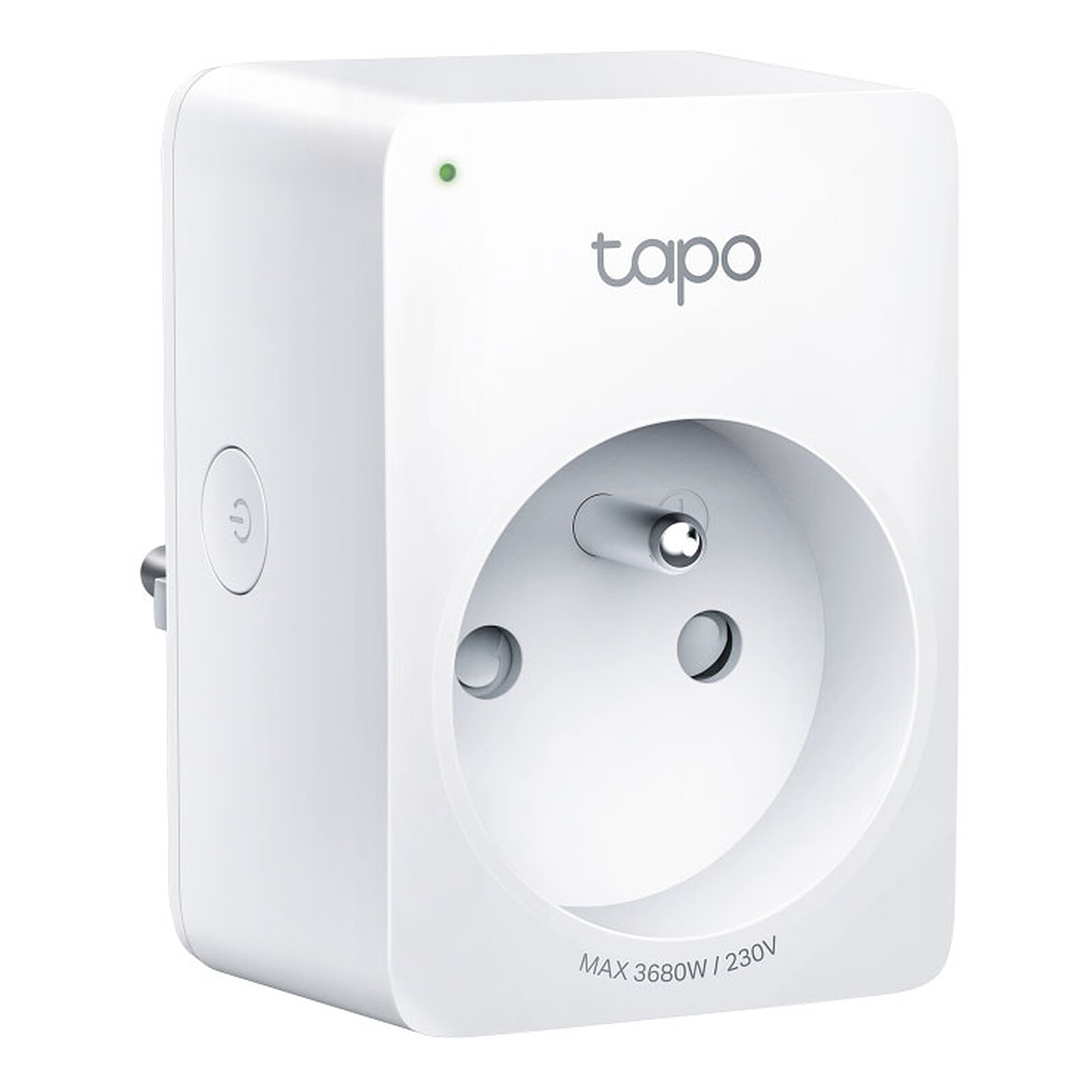
This is where the magic of smart plugs comes in. A smart plug isn’t just a fancy adapter; it’s a gatekeeper for your electricity. By giving you remote control over any device plugged into it, you gain the power to completely cut off the electricity supply, killing that phantom load for good. Let’s dive into the practical strategies.
Master the Art of Scheduling
One of the most powerful features of a smart plug is the ability to set schedules. This is the “set it and forget it” approach to saving energy.
- Your Entertainment Center: Do you really need your TV, soundbar, and gaming console drawing power at 3 AM? Of course not. Create a schedule that turns off the entire power strip connected to your entertainment system every night at midnight and turns it back on in the evening.
- The Home Office: Your computer monitor, printer, and desk lamp don’t need to be in standby mode all weekend. Schedule the smart plug controlling your office setup to power down completely at 6 PM on Friday and power back up at 8 AM on Monday.
- Kitchen Appliances: That coffee maker with the glowing clock? Schedule it to turn on 10 minutes before you wake up and turn off completely after you’ve left for work.
I personally have my Wi-Fi router on a schedule. It reboots automatically at 4 AM every day by turning off for one minute. This not only saves a tiny bit of energy but also keeps my network running smoothly—a win-win!
Use Timers for Short-Term Tasks
Schedules are great for regular routines, but what about one-off tasks? That’s where timers come in. Instead of letting devices run indefinitely, you can set them to turn off after a specific period.
- Charging Gadgets: We’re all guilty of leaving our phones, tablets, or power banks charging overnight. This isn’t just bad for your battery’s long-term health; it wastes energy. Plug your charger into a smart plug and set a timer for two or three hours.
- Space Heaters & Fans: Using a small space heater to warm up your office? Or a fan to cool down your room before bed? Set a timer to have it automatically shut off after an hour or two, so you don’t waste energy heating or cooling an empty room.
- Holiday Lights: Don’t leave your festive lights running all night. Use a smart plug with a timer to have them turn on at dusk and off at your bedtime.
Group Devices into Smart Routines
This is where you really start living in the future. Most smart home ecosystems (like Alexa, Google Home, and Apple HomeKit) allow you to create “routines” or “scenes” that control multiple devices with a single command.
Imagine saying, “Hey Google, good night.”
Instantly, your smart plugs turn off the TV, the living room lamps, and the kitchen radio, while maybe a smart plug in your bedroom turns on a white noise machine. This automation is not just convenient; it’s a brilliant way to ensure no energy-draining devices are left on by mistake. Creating a “Leaving Home” routine that shuts down all non-essential electronics is one of the most effective eco friendly smart plug usage tips you can implement.
Monitor Energy Consumption Like a Pro
Knowledge is power—literally. Some smart plugs come with a built-in energy monitoring feature. These are the gold standard for anyone serious about reducing their carbon footprint.
These plugs track exactly how much electricity (in kWh) is flowing through them. You can open an app and see in real-time which of your appliances are the biggest energy hogs. You might be shocked to discover that your old mini-fridge in the garage is costing you more than your brand-new television. Armed with this data, you can make informed decisions, like replacing an inefficient appliance or adjusting your usage schedules for maximum impact.
|
Our Picks for the Best Smart Plug in 2026
As an Amazon Associate, we earn from qualifying purchases.
|
||
| Num | Product | Action |
|---|---|---|
| 1 | Amazon Basics Smart Plug, Works with Alexa Only, 2.4 GHz Wi-Fi, No Hub Required, 4-Pack, White |

|
| 2 | TP-Link Tapo Matter Supported Smart Plug Mini, Compact Design, 15A/1800W Max, Super Easy Setup, Works with Apple Home, Alexa & Google Home, UL Certified, 2.4G Wi-Fi Only, White, Tapo P125M(3-Pack) |
|
| 3 | Kasa Smart Plug HS103P2, Smart Home Wi-Fi Outlet Works with Alexa, Echo, Google Home & IFTTT, No Hub Required, Remote Control,15 Amp,UL Certified, (Pack of 2) White |
|
| 4 | Govee Smart Plug, WiFi Plugs Work with Alexa & Google Assistant, Smart Outlet with Timer & Group Controller, WiFi Outlet for Home, No Hub Required, ETL & FCC Certified, 2.4G WiFi Only, 4 Pack |
|
| 5 | Govee Smart Plug, WiFi Plugs Work with Alexa & Google Assistant, Smart Outlet with Timer & Group Controller, WiFi Outlet for Home, No Hub Required, ETL & FCC Certified, 2.4G WiFi Only, 2 Pack |
|
| 6 | Kasa Smart Plug HS103P4, Smart Home Wi-Fi Outlet Works with Alexa, Echo, Google Home & IFTTT, No Hub Required, Remote Control, 15 Amp, UL Certified, 4-Pack, White |
|
| 7 | Kasa Smart Plug Mini 15A, Smart Home Wi-Fi Outlet Works with Alexa, Google Home & IFTTT, No Hub Required, UL Certified, 2.4G WiFi Only, 4-Pack(EP10P4) , White |
|
| 8 | Amazon Basics Smart Plug, Works with Alexa Only, 2.4 GHz Wi-Fi, No Hub Required, 2 Pack, White |
|
| 9 | Kasa Smart Plug Mini 15A, Apple HomeKit Supported, Smart Outlet Works with Siri, Alexa & Google Home, UL Certified, App Control, Scheduling, Timer, 2.4G WiFi Only, 4 Count (Pack of 1) (EP25P4), White |
|
| 10 | Kasa Smart Plug Ultra Mini 15A, Smart Home Wi-Fi Outlet Works with Alexa, Google Home & IFTTT, No Hub Required, UL Certified, 2.4G WiFi Only, 2 Count (Pack of 1)(EP10P2) , White |
|
How Do I Integrate Smart Plugs into My Smart Home Ecosystem?
Worried that this sounds complicated? Don’t be. Integrating smart plugs is surprisingly straightforward and is the key to unlocking their full potential.
Connecting with Alexa and Google Assistant
This is the most common setup. The process is usually:
- Set up your smart plug using its dedicated app (e.g., Kasa, TP-Link, Wyze).
- Open your Amazon Alexa or Google Home app.
- Go to “Devices” and search for a new device or skill.
- Find the brand of your smart plug and link your account.
- That’s it! You can now control the plug with your voice. Try saying, “Alexa, turn off the living room fan.”
What About Apple HomeKit and IFTTT?
- Apple HomeKit: If you’re in the Apple ecosystem, look for smart plugs with the “Works with Apple HomeKit” logo. Setup is often as simple as scanning a QR code with your iPhone. HomeKit is renowned for its security and seamless integration.
- IFTTT (If This, Then That): For the true tech enthusiast, IFTTT allows you to create powerful automations between different apps and devices. For example, you could create a rule: “IF my phone’s location leaves my home, THEN turn off the office smart plug.” This is next-level, hands-free energy saving.
“The beauty of the smart plug isn’t just the convenience it offers. It’s about democratizing energy management. It gives everyday consumers a simple, affordable tool to understand and control their energy usage, which is a critical first step toward a more sustainable future for our homes.”
— Dr. Eleanor Vance, Sustainable Home Technology Expert
Beyond the Obvious: Creative Ways to Use Your Smart Plugs
Your journey with eco friendly smart plug usage tips doesn’t have to stop with TVs and lamps. Get creative!
- Limit Screen Time: Plug your kids’ gaming console or the TV into a smart plug and schedule “off” times to enforce homework or bedtimes automatically.
- Pet Care Automation: Automate your aquarium lights and filters to mimic a natural day/night cycle.
- Peace of Mind: Ever leave the house and panic, wondering if you left the curling iron on? Plug it into a smart plug, and you can check its status and turn it off from anywhere in the world using your phone.
- The Remote Reboot: Is your internet router in a hard-to-reach place? Plug it into a smart plug. The next time it needs a reboot, you can just turn the plug off and on from your app instead of crawling behind furniture.
Frequently Asked Questions
Q: Do smart plugs use a lot of electricity themselves?
A: This is a great question! Smart plugs do consume a very small amount of power to stay connected to your Wi-Fi network—typically less than 1 watt. The energy they save by cutting off phantom power from larger devices far outweighs their own minimal consumption.
Q: Can I use a smart plug for any appliance?
A: No, and this is important for safety. Always check the maximum power rating (usually in watts or amps) of your smart plug. They are perfect for lamps, fans, coffee makers, and electronics, but you should not use them for large, high-draw appliances like refrigerators, washing machines, or large space heaters unless the plug is specifically rated for such use.
Q: What’s the difference between a Wi-Fi and a Zigbee smart plug?
A: A Wi-Fi smart plug connects directly to your home’s Wi-Fi router. It’s simple and doesn’t require extra hardware. A Zigbee (or Z-Wave) plug requires a separate smart home hub (like an Amazon Echo with a built-in hub or a Samsung SmartThings hub). The main advantage of Zigbee is that it creates its own mesh network, which can be more reliable and less taxing on your Wi-Fi if you have dozens of smart devices. For beginners, Wi-Fi is usually the easiest starting point.
Q: How can eco friendly smart plug usage tips really help my carbon footprint?
A: By reducing your household’s electricity consumption, you directly decrease the demand on the power grid. Since a significant portion of electricity is still generated from fossil fuels, every kilowatt-hour you save means less carbon dioxide and other greenhouse gases are released into the atmosphere. It’s a small change at home that contributes to a larger, positive environmental impact.
Q: Is it hard to set up a smart plug?
A: Not at all! In most cases, it’s a three-step process: plug it in, download the manufacturer’s app on your smartphone, and follow the on-screen instructions to connect it to your Wi-Fi. You can typically have your first smart plug up and running in less than five minutes.
Your Smarter, Greener Home Awaits
Making your home more eco-friendly doesn’t require a massive overhaul or a huge investment. It can start with something as small and simple as a single smart plug. It’s an accessible first step into the exciting world of home automation, putting you firmly in control of your energy consumption. By implementing these eco friendly smart plug usage tips, you’re not just saving money on your monthly bills; you’re making a conscious choice to reduce waste and live more sustainably. So go ahead, plug in, and start building a smarter home, one outlet at a time.