A premium smart plug is worth the extra investment for users prioritizing advanced features, superior reliability, and enhanced security in their smart home setup. Unlike basic models that offer simple on/off control, premium smart plugs provide detailed energy monitoring, broader compatibility with ecosystems like Matter and Thread, and higher-grade, fire-retardant materials, making them a more robust and future-proof choice for energy efficiency and convenience.
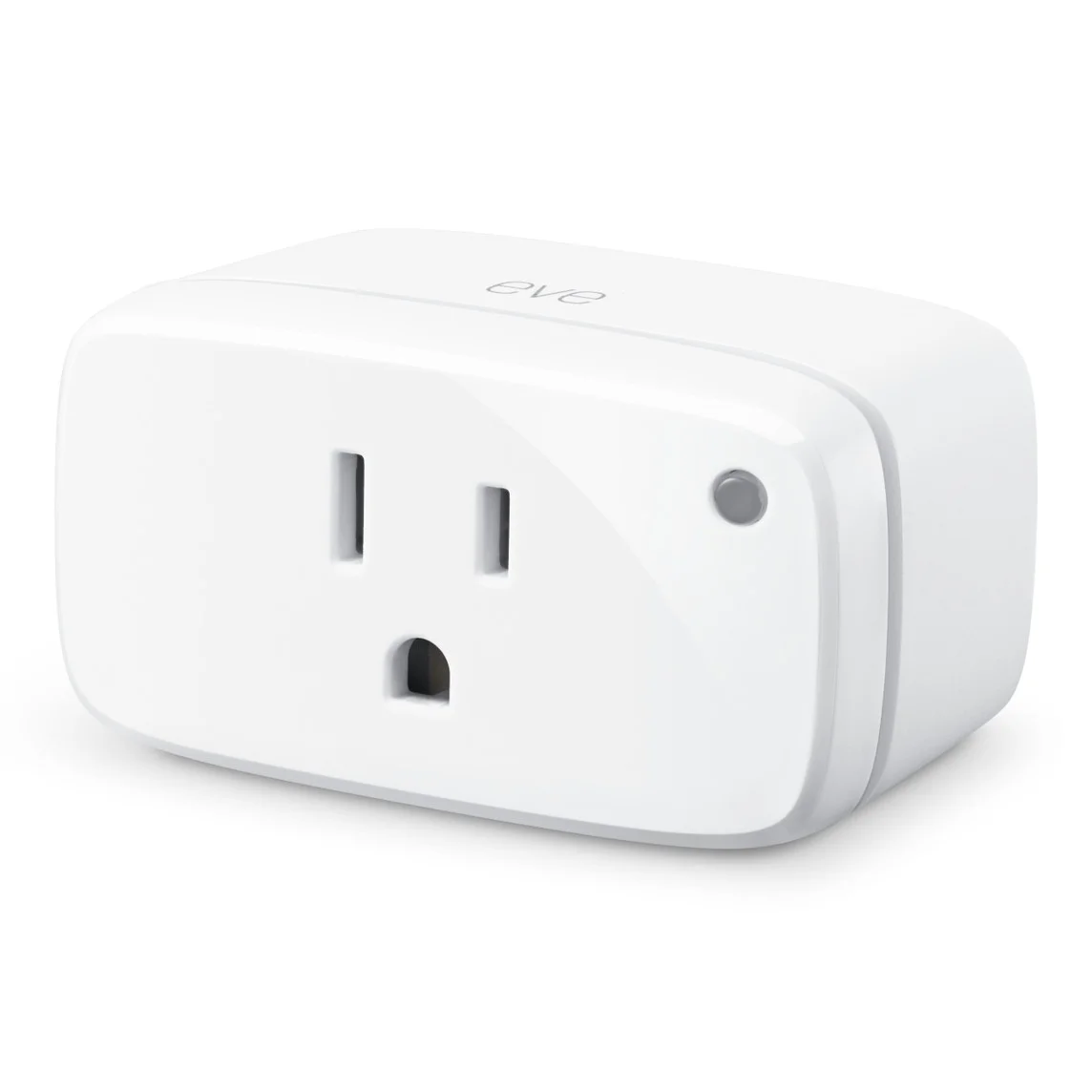
What Exactly Makes a Smart Plug ‘Premium’?
A premium smart plug isn’t just about a fancier brand name or a sleeker plastic shell. The difference lies under the hood, in the features, reliability, and security that set it apart. Think of it as the difference between a basic sedan and a luxury car; both get you from A to B, but the experience and capabilities are worlds apart.
A premium smart plug generally offers a combination of superior build quality, advanced features like real-time energy monitoring, and broader compatibility with smart home ecosystems, often supporting newer protocols like Matter or Thread for a more robust and future-proof setup.
Here’s a quick breakdown:
| Feature | Standard Smart Plug | Premium Smart Plug |
|---|---|---|
| Control | Basic On/Off, Simple Scheduling | Advanced Scenes, “Away” Modes, Routines |
| Energy Monitoring | Usually None | Detailed Real-Time & Historical Data |
| Connectivity | 2.4GHz Wi-Fi Only | Wi-Fi, Bluetooth, Matter, Thread, Zigbee |
| Build Quality | Standard Plastics, Lower Amp Rating | Higher-Grade, Fire-Retardant Materials |
| Security | Basic Encryption | Enhanced Security Protocols, Regular Updates |
| Size | Often Bulky, Blocks Other Outlets | Compact, “Stackable” Design |
A Quick Trip Down Memory Lane: The Evolution of Smart Plugs
Smart plugs didn’t just appear out of nowhere. They’re the grandchildren of those clunky, dial-based outlet timers our parents used for holiday lights. The first wave of “smart” plugs in the early 2010s were often unreliable and required a separate, expensive hub to function. They were a cool party trick for tech enthusiasts but far from mainstream. The real game-changer was the integration with voice assistants like Amazon’s Alexa and Google Assistant, making smart home control accessible to everyone. Today, premium plugs are pushing the envelope again, focusing not just on control, but on data, efficiency, and seamless integration.
Our In-Depth Premium Smart Plug Review: Key Features Explored
So, what do you actually get for your money? Let’s break down the core features that define a top-tier smart plug.
Why is Energy Monitoring a Game-Changer?
This is arguably the biggest selling point of a premium plug. Instead of just turning a device on or off, you can see exactly how much power it’s consuming in real-time.
- Identify Energy Vampires: You can finally find out which appliances are secretly draining power even when they’re “off.” That old TV in the guest room? The coffee maker? The data doesn’t lie.
- Track Your Spending: Most companion apps can translate kilowatt-hours (kWh) into actual currency, showing you how much that portable AC unit is costing you to run each day.
- Make Smarter Decisions: Armed with this data, you can create schedules to run high-draw appliances during off-peak hours or decide it’s finally time to upgrade that ancient, inefficient refrigerator.
“The future of the smart home isn’t just about convenience; it’s about intelligence. A premium smart plug turns a simple outlet into a data point, giving homeowners the power to understand and optimize their energy consumption in ways that were previously impossible for the average person.” – Dr. Alistair Finch, IoT Analyst
Step-by-Step: Getting Your Premium Smart Plug Up and Running
Worried about a complicated setup? Don’t be. Most premium brands have made the process incredibly simple. While specifics vary, it generally follows these steps:
- Unbox and Plug In: Take the smart plug out of the box and plug it into a standard wall outlet. A small light will usually start blinking to indicate it’s in pairing mode.
- Download the App: Scan the QR code or search for the manufacturer’s app on the Apple App Store or Google Play Store. Create an account if required.
- Add Your Device: In the app, tap “Add Device” or a similar button. The app will use your phone’s Wi-Fi or Bluetooth to find the new plug.
- Connect to Wi-Fi: Select your home Wi-Fi network (most plugs still use the 2.4GHz band for better range) and enter the password.
- Name Your Plug: Give it a logical name like “Living Room Lamp” or “Coffee Maker.” This is crucial for easy voice control later.
- Update Firmware: The app will likely prompt you to update the plug’s firmware. Always do this. It contains important security patches and feature improvements.
And that’s it! You’re ready to go in under five minutes.
|
Our Picks for the Best Smart Plug in 2026
As an Amazon Associate, we earn from qualifying purchases.
|
||
| Num | Product | Action |
|---|---|---|
| 1 | TP-Link Tapo Matter Supported Smart Plug Mini, Compact Design, 15A/1800W Max, Super Easy Setup, Works with Apple Home, Alexa & Google Home, UL Certified, 2.4G Wi-Fi Only, White, Tapo P125M(3-Pack) |

|
| 2 | Govee Smart Plug, WiFi Plugs Work with Alexa & Google Assistant, Smart Outlet with Timer & Group Controller, WiFi Outlet for Home, No Hub Required, ETL & FCC Certified, 2.4G WiFi Only, 4 Pack |
|
| 3 | Kasa Smart Plug Mini 15A, Apple HomeKit Supported, Smart Outlet Works with Siri, Alexa & Google Home, UL Certified, App Control, Scheduling, Timer, 2.4G WiFi Only, 4 Count (Pack of 1) (EP25P4), White |
|
| 4 | Govee Smart Plug, WiFi Plugs Work with Alexa & Google Assistant, Smart Outlet with Timer & Group Controller, WiFi Outlet for Home, No Hub Required, ETL & FCC Certified, 2.4G WiFi Only, 2 Pack |
|
| 5 | Kasa Smart Plug Ultra Mini 15A, Smart Home Wi-Fi Outlet Works with Alexa, Google Home & IFTTT, No Hub Required, UL Certified, 2.4G WiFi Only, 2 Count (Pack of 1)(EP10P2) , White |
|
| 6 | Amazon Basics Smart Plug, Works with Alexa Only, 2.4 GHz Wi-Fi, No Hub Required, 2 Pack, White |
|
| 7 | Amazon Basics Smart Plug, Works with Alexa Only, 2.4 GHz Wi-Fi, No Hub Required, 4-Pack, White |
|
| 8 | Kasa Smart Plug HS103P4, Smart Home Wi-Fi Outlet Works with Alexa, Echo, Google Home & IFTTT, No Hub Required, Remote Control, 15 Amp, UL Certified, 4-Pack, White |
|
| 9 | Kasa Smart Plug HS103P2, Smart Home Wi-Fi Outlet Works with Alexa, Echo, Google Home & IFTTT, No Hub Required, Remote Control,15 Amp,UL Certified, (Pack of 2) White |
|
| 10 | Kasa Smart Plug Mini 15A, Smart Home Wi-Fi Outlet Works with Alexa, Google Home & IFTTT, No Hub Required, UL Certified, 2.4G WiFi Only, 4-Pack(EP10P4) , White |
|
Beyond On/Off: Creative Ways to Use Your Smart Plug
This is where the fun begins. A premium plug’s advanced scheduling and routine-building capabilities open up a world of possibilities.
- The Perfect Morning: Create a “Good Morning” routine that turns on your smart plug-connected coffee maker five minutes before your alarm, so you wake up to the smell of fresh coffee.
- Enhanced Home Security: Use the “Away Mode” feature, which randomly turns connected lamps on and off to simulate someone being home, deterring potential intruders.
- Protect Your Electronics: Connect your entertainment center to a smart plug and set a schedule to completely cut power overnight, preventing phantom power drain and protecting devices from power surges.
- The “Did I Leave It On?” Solution: Plug your hair straightener or clothes iron into a smart plug and set an auto-off timer for 30 minutes. Instant peace of mind.
Creating a Symphony: Integrating Plugs into Your Smart Home
A premium smart plug doesn’t live on an island. Its true power is unlocked when it works seamlessly with the rest of your smart home. Compatibility is key.
How Does it Work with Alexa, Google, and Apple?
Integration is typically handled through “Skills” (Alexa) or “Actions” (Google). During setup, you’ll link your smart plug’s account to your Amazon, Google, or Apple account. Once linked, you can say things like:
- “Alexa, turn on the bedroom fan.”
- “Hey Google, is the living room lamp on?”
- “Siri, run my ‘Movie Night’ scene,” which could dim smart lights and turn on the smart plug connected to your TV.
The rise of the Matter protocol is a huge deal for premium devices. Matter is a universal standard designed to make devices from different brands work together seamlessly. A Matter-certified premium plug is a fantastic investment, ensuring it will work with future devices regardless of who makes them.
Frequently Asked Questions (FAQ)
What is the main benefit of a premium smart plug over a cheap one?
The primary benefits are advanced features like real-time energy monitoring, superior build quality with fire-retardant materials, enhanced security protocols, and broader compatibility with smart home ecosystems, including future-proof standards like Matter.
Do premium smart plugs use a lot of electricity themselves?
No, a smart plug’s own power consumption is incredibly low, typically less than 1 watt. The energy it saves you by turning off energy-vampire appliances far outweighs its own minimal usage.
Can I use a premium smart plug for a high-power appliance like a space heater?
You must check the plug’s maximum amperage rating. Most standard plugs are rated for 10 amps, but many premium models are rated for 15 amps, specifically designed to safely handle higher-draw appliances like space heaters, window AC units, or irons. Always check the rating before use.
Do I need a smart home hub to use a premium smart plug?
Not usually. Most modern premium smart plugs connect directly to your home’s Wi-Fi network and are controlled via a smartphone app. However, some plugs that use protocols like Zigbee or Z-Wave would require a compatible hub, like an Amazon Echo with a built-in Zigbee hub.
Is my data safe with a smart plug?
Reputable premium brands invest heavily in security. They use robust encryption for communication between the plug, the app, and the cloud, and they regularly release firmware updates to patch vulnerabilities. This is a significant differentiator from cheaper, no-name brands that may have questionable security practices.
The Verdict: So, Are They Worth the Upgrade?
After a thorough premium smart plug review, the answer is a resounding yes, for the right user. If you’re simply looking to turn a lamp on and off with your voice, a basic model will do the job. But if you are serious about building a truly smart, efficient, and secure home, the upgrade is absolutely worth it. The insights from energy monitoring alone can help the plug pay for itself over time. The enhanced safety features offer peace of mind, and the superior integration ensures your investment will work with your ecosystem for years to come. A premium smart plug is more than a remote-control switch; it’s a small but powerful first step toward a genuinely intelligent home.
Frequently Asked Questions
What is the main benefit of a premium smart plug over a cheap one?
The primary benefits are advanced features like real-time energy monitoring, superior build quality with fire-retardant materials, enhanced security protocols, and broader compatibility with smart home ecosystems, including future-proof standards like Matter.
Do premium smart plugs use a lot of electricity themselves?
No, a smart plug's own power consumption is incredibly low, typically less than 1 watt. The energy it saves you by turning off energy-vampire appliances far outweighs its own minimal usage.
Can I use a premium smart plug for a high-power appliance like a space heater?
You must check the plug's maximum amperage rating. Most standard plugs are rated for 10 amps, but many premium models are rated for 15 amps, specifically designed to safely handle higher-draw appliances like space heaters, window AC units, or irons. Always check the rating before use.
Do I need a smart home hub to use a premium smart plug?
Not usually. Most modern premium smart plugs connect directly to your home's Wi-Fi network and are controlled via a smartphone app. However, some plugs that use protocols like Zigbee or Z-Wave would require a compatible hub, like an Amazon Echo with a built-in Zigbee hub.
Is my data safe with a smart plug?
Reputable premium brands invest heavily in security. They use robust encryption for communication between the plug, the app, and the cloud, and they regularly release firmware updates to patch vulnerabilities. This is a significant differentiator from cheaper, no-name brands that may have questionable security practices.
Set Up Your Premium Smart Plug
Setting up a premium smart plug is a straightforward process that typically takes less than five minutes, allowing you to quickly integrate it into your smart home.
Remove the smart plug from its packaging and insert it into a standard wall outlet. A small indicator light will usually begin to blink, signaling that the device is in pairing mode and ready for setup.
Locate the manufacturer's companion app by scanning the QR code provided in the manual or searching on the Apple App Store or Google Play Store. Install the app and create an account if prompted.
Within the app, tap the 'Add Device' or similar button. The app will use your phone's Wi-Fi or Bluetooth to detect the new smart plug, initiating the connection process.
Select your home's 2.4GHz Wi-Fi network and enter the password to connect the plug. Afterward, assign a clear, descriptive name to your smart plug, such as 'Living Room Lamp' or 'Coffee Maker,' for easy identification and voice control.
Always accept any prompts to update the plug's firmware. These updates are crucial for applying security patches, improving performance, and adding new features, ensuring your device operates optimally and securely.
Smart home that does not lock you in
Free PDF — protocol compatibility matrix for 30 hubs and devices.
I got one of these premium smart plugs hoping for better range with Thread, but I’m still seeing some occasional drop-offs in connectivity in my garage. It’s not terrible, but I expected flawless performance for the price. The build quality does feel really solid though, and I appreciate the fire-retardant materials for peace of mind. Just wish the Thread connection was a bit more consistent.
Finally, a smart plug that feels truly robust! I’ve had issues with cheaper models failing after a year or two, but the higher-grade materials on this one are noticeable. I’m using it for my coffee maker and it’s been incredibly convenient to have it ready when I wake up. The enhanced security features also make me feel much better about having it connected to my network.
The broader compatibility with Matter was a huge selling point for me, as I’m trying to future-proof my smart home. This plug connected effortlessly with everything I have, which is a mix of different brands. It’s super responsive and I haven’t had any issues with it. My only minor gripe is that the design is a little bulky, but it’s a small trade-off for the reliability.
I was hesitant about spending more on a smart plug, but the energy monitoring feature mentioned in the post totally sold me. It’s been fantastic for tracking how much power my old space heater uses, and I’ve already adjusted my habits to save a bit. Setup was a breeze, and it integrates perfectly with my existing smart home system. Definitely worth the upgrade for the insights alone.