Let’s be honest, some things around the house just become more of a hassle with age. Reaching behind a heavy cabinet to unplug a lamp, worrying if the space heater was left on, or simply wanting a cup of tea without fumbling with a stiff switch—these small daily challenges can add up. This is where a Smart Plug For Elderly Convenience isn’t just a cool gadget; it’s a genuine game-changer, offering a remarkable blend of independence, safety, and peace of mind for both seniors and their loved ones. Forget complicated tech; this is about making everyday life simpler and safer.
What Exactly Is a Smart Plug, and Why Is It a Game-Changer?
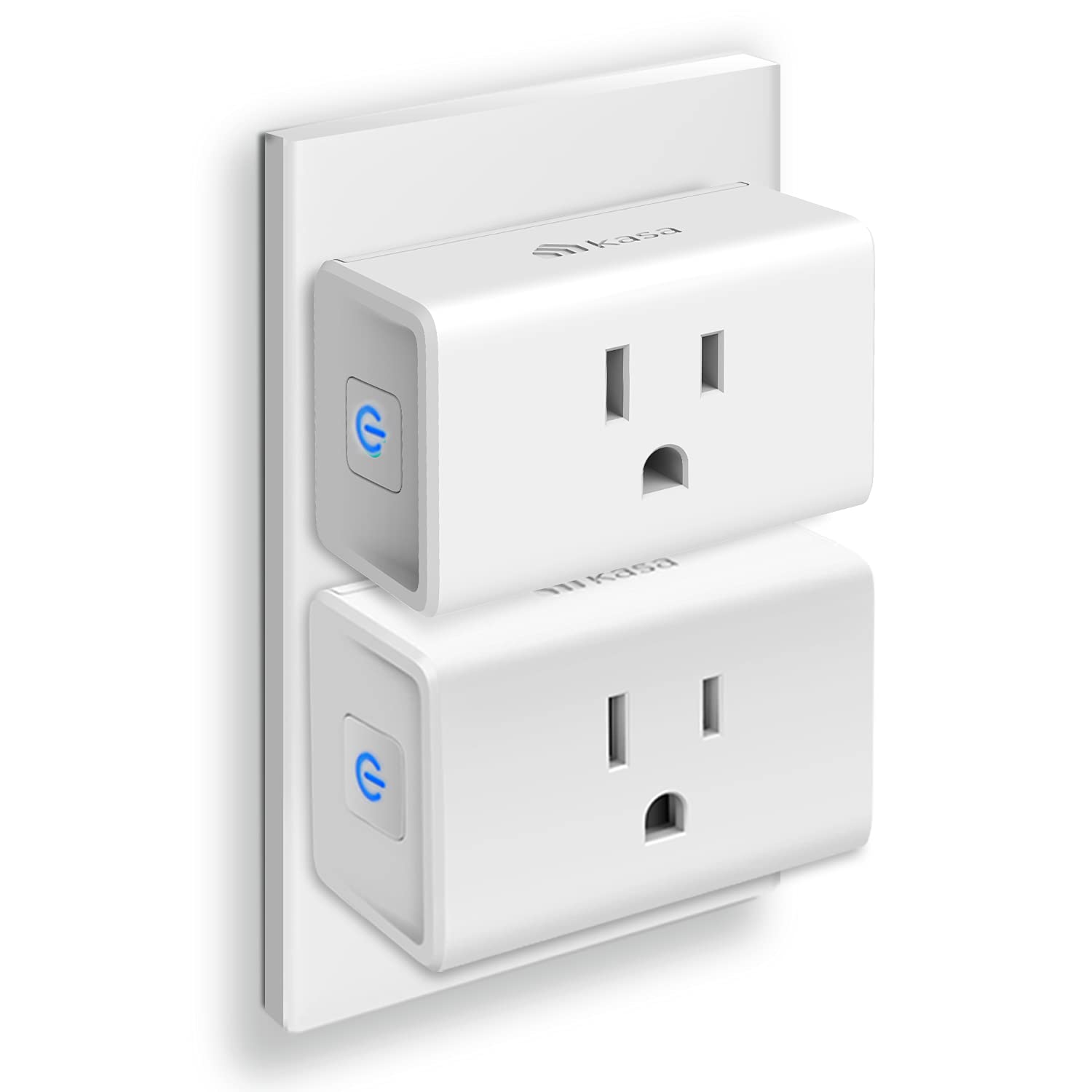
Think of a smart plug as a clever adapter that sits between your wall outlet and any regular appliance, like a lamp, a fan, or a coffee maker. Once plugged in and connected to your home’s Wi-Fi, it instantly makes that “dumb” appliance “smart.” This means you can now control it using your voice through a smart speaker or from a simple app on your smartphone, no matter where you are. It’s like giving every outlet in your home its own remote control.
For seniors, this simple piece of technology can be profoundly empowering. It bridges the gap between traditional home appliances and the desire for greater control and accessibility, a core principle of “aging in place” gracefully.
Key Features That Make a Smart Plug Perfect for Seniors
The magic of a smart plug lies in its features. They aren’t just for tech enthusiasts; they are designed to solve real-world problems, especially those faced by older adults.
Voice Control: A Hands-Free Revolution
This is perhaps the most significant benefit. For anyone with mobility or dexterity issues, getting up to turn a light on or off can be a challenge, and even a potential falling hazard, especially at night.
A smart plug, when paired with a voice assistant like Amazon Alexa or Google Assistant, allows for complete hands-free operation. A simple command like, “Alexa, turn on the bedroom lamp,” is all it takes.
This feature is invaluable for:
- Turning on lights before getting out of bed to prevent trips and falls.
- Controlling a fan or radio from a comfortable chair without needing to get up.
- Managing appliances for those with arthritis or other conditions that make gripping small switches difficult.
Scheduling and Timers: Automation for Peace of Mind
Forgetfulness can be a source of anxiety. Did I leave the iron on? Is the porch light on for when I get back? A smart plug for elderly convenience eliminates this second-guessing through easy-to-set schedules and timers.
You can program a smart plug to:
- Turn on a nightlight in the hallway every evening at sunset and turn it off at sunrise.
- Start the coffee maker automatically at 7 AM every morning.
- Ensure a space heater in a chilly room only runs for an hour at a time to prevent overheating and save energy.
- Switch on a radio at a specific time each day to provide company or as a reminder for medication.
Remote Access: The Caregiver’s Best Friend
For family members and caregivers, smart plugs offer an incredible layer of reassurance. Using the companion app on your smartphone, you can check on and control connected appliances from anywhere with an internet connection.
Imagine being able to:
- Verify that your parent’s heating pad was turned off after they fell asleep.
- Turn on a light for them remotely if they’re coming home after dark.
- Help troubleshoot an appliance by simply turning it off and on again from your own home, miles away.
This remote access fosters independence for the senior while providing a non-intrusive safety net for their loved ones.
How Do You Set Up a Smart Plug? It’s Easier Than You Think!
The term “smart device” can sound intimidating, but setting up a smart plug is surprisingly straightforward. My team at Smart Plug Top has helped countless people get started, and the process is nearly always the same.
- Unbox the Plug: Take the smart plug out of its packaging.
- Download the App: Find the manufacturer’s app on the Apple App Store or Google Play Store and install it on a smartphone or tablet. Common apps include Kasa, Smart Life, or the brand-specific app like Amazon Alexa.
- Create an Account: Open the app and follow the simple prompts to create a free account.
- Plug It In: Plug the smart plug into a wall outlet. A light on the plug will usually start blinking, indicating it’s ready to be set up.
- Connect to Wi-Fi: In the app, tap “Add Device” or a similar button. The app will guide you to connect the plug to your home’s 2.4GHz Wi-Fi network. You’ll just need to enter your Wi-Fi password.
- Name Your Device: Once connected, give the plug a simple, intuitive name like “Living Room Lamp” or “Dad’s Fan.” This is the name you’ll use for voice commands.
- Plug in Your Appliance: That’s it! Plug your lamp, fan, or other device into the smart plug, and you’re ready to go.
|
Our Picks for the Best Smart Plug in 2026
As an Amazon Associate, we earn from qualifying purchases.
|
||
| Num | Product | Action |
|---|---|---|
| 1 | Kasa Smart Plug HS103P2, Smart Home Wi-Fi Outlet Works with Alexa, Echo, Google Home & IFTTT, No Hub Required, Remote Control,15 Amp,UL Certified, (Pack of 2) White |

|
| 2 | Kasa Smart Plug Ultra Mini 15A, Smart Home Wi-Fi Outlet Works with Alexa, Google Home & IFTTT, No Hub Required, UL Certified, 2.4G WiFi Only, 2 Count (Pack of 1)(EP10P2) , White |
|
| 3 | Amazon Basics Smart Plug, Works with Alexa Only, 2.4 GHz Wi-Fi, No Hub Required, 2 Pack, White |
|
| 4 | Kasa Smart Plug HS103P4, Smart Home Wi-Fi Outlet Works with Alexa, Echo, Google Home & IFTTT, No Hub Required, Remote Control, 15 Amp, UL Certified, 4-Pack, White |
|
| 5 | Govee Smart Plug, WiFi Plugs Work with Alexa & Google Assistant, Smart Outlet with Timer & Group Controller, WiFi Outlet for Home, No Hub Required, ETL & FCC Certified, 2.4G WiFi Only, 2 Pack |
|
| 6 | Kasa Smart Plug Mini 15A, Smart Home Wi-Fi Outlet Works with Alexa, Google Home & IFTTT, No Hub Required, UL Certified, 2.4G WiFi Only, 4-Pack(EP10P4) , White |
|
| 7 | TP-Link Tapo Matter Supported Smart Plug Mini, Compact Design, 15A/1800W Max, Super Easy Setup, Works with Apple Home, Alexa & Google Home, UL Certified, 2.4G Wi-Fi Only, White, Tapo P125M(3-Pack) |
|
| 8 | Govee Smart Plug, WiFi Plugs Work with Alexa & Google Assistant, Smart Outlet with Timer & Group Controller, WiFi Outlet for Home, No Hub Required, ETL & FCC Certified, 2.4G WiFi Only, 4 Pack |
|
| 9 | Amazon Basics Smart Plug, Works with Alexa Only, 2.4 GHz Wi-Fi, No Hub Required, 4-Pack, White |
|
| 10 | Kasa Smart Plug Mini 15A, Apple HomeKit Supported, Smart Outlet Works with Siri, Alexa & Google Home, UL Certified, App Control, Scheduling, Timer, 2.4G WiFi Only, 4 Count (Pack of 1) (EP25P4), White |
|
Do Smart Plugs Save Money on Electricity?
Yes, they can! Many devices consume “standby” or “phantom” power even when they’re turned off. A smart plug completely cuts the power to the device, eliminating this waste. By setting schedules to turn off entertainment systems, chargers, and other electronics at night, you can see a noticeable, albeit small, reduction in your energy bill over time. Some advanced smart plugs even offer energy monitoring features, showing you exactly how much electricity an appliance is using.
Integrating Smart Plugs into a Senior-Friendly Smart Home
A smart plug is often the first step into the wider world of home automation. It works seamlessly within larger smart home ecosystems.
- Amazon Alexa: Pair your plug with an Echo Dot or other Alexa device for effortless voice control.
- Google Assistant: Connect it to a Google Nest Hub for both voice and visual controls.
- Apple HomeKit: Some plugs are compatible with Apple’s system, allowing control via Siri on an iPhone, iPad, or HomePod.
Starting with a smart plug for elderly convenience can pave the way for adding other helpful devices later, such as smart light bulbs, thermostats, or security cameras, all controlled from the same central app or by voice.
As our in-house smart home strategist, Dr. Aris Thorne, often says, “The best technology is invisible. It doesn’t ask you to learn its language; it learns yours. For seniors, a simple voice command that brings light to a dark room is the very definition of helpful, invisible tech.”
Choosing the Right Smart Plug: A Simple Checklist
When selecting a smart plug for a senior, simplicity and reliability are key. Here’s what to look for:
- [ ] Easy Setup: Choose a brand known for a user-friendly app and clear instructions.
- [ ] Voice Assistant Compatibility: Ensure it works with the smart speaker you have or plan to get (Alexa and Google Assistant are the most common).
- [ ] Reliable Connection: Read reviews to make sure the plug doesn’t frequently disconnect from Wi-Fi.
- [ ] Compact Size: Look for a design that doesn’t block the second wall outlet.
- [ ] Safety Certifications: Make sure the plug is certified by a reputable body like UL or ETL to ensure electrical safety.
- [ ] No Hub Required: Most modern Wi-Fi smart plugs connect directly to your router without needing a separate, complicated hub. Stick with these for simplicity.
Frequently Asked Questions (FAQ)
Q: Do you need Wi-Fi for a smart plug to work?
A: Yes, a stable home Wi-Fi network (specifically a 2.4GHz band, which all standard routers have) is required for the initial setup and for remote and voice control features to function.
Q: What happens if the internet goes down?
A: If your internet connection is lost, you won’t be able to control the plug with your voice or phone app. However, any schedules you’ve already set are often saved on the plug itself and will continue to run. You can also always turn the appliance on and off manually using the physical button on the side of the smart plug.
Q: Are smart plugs safe and secure?
A: Reputable brands build their devices with security in mind, using encryption to protect your data. To stay safe, always buy from a well-known manufacturer, create a strong, unique password for the app, and keep your home Wi-Fi network secured with a strong password.
Q: Can more than one person control the smart plug?
A: Absolutely. Most smart plug apps have a “share device” or “family” feature that allows you to grant access to other family members or caregivers. This way, both the senior and their loved ones can control and monitor the devices.
Q: What appliances should you NOT use with a smart plug?
A: You should avoid using smart plugs with large appliances that have very high power draws, like refrigerators or washing machines, unless the plug is specifically rated for that load. Also, avoid critical medical equipment, as you don’t want any potential connectivity issue to interfere with its operation.
Conclusion
Technology should serve people, not the other way around. A smart plug for elderly convenience is a perfect example of this principle in action. It’s not about filling a home with complicated gadgets; it’s about using a simple, affordable tool to solve everyday problems, enhance safety, and foster a greater sense of independence. By turning a hard-to-reach switch into a simple voice command or an automated schedule, this small device delivers an outsized impact on daily quality of life, offering invaluable peace of mind for everyone involved. It’s the perfect first step in building a safer, more comfortable, and truly smart home.