Ever get that sinking feeling when the monthly electricity bill arrives, and it’s higher than you expected? We’ve all been there. You start pointing fingers at the usual suspects: the air conditioner, the water heater. But what about the silent culprits? The “energy vampires” that secretly suck power even when they’re turned off. This is where learning how to use a smart plug with energy monitor capabilities transforms you from a passive bill-payer into a savvy energy manager, giving you the power to see, control, and ultimately reduce your home’s consumption. It’s not just a fancy gadget; it’s your secret weapon for a smarter, more cost-effective home.
What Exactly Is a Smart Plug with Energy Monitoring?
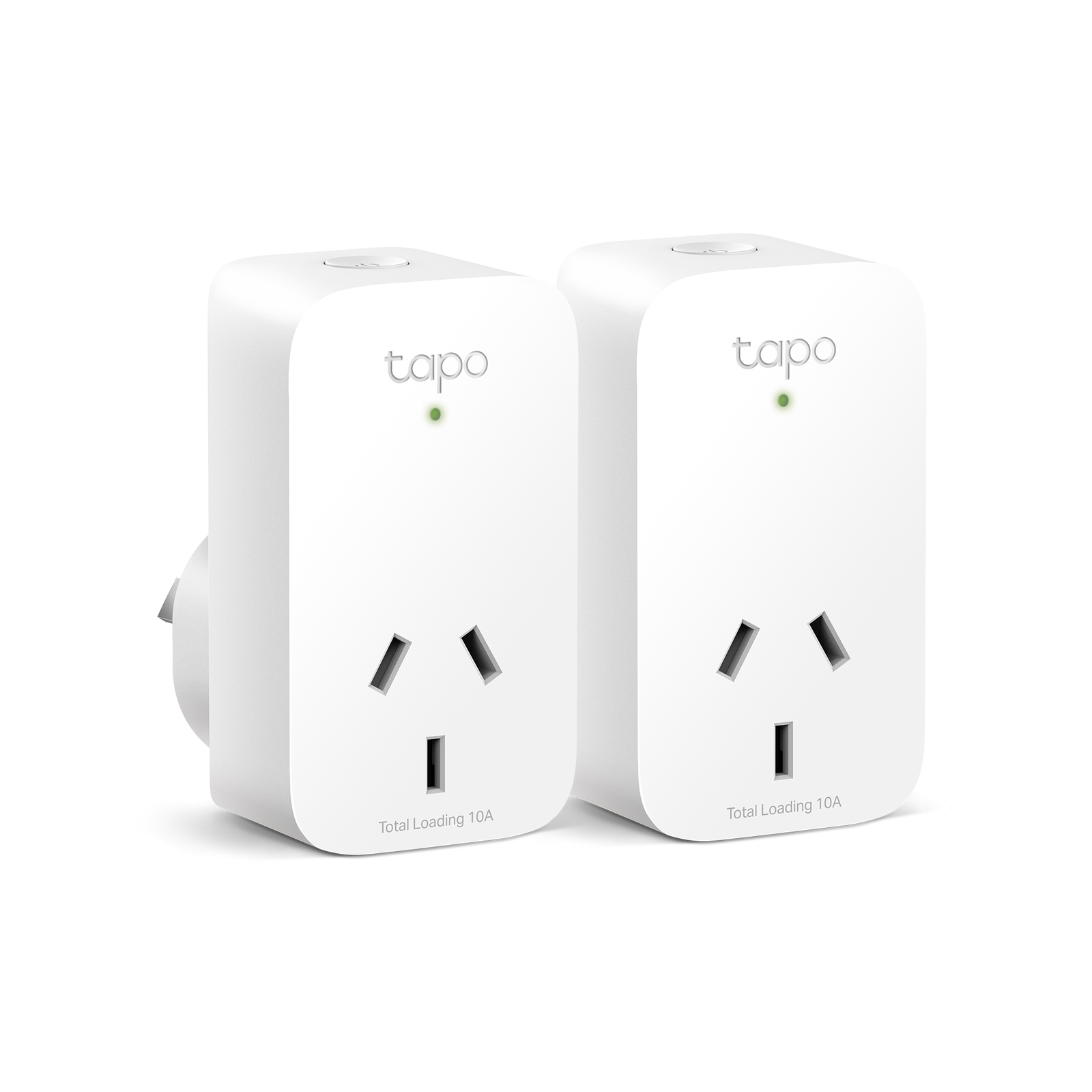
In short, it’s a brilliant little device that sits between your wall outlet and your appliance’s plug. It connects to your home’s Wi-Fi, allowing you to control the appliance remotely via a smartphone app. The “energy monitoring” part is the game-changer. It has built-in circuitry that precisely measures how much electricity (in kilowatt-hours, or kWh) is flowing through it to the connected device.
Think of it like a personal fitness tracker, but for your electronics. Instead of tracking steps and calories, it tracks watts and usage, giving you a crystal-clear picture of which devices are the most power-hungry. This data is the key to making informed decisions and slashing your energy costs.
A Quick Look at How It Works
The magic lies in a tiny chip inside the plug called a microcontroller, paired with a sensor that measures current and voltage. It calculates the power consumption in real-time and sends this data over Wi-Fi to the cloud, which then syncs with the app on your phone. This allows you to see both live power draw and historical usage data, often presented in easy-to-read graphs.
Getting Started: Your Step-by-Step Setup Guide
Getting your new smart plug up and running is usually a breeze. While the exact steps might vary slightly between brands, the general process is universal. I remember setting up my first one, thinking it would be a tech headache, but I was done in less than five minutes.
- Download the App: First things first, find the companion app for your smart plug brand (like Kasa, TP-Link, or Wyze) on the Apple App Store or Google Play Store and install it on your smartphone.
- Create an Account: You’ll likely need to create a free account. This is what allows you to control your plugs from anywhere in the world.
- Plug It In: Choose an outlet and plug your new smart plug in. A small indicator light will usually start blinking, signaling it’s ready to be paired.
- Connect to Wi-Fi: Open the app and follow the on-screen instructions to add a new device. It will guide you to connect the plug to your home’s 2.4GHz Wi-Fi network. Pro tip: Most smart home devices don’t work on 5GHz networks, so make sure you’re connecting to the right one.
- Name Your Device: Give your plug a logical name like “Living Room Lamp” or “Coffee Maker.” This will be incredibly helpful later, especially when using voice commands.
- Plug in Your Appliance: Once the setup is complete, you can plug any appliance into the smart plug. That’s it! You’re ready to start monitoring.
How to Use Your Smart Plug with Energy Monitor Like a Pro
Now for the fun part. Owning the device is one thing; using it to its full potential is another. Here’s how to go from a beginner to a power-saving pro.
Identify Your “Energy Vampires”
This is the most eye-opening part of the experience. “Energy vampires,” or devices that use standby power, can account for up to 10% of your electricity bill. These are things like your TV, game console, desktop computer, and microwave.
- The Mission: For one week, rotate your smart plug between different suspicious appliances. Plug in your entertainment center for a day, then your computer setup, then your kitchen gadgets.
- The Discovery: Check the app’s energy usage report. I was personally shocked to find that my old cable box and game console, even when “off,” were collectively costing me nearly $5 a month. By putting them on a smart plug and having it automatically turn off completely overnight, I started saving immediately.
Create Smart Schedules and Routines
Automation is your best friend for consistent savings. Almost every smart plug app allows you to set schedules.
- Morning Routine: Schedule your coffee maker to turn on at 7:00 AM and, more importantly, turn off at 8:00 AM so it’s not needlessly keeping the water hot.
- Evening Wind-Down: Set your living room lamps and entertainment center to turn off automatically at 11:30 PM, so you never accidentally leave them on all night.
- “Away” Mode: Many apps have a feature that can randomly turn lights on and off when you’re on vacation, which is great for security and ensures nothing is left running by mistake.
Set Power Thresholds and Alerts
Some advanced smart plugs allow you to set up notifications. For example, you can get an alert on your phone if a device suddenly starts drawing more power than usual, which could indicate a malfunction. You can also set a rule to automatically turn off a device, like a space heater, after it has been running for a a certain number of hours.
The Real-World Benefits: More Than Just Cool Tech
Understanding how to use a smart plug with energy monitor goes beyond simple convenience; it delivers tangible benefits you’ll appreciate every day.
Slashing Your Electricity Bill
This is the main event. By identifying wasteful devices and automating their power-off times, you’re not just trimming a few watts here and there—you’re making a consistent, long-term dent in your energy consumption. Over a year, the savings from just a few smart plugs can easily pay for the devices themselves.
“The future of home energy management isn’t about sacrifice; it’s about intelligence. Smart plugs give homeowners the data-driven insights to proactively eliminate waste without changing their lifestyle. It’s the first, most accessible step toward a truly efficient home.”
— Dr. Alistair Finch, Smart Home Futurist
Gaining Peace of Mind and Enhancing Safety
Ever leave the house and have that nagging thought, “Did I leave the iron on?” With a smart plug, you can just open your app and check. If you did, you can turn it off from your office, the grocery store, or even the airport. This is an incredible safety feature that offers real peace of mind.
|
Our Picks for the Best Smart Plug in 2026
As an Amazon Associate, we earn from qualifying purchases.
|
||
| Num | Product | Action |
|---|---|---|
| 1 | Kasa Smart Plug Mini 15A, Apple HomeKit Supported, Smart Outlet Works with Siri, Alexa & Google Home, UL Certified, App Control, Scheduling, Timer, 2.4G WiFi Only, 4 Count (Pack of 1) (EP25P4), White |

|
| 2 | Amazon Basics Smart Plug, Works with Alexa Only, 2.4 GHz Wi-Fi, No Hub Required, 4-Pack, White |
|
| 3 | Kasa Smart Plug HS103P4, Smart Home Wi-Fi Outlet Works with Alexa, Echo, Google Home & IFTTT, No Hub Required, Remote Control, 15 Amp, UL Certified, 4-Pack, White |
|
| 4 | Kasa Smart Plug Ultra Mini 15A, Smart Home Wi-Fi Outlet Works with Alexa, Google Home & IFTTT, No Hub Required, UL Certified, 2.4G WiFi Only, 2 Count (Pack of 1)(EP10P2) , White |
|
| 5 | Kasa Smart Plug Mini 15A, Smart Home Wi-Fi Outlet Works with Alexa, Google Home & IFTTT, No Hub Required, UL Certified, 2.4G WiFi Only, 4-Pack(EP10P4) , White |
|
| 6 | TP-Link Tapo Matter Supported Smart Plug Mini, Compact Design, 15A/1800W Max, Super Easy Setup, Works with Apple Home, Alexa & Google Home, UL Certified, 2.4G Wi-Fi Only, White, Tapo P125M(3-Pack) |
|
| 7 | Amazon Basics Smart Plug, Works with Alexa Only, 2.4 GHz Wi-Fi, No Hub Required, 2 Pack, White |
|
| 8 | Kasa Smart Plug HS103P2, Smart Home Wi-Fi Outlet Works with Alexa, Echo, Google Home & IFTTT, No Hub Required, Remote Control,15 Amp,UL Certified, (Pack of 2) White |
|
| 9 | Govee Smart Plug, WiFi Plugs Work with Alexa & Google Assistant, Smart Outlet with Timer & Group Controller, WiFi Outlet for Home, No Hub Required, ETL & FCC Certified, 2.4G WiFi Only, 4 Pack |
|
| 10 | Govee Smart Plug, WiFi Plugs Work with Alexa & Google Assistant, Smart Outlet with Timer & Group Controller, WiFi Outlet for Home, No Hub Required, ETL & FCC Certified, 2.4G WiFi Only, 2 Pack |
|
Integrating Your Smart Plug into Your Smart Home Ecosystem
Your smart plug doesn’t have to be a solo act. Its true power is unlocked when you connect it to a larger smart home ecosystem like Amazon Alexa, Google Assistant, or Apple HomeKit.
Once linked, you can ditch the app and use your voice.
- “Alexa, turn off the living room.”
- “Hey Google, is the fan on?”
- “Siri, good night.” (This could trigger a scene that turns off all your smart plugs and lights at once).
This seamless integration makes managing your home’s energy usage feel effortless and futuristic. You can create powerful routines, like having your entertainment center automatically turn on when you tell Google you’re “home” and turn off when you say “goodbye.”
Choosing the Right Smart Plug for You
When you’re ready to buy, keep these key factors in mind. It’s a simple checklist to ensure you get the perfect fit for your home.
- Energy Monitoring: Make sure the feature is explicitly listed! Not all smart plugs have it.
- Compatibility: Does it work with your preferred voice assistant (Alexa, Google, etc.)?
- Size and Shape: Some bulky smart plugs can block the second outlet. Look for a compact or offset design.
- Plug Type: Ensure you’re buying the correct plug type for your country (e.g., Type B for the US, Type G for the UK).
- Max Load: Check the maximum wattage the plug can handle. Don’t use a standard 10-amp plug for a power-hungry appliance that requires 15 amps.
Frequently Asked Questions (FAQ)
Q: Can a smart plug with an energy monitor really save me money?
A: Absolutely. By identifying devices that use excessive standby power and putting them on automated schedules to turn off completely, you can realistically reduce your overall electricity consumption. The savings will vary but can be substantial over time.
Q: Do smart plugs themselves use a lot of electricity?
A: No, they are incredibly efficient. A typical smart plug uses only about 1 watt of power when idle. The energy it saves by turning off a larger appliance far outweighs its own minimal consumption.
Q: Can I use a smart plug for any appliance?
A: You can use them for most common appliances like lamps, fans, coffee makers, and electronics. However, you should avoid using them for major appliances like refrigerators, washing machines, or anything with a very high power draw unless the plug is specifically rated for it.
Q: What’s the difference between Wi-Fi and Zigbee smart plugs?
A: Wi-Fi smart plugs connect directly to your home router, making them easy to set up. Zigbee plugs require a separate hub (like an Amazon Echo with a built-in hub) but create their own mesh network, which can be more reliable in a home with many smart devices.
Q: Is my data safe with a smart plug?
A: Reputable brands use encryption to secure the data transmitted between your plug, the cloud, and your app. It’s always a good practice to choose well-known brands and set a strong, unique password for your account to ensure security.
Your First Step to a Smarter Home
Learning how to use a smart plug with energy monitor is more than a technical exercise; it’s about reclaiming control over your home and your budget. It’s an affordable, easy-to-install entry point into the world of smart home technology that provides immediate, measurable value. By turning data into action, you can finally vanquish those energy vampires and enjoy the peace of mind that comes with a more efficient, intelligent, and secure home. What are you waiting for? Your smarter home journey starts with a single plug.