Let’s be honest, that monthly electricity bill can sometimes feel like a punch to the gut. You flip the switches off, you try to be mindful, but the numbers keep creeping up. What if I told you there’s a small, affordable gadget that acts like a private detective for your home’s energy consumption? If you’re ready to uncover the secret energy hogs in your home and take back control, you’ve come to the right place to learn why you need to buy an energy monitoring smart plug. It’s more than just a cool piece of tech; it’s your first step towards a smarter, more cost-effective home.
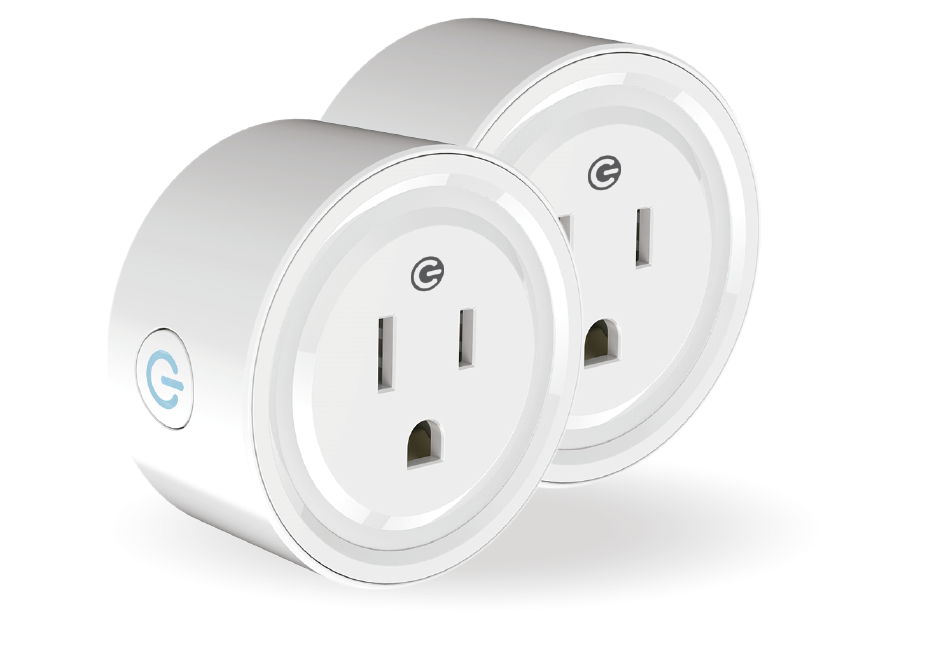
So, What on Earth Is an Energy Monitoring Smart Plug?
An energy monitoring smart plug is a device that fits between your standard wall outlet and an appliance’s plug. On the surface, it turns any regular device—a lamp, a coffee maker, a fan—into a “smart” one. But its real superpower, the feature that sets it apart, is its ability to measure and report exactly how much electricity the connected appliance is using in real-time.
Think of it as a fitness tracker for your electronics. It tells you who’s working hard, who’s being lazy, and who’s sneakily sipping power even when you think they’re turned off. This isn’t just a gimmick; it’s actionable data that puts you in the driver’s seat of your energy spending.
How Does It Work Its Magic?
Inside that compact casing is some clever tech. A tiny sensor measures the current (amps) and voltage flowing through to your appliance. By multiplying these two values, it calculates the real-time power consumption (watts). This data is then sent over your home’s Wi-Fi network to a dedicated app on your smartphone, giving you a clear, easy-to-read dashboard of your energy usage.
Why Should I Buy an Energy Monitoring Smart Plug?
You should buy an energy monitoring smart plug to gain precise insights into your home’s electricity usage, which helps you identify power-hungry appliances, eliminate wasteful standby power, and ultimately lower your monthly energy bills through smarter control and automation.
The benefits go far beyond just turning a lamp on with your voice. Here’s the real breakdown:
- Become an “Energy Vampire” Hunter: Many electronics consume power even when they’re in standby mode. This is often called “vampire power” or “phantom load.” My own journey started here; I was shocked to discover my entertainment center, with its game console and TV on standby, was costing me nearly $8 a month doing absolutely nothing! An energy monitoring plug exposes these culprits instantly.
- Make Smarter Purchase Decisions: Is your old, rattling refrigerator really that bad? Plug it into an energy monitoring smart plug for a week and find out. The data you gather can help you decide if upgrading to a more energy-efficient model will pay for itself over time.
- Create Powerful Automations and Schedules: The true beauty of a smart plug is automation.
- Schedule your coffee maker to turn on five minutes before your alarm.
- Set your living room lamps to turn on automatically at sunset.
- Create a rule to automatically turn off your home office setup at 7 PM to enforce a better work-life balance.
- Peace of Mind and Safety: Did you leave the hair straightener on? A quick check on your app can confirm, and you can turn it off from anywhere in the world. Many plugs also have built-in overload protection, adding an extra layer of safety for your expensive electronics.
|
Our Picks for the Best Smart Plug in 2026
As an Amazon Associate, we earn from qualifying purchases.
|
||
| Num | Product | Action |
|---|---|---|
| 1 | Kasa Smart Plug HS103P4, Smart Home Wi-Fi Outlet Works with Alexa, Echo, Google Home & IFTTT, No Hub Required, Remote Control, 15 Amp, UL Certified, 4-Pack, White |

|
| 2 | Kasa Smart Plug Mini 15A, Smart Home Wi-Fi Outlet Works with Alexa, Google Home & IFTTT, No Hub Required, UL Certified, 2.4G WiFi Only, 4-Pack(EP10P4) , White |
|
| 3 | Kasa Smart Plug HS103P2, Smart Home Wi-Fi Outlet Works with Alexa, Echo, Google Home & IFTTT, No Hub Required, Remote Control,15 Amp,UL Certified, (Pack of 2) White |
|
| 4 | Govee Smart Plug, WiFi Plugs Work with Alexa & Google Assistant, Smart Outlet with Timer & Group Controller, WiFi Outlet for Home, No Hub Required, ETL & FCC Certified, 2.4G WiFi Only, 4 Pack |
|
| 5 | Govee Smart Plug, WiFi Plugs Work with Alexa & Google Assistant, Smart Outlet with Timer & Group Controller, WiFi Outlet for Home, No Hub Required, ETL & FCC Certified, 2.4G WiFi Only, 2 Pack |
|
| 6 | Kasa Smart Plug Ultra Mini 15A, Smart Home Wi-Fi Outlet Works with Alexa, Google Home & IFTTT, No Hub Required, UL Certified, 2.4G WiFi Only, 2 Count (Pack of 1)(EP10P2) , White |
|
| 7 | Kasa Smart Plug Mini 15A, Apple HomeKit Supported, Smart Outlet Works with Siri, Alexa & Google Home, UL Certified, App Control, Scheduling, Timer, 2.4G WiFi Only, 4 Count (Pack of 1) (EP25P4), White |
|
| 8 | Amazon Basics Smart Plug, Works with Alexa Only, 2.4 GHz Wi-Fi, No Hub Required, 2 Pack, White |
|
| 9 | Amazon Basics Smart Plug, Works with Alexa Only, 2.4 GHz Wi-Fi, No Hub Required, 4-Pack, White |
|
| 10 | TP-Link Tapo Matter Supported Smart Plug Mini, Compact Design, 15A/1800W Max, Super Easy Setup, Works with Apple Home, Alexa & Google Home, UL Certified, 2.4G Wi-Fi Only, White, Tapo P125M(3-Pack) |
|
Getting Started: It’s Easier Than You Think
The thought of setting up “smart home” tech can be intimidating, but I promise you, this is as simple as it gets. If you can connect a phone to Wi-Fi, you can install a smart plug.
- Unbox the Plug: Take it out of the box and plug it into a wall outlet. A small light will usually start blinking, indicating it’s ready to be paired.
- Download the App: Scan the QR code in the manual or search for the manufacturer’s app (like Kasa, TP-Link, or Wyze) in the Apple App Store or Google Play Store.
- Create an Account: You’ll need a quick account setup with your email.
- Connect to Wi-Fi: Follow the in-app instructions. This usually involves selecting the plug from a list of devices and entering your home Wi-Fi password. The whole process takes less than two minutes.
- Plug In and Name Your Device: Once connected, plug your appliance into the smart plug. Give it a helpful name in the app, like “Living Room Lamp” or “Espresso Machine.” You’re all set!
Taking It to the Next Level: The Smart Home Ecosystem
A single smart plug is useful, but its true potential is unlocked when it becomes part of a larger smart home ecosystem. When you buy an energy monitoring smart plug, make sure it’s compatible with the voice assistant you already use.
“We’re moving beyond simple remote control. The future is about ambient computing, where our homes anticipate our needs. Energy monitoring plugs are a foundational piece of that puzzle, providing the data necessary for a home to truly learn and optimize itself for comfort and efficiency.” – Dr. Alistair Finch, IoT Analyst.
Working with Amazon Alexa, Google Assistant, and Apple HomeKit
Connecting your smart plug to a voice assistant is a game-changer. Once linked through their respective apps, you can ditch your phone and control everything with your voice.
- Amazon Alexa: “Alexa, turn on the coffee maker.”
- Google Assistant: “Hey Google, what’s the power usage of the air purifier?”
- Apple HomeKit: “Siri, turn off the office lights.”
This integration also allows you to group devices. You can create a “Good Night” routine that turns off all your smart-plug-controlled lights, your TV, and your fans with a single command. For a deep dive, you can explore our [complete guide to smart home integration].
Checklist: What to Consider When You Buy an Energy Monitoring Smart Plug
Not all smart plugs are created equal. Before you click that “buy” button, run through this quick checklist to ensure you’re getting the right device for your needs.
| Feature | Why It Matters | What to Look For |
|---|---|---|
| Energy Monitoring Accuracy | The core feature! Inaccurate data is useless. | Look for reviews that specifically test and mention the accuracy of the energy reporting. |
| App Quality & Interface | This is how you’ll interact with the device. A clunky app is frustrating. | A clean, intuitive interface with clear graphs for daily, weekly, and monthly usage. |
| Voice Assistant Compatibility | For seamless integration and voice control. | Check the box or product description for logos of Alexa, Google Assistant, or Apple HomeKit. |
| Size and Form Factor | A bulky plug can block the second outlet. | Look for compact, round, or offset designs that leave the other outlet accessible. |
| Maximum Power Load | Crucial for safety with high-power appliances. | Measured in Amps (A) or Watts (W). A standard plug is around 10A, but for space heaters or window AC units, you’ll need a heavy-duty 15A model. |
| Connectivity Protocol | How it talks to your network. | Most plugs use Wi-Fi, which is simple. Some use Zigbee or Z-Wave, which require a separate hub but can create a more robust network. The new [Matter standard] is a great future-proofing feature. |
Frequently Asked Questions (FAQ)
Q: Do energy monitoring smart plugs use a lot of power themselves?
A: No, they use a very small amount of energy, typically less than 1 watt. The energy savings you’ll gain from identifying and managing larger appliances will vastly outweigh the tiny consumption of the plug itself.
Q: Can I use a smart plug with a heavy-duty appliance like a refrigerator?
A: It depends on the plug’s rating. You must check the maximum power load (usually 15A for heavy-duty plugs) and compare it to your appliance’s requirements. Never use a standard 10A plug for a major appliance, as it’s a fire hazard.
Q: How secure are these devices? Is my data private?
A: Reputable brands take security seriously, using encryption to protect your data. To stay safe, always buy from well-known manufacturers, keep the plug’s firmware updated through the app, and use a strong, unique password for your account.
Q: Do I need a separate smart home hub to use one?
A: For most smart plugs on the market, no. The majority connect directly to your home’s Wi-Fi network and are controlled via a smartphone app. Plugs that use protocols like Zigbee or Z-Wave do require a compatible hub.
Q: How accurate is the energy monitoring feature?
A: For most consumer-grade plugs, the accuracy is quite good for understanding general trends and identifying major energy users. While it might not be perfect down to the fraction of a watt, it’s more than sufficient for making informed decisions about your home energy consumption.
Your Smarter Home Awaits
The journey to a smarter, more efficient home doesn’t require a massive investment or a technical degree. It starts with a single, simple step. When you buy an energy monitoring smart plug, you’re not just buying a gadget; you’re investing in knowledge, control, and long-term savings. You’re finally getting the answers to where your money is going and gaining the power to do something about it. So go ahead, find that first energy vampire, and start your smart home adventure today.