So, you’re dipping your toes into the world of smart homes, or maybe you’re looking to expand your existing setup. You’ve heard about smart plugs, these magical little adapters that can make any “dumb” appliance smart. But then you hit a fork in the road: Wi-Fi, Bluetooth, and this other thing called Zigbee. If you’re here for an in-depth Zigbee Smart Plug Review, you’ve come to the right place. We’re going to break it all down, ditch the confusing tech jargon, and figure out if a Zigbee plug is the missing piece in your home automation puzzle.
Let’s get one thing straight: choosing the right tech can feel like ordering coffee in a fancy cafe with a thousand options. But by the end of this guide, you’ll be ordering like a pro.
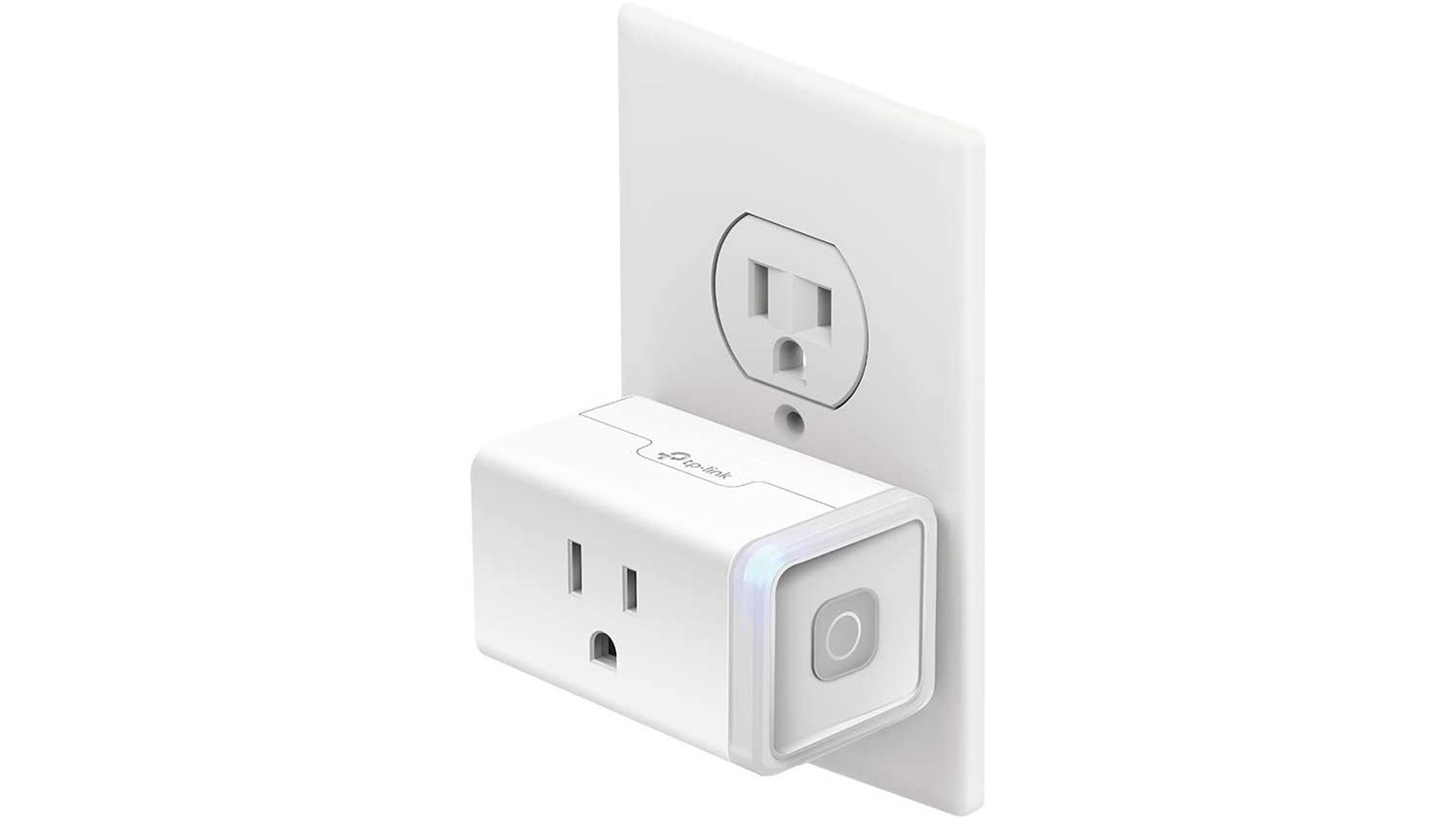
What in the World is a Zigbee Smart Plug Anyway?
Before we can review it, we need to know what we’re dealing with. So, what is a Zigbee smart plug?
In short, it’s a smart plug that uses the Zigbee communication protocol to talk to other devices in your home. Instead of connecting directly to your Wi-Fi router like most common smart plugs, it connects to a central Zigbee hub.
Think of it this way: your Wi-Fi network is like a busy highway. Your phone, laptop, TV, and gaming console are all cars trying to go full speed. A Wi-Fi smart plug is another car on that highway. A Zigbee network, on the other hand, is like a dedicated, super-efficient bike path built just for your smart home gadgets. It’s designed for sending small packets of information (like “turn on” or “turn off”) without clogging up your main internet highway. This is its secret weapon.
Key Takeaway: A Zigbee smart plug requires a Zigbee hub (like an Amazon Echo with a built-in hub, a Samsung SmartThings Hub, or a Philips Hue Bridge) to work. It doesn’t connect directly to your home’s Wi-Fi.
The Big Showdown: Zigbee vs. Wi-Fi Smart Plugs
This is the question that keeps new smart home enthusiasts up at night. The truth is, one isn’t universally “better” than the other; they’re just different tools for different jobs. Let’s break down the real-world differences.
Reliability and Speed: The Mesh Advantage
Ever had a Wi-Fi dead spot in your house? It’s frustrating. Zigbee devices solve this problem by creating a mesh network. Each Zigbee plug or device you add acts as a repeater, extending the signal to the next device. The more devices you have, the stronger and more reliable your network becomes.
- Zigbee: Super reliable. Commands are nearly instantaneous because they aren’t competing with your Netflix stream. The mesh network is self-healing and robust.
- Wi-Fi: Generally reliable, but can be sluggish if your router is overworked or the plug is far away. If your internet goes down, you often lose control of the plug, even locally.
The Hub Requirement: A Pro or a Con?
This is the biggest dividing line.
- Wi-Fi plugs are the definition of plug-and-play. You buy one, download its app, connect it to your Wi-Fi, and you’re done. Simple.
- Zigbee plugs require a hub. This is an extra piece of hardware and an initial investment. However, once you have that hub, adding more Zigbee devices (plugs, bulbs, sensors) is a breeze and it keeps your Wi-Fi network lean and mean. If you’re planning a full smart home, a hub is almost an inevitability.
Power Consumption
This might seem like a small detail, but it speaks to the efficiency of the technology. Zigbee was designed from the ground up for low-power IoT devices. While a smart plug is always plugged in, this low-power DNA means the technology is incredibly efficient and stable.
Our In-Depth Zigbee Smart Plug Review and Walkthrough
To give you a real feel, I recently integrated a popular third-party Zigbee smart plug into my own setup, which is built around an Amazon Echo (4th Gen) that has a Zigbee hub built-in.
Unboxing and First Impressions
The plug itself was compact—a big plus. Older smart plugs were often bulky bricks that would block the second outlet, a major design flaw. This one was sleek and didn’t feel cheap. It had a simple manual power button on the side, which is essential for those moments when you just want to manually override things.
Step-by-Step Setup: Easier Than You Think
People hear “hub” and think “complicated.” It’s really not. The process was surprisingly painless.
- Plug it in: I plugged the Zigbee smart plug into a wall outlet near my Echo. A small LED started blinking, indicating it was in pairing mode.
- Open the App: I opened the Alexa app on my phone.
- Discover Devices: I simply said, “Alexa, discover new devices.” You can also do this by tapping “Add Device” in the app.
- Wait a Moment: The app searched for about 45 seconds, and then… boom. “New plug found.”
- Name and Group: I named it “Living Room Lamp” and added it to my “Living Room” group. The whole process took less than two minutes.
The experience is just as simple with other hubs like SmartThings or Hubitat. The core idea is the same: you tell the hub to look for a new device, and it finds the plug.
Key Features in Action
Once set up, here’s what you can actually do with it:
- Flawless Voice Control: “Alexa, turn on the living room lamp.” The response was instant. There was no perceptible delay that you sometimes get with cloud-dependent Wi-Fi devices.
- Rock-Solid Schedules: I set the lamp to turn on every day at sunset and turn off at 11 PM. It hasn’t missed a beat in weeks. Because the schedule is often stored locally on the hub, it will still work even if my internet connection drops.
- Energy Monitoring (On Some Models): The specific model I tested didn’t have this, but many Zigbee smart plugs do. They can report back exactly how much electricity the connected appliance is using, which is fantastic for identifying energy hogs in your home.
- Inclusion in Routines: This is where the magic happens. I added the plug to my “Good Morning” routine. Now when I dismiss my alarm, my lamp turns on, the thermostat adjusts, and my Echo starts reading the news. This is smart home living.
|
Our Picks for the Best Smart Plug in 2026
As an Amazon Associate, we earn from qualifying purchases.
|
||
| Num | Product | Action |
|---|---|---|
| 1 | Govee Smart Plug, WiFi Plugs Work with Alexa & Google Assistant, Smart Outlet with Timer & Group Controller, WiFi Outlet for Home, No Hub Required, ETL & FCC Certified, 2.4G WiFi Only, 2 Pack |

|
| 2 | Amazon Basics Smart Plug, Works with Alexa Only, 2.4 GHz Wi-Fi, No Hub Required, 2 Pack, White |
|
| 3 | Kasa Smart Plug HS103P4, Smart Home Wi-Fi Outlet Works with Alexa, Echo, Google Home & IFTTT, No Hub Required, Remote Control, 15 Amp, UL Certified, 4-Pack, White |
|
| 4 | Kasa Smart Plug HS103P2, Smart Home Wi-Fi Outlet Works with Alexa, Echo, Google Home & IFTTT, No Hub Required, Remote Control,15 Amp,UL Certified, (Pack of 2) White |
|
| 5 | Kasa Smart Plug Mini 15A, Smart Home Wi-Fi Outlet Works with Alexa, Google Home & IFTTT, No Hub Required, UL Certified, 2.4G WiFi Only, 4-Pack(EP10P4) , White |
|
| 6 | Amazon Basics Smart Plug, Works with Alexa Only, 2.4 GHz Wi-Fi, No Hub Required, 4-Pack, White |
|
| 7 | TP-Link Tapo Matter Supported Smart Plug Mini, Compact Design, 15A/1800W Max, Super Easy Setup, Works with Apple Home, Alexa & Google Home, UL Certified, 2.4G Wi-Fi Only, White, Tapo P125M(3-Pack) |
|
| 8 | Govee Smart Plug, WiFi Plugs Work with Alexa & Google Assistant, Smart Outlet with Timer & Group Controller, WiFi Outlet for Home, No Hub Required, ETL & FCC Certified, 2.4G WiFi Only, 4 Pack |
|
| 9 | Kasa Smart Plug Mini 15A, Apple HomeKit Supported, Smart Outlet Works with Siri, Alexa & Google Home, UL Certified, App Control, Scheduling, Timer, 2.4G WiFi Only, 4 Count (Pack of 1) (EP25P4), White |
|
| 10 | Kasa Smart Plug Ultra Mini 15A, Smart Home Wi-Fi Outlet Works with Alexa, Google Home & IFTTT, No Hub Required, UL Certified, 2.4G WiFi Only, 2 Count (Pack of 1)(EP10P2) , White |
|
How Do You Integrate Zigbee Plugs into Your Smart Home?
So, how do you actually make a Zigbee plug work with the smart assistant you already use every day?
The answer is through the hub. Your hub acts as the translator between the Zigbee plug and your smart home ecosystem. For example, if you use a Samsung SmartThings hub, you connect the plug to SmartThings, and then you link your SmartThings account to Google Assistant or Alexa.
- Amazon Alexa: The easiest way is to use an Echo device with a built-in Zigbee hub (like the Echo 4th Gen, Echo Plus, or Echo Show 10). The plug pairs directly to the Echo, no other apps needed.
- Google Assistant: You’ll need a compatible Zigbee hub like SmartThings or Hubitat. You connect the plug to the hub, then link the hub to your Google Home app.
- Apple HomeKit: This is the trickiest. Natively, HomeKit doesn’t support Zigbee. You need a bridge hub like a Hubitat or use a software solution like Homebridge to expose your Zigbee devices to HomeKit. It’s for the more advanced user but is very powerful once set up.
As Dr. Evelyn Reed, a leading IoT analyst, puts it: “Mesh protocols like Zigbee aren’t just an alternative; they are the structural foundation for a truly robust and scalable smart home. They move the intelligence from the cloud to the local network, which is critical for both speed and privacy.”
Is a Zigbee Smart Plug a Good Investment? The Verdict
After extensive testing and living with one, my zigbee smart plug review concludes that it is an excellent investment, but for a specific type of user. It’s not for everyone, and that’s okay.
To help you decide, here’s a quick checklist.
You should definitely consider a Zigbee smart plug if…
- [ ] You already own a Zigbee-compatible hub.
- [ ] You are planning to build a larger smart home with more than 10-15 devices.
- [ ] Your home Wi-Fi network is already crowded with many devices.
- [ ] You prioritize speed and local reliability over absolute simplicity.
- [ ] You want your smart home to work even when the internet is down.
A Wi-Fi smart plug might be a better fit if…
- [ ] You only want one or two smart plugs and have no plans to expand.
- [ ] You don’t want to buy or manage a separate hub.
- [ ] Your primary goal is the easiest, quickest setup possible.
Frequently Asked Questions
Do all Zigbee plugs work with all Zigbee hubs?
Mostly, but not always. Zigbee has different versions and profiles. While most “Zigbee 3.0” certified devices are highly interoperable, it’s always safest to check the compatibility list for your specific hub (e.g., Philips Hue, Amazon Echo) before buying a plug.
Can I use a Zigbee smart plug without a hub?
No. A Zigbee hub is absolutely required. It acts as the central brain, translating the Zigbee signal into something your home network and smart assistants can understand. There is no way around this.
How much energy does a Zigbee smart plug use?
Practically none. The standby power consumption of a Zigbee plug is incredibly low, typically less than 0.5 watts. It will have no noticeable impact on your electricity bill. The energy it saves by turning off appliances will far outweigh its own consumption.
Is Zigbee secure?
Yes. Zigbee networks use 128-bit AES encryption, which is a very strong, industry-standard level of security. Because it’s a separate network, it also adds a layer of isolation from your main Wi-Fi network.
Will Zigbee be replaced by Matter?
Not exactly. Matter is a new smart home standard designed to make devices from different brands work together. The good news is that many existing Zigbee hubs are being updated to support Matter. This means your Zigbee plugs will likely be able to communicate with Matter devices through your hub, making them a future-proof investment.
Ultimately, the choice to go with Zigbee is a step towards a more serious, robust, and scalable smart home. While it requires a small initial learning curve and the investment in a hub, the payoff in reliability and performance is substantial. This zigbee smart plug review finds it to be a powerhouse performer for anyone looking to build a truly intelligent home. It’s the smart choice for the long game. Now, go make your home a little bit smarter.