Picture this: your alarm goes off. It’s a dark, chilly morning, and the thought of dragging yourself out of bed to fumble with the coffee machine feels like a monumental task. Now, imagine a different scenario. As your alarm gently wakes you, the rich, comforting aroma of freshly brewed coffee is already wafting from the kitchen. This isn’t a luxury reserved for a five-star hotel; it’s a simple, affordable reality you can create with the right Smart Plug For Coffee Makers.
Let’s be real, the morning routine can make or break your day. For millions of us, that first cup of coffee is non-negotiable. It’s the fuel that kick-starts our brain and our mood. In this guide, we’re going to dive deep into how a small, unassuming gadget can completely revolutionize your mornings and turn your standard coffee machine into a smart, automated assistant. Welcome to the future of your first cup of the day.
So, How Does a Smart Plug for Coffee Makers Actually Work?
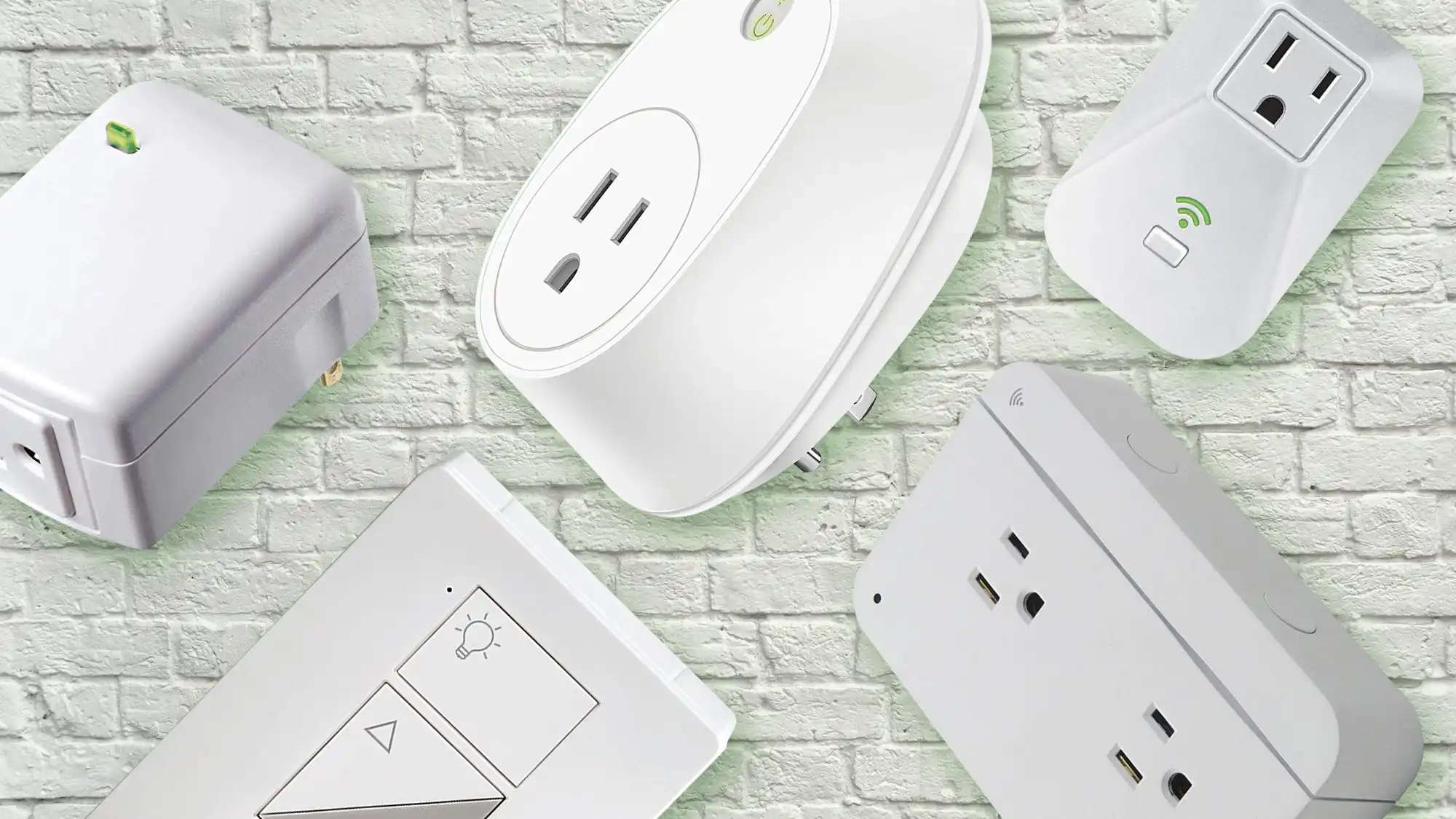
A smart plug is essentially a clever adapter that sits between your wall outlet and the appliance’s power cord. It connects to your home’s Wi-Fi network, allowing you to control the flow of electricity to whatever is plugged into it directly from your smartphone, or even with your voice.
Think of it as a remote control for your power outlet. When you use an app to turn the smart plug “on,” it completes the electrical circuit, and power flows to your coffee maker. When you turn it “off,” it cuts the power. The magic happens when you combine this simple on/off function with scheduling, timers, and voice commands. A smart plug for coffee makers doesn’t brew the coffee itself, but it gives you the power to start the process at the perfect moment, every single time.
The Brains Behind the Brew: Connectivity
The core of any smart plug is its ability to connect to your network. Most consumer-grade smart plugs use Wi-Fi, which is perfect because you likely already have a robust Wi-Fi network at home. You just connect the plug to your network via its companion app, and you’re good to go. Other protocols like Zigbee or Z-Wave exist but typically require a separate smart home hub, adding a layer of complexity. For a standalone solution, Wi-Fi is king.
The Most Important Question: Will It Work With My Coffee Maker?
This is the make-or-break question, and the answer is: it depends on the switch. A smart plug for coffee makers works perfectly with machines that have a simple, physical, on/off toggle or rocker switch.
Here’s why: you need to be able to leave the coffee maker in the “on” position. That way, when the smart plug delivers power in the morning, the machine immediately starts its brewing cycle. I learned this the hard way years ago with a fancy digital brewer. I set it all up, but the next morning… nothing. The smart plug turned on, but the coffee maker was just sitting there, waiting for me to press its soft-touch “Start” button.
Pro Tip: Before you buy anything, test your coffee maker. Fill it with water and grounds, turn it on, and then unplug it from the wall while it’s mid-brew. Wait a minute, then plug it back in. If it resumes brewing on its own, congratulations! It’s compatible with a smart plug. If it just sits there with a blinking light, a smart plug won’t be able to automate it.
Choosing the Right Smart Plug: Key Features to Consider
Not all smart plugs are built the same, and when dealing with a heating appliance like a coffee maker, getting the right one isn’t just about convenience—it’s about safety.
Power Rating: The Non-Negotiable Safety Feature
Coffee makers are power-hungry. They use a heating element that draws a significant amount of electricity. It’s critical that your smart plug can handle this load.
- Check the Amps (A): Most standard smart plugs are rated for 10 amps. However, many coffee makers can draw 10-12 amps. To be safe, look for a heavy-duty smart plug rated for 15 amps (15A). Using an underrated plug is a serious fire hazard. You can usually find your coffee maker’s power draw (in watts or amps) on a sticker on the bottom or back of the appliance.
- Grounded Plugs: Ensure the smart plug has a three-prong, grounded design for maximum safety.
Must-Have Smart Features
Once you’ve sorted the safety aspect, you can focus on the fun stuff. A great smart plug for coffee makers should offer:
- Scheduling: The core feature. You want an app that lets you easily set a daily schedule, like “Turn on at 6:30 AM on weekdays” and “Turn on at 8:00 AM on weekends.”
- Voice Control Compatibility: Make sure it works with your preferred voice assistant—Amazon Alexa, Google Assistant, or Apple Siri. There’s nothing quite like saying, “Hey Google, make coffee,” while you’re still in bed.
- Energy Monitoring: This is a fantastic bonus. Some smart plugs can track how much electricity your coffee maker is using. It’s a great way to become more aware of your energy consumption and can help you spot if an appliance is using more power than it should be.
- Away Mode: A feature that can randomize when the plug turns on and off, which is more useful for lamps to simulate presence but still a nice-to-have.
|
Our Picks for the Best Smart Plug in 2026
As an Amazon Associate, we earn from qualifying purchases.
|
||
| Num | Product | Action |
|---|---|---|
| 1 | Govee Smart Plug, WiFi Plugs Work with Alexa & Google Assistant, Smart Outlet with Timer & Group Controller, WiFi Outlet for Home, No Hub Required, ETL & FCC Certified, 2.4G WiFi Only, 4 Pack |

|
| 2 | Amazon Basics Smart Plug, Works with Alexa Only, 2.4 GHz Wi-Fi, No Hub Required, 2 Pack, White |
|
| 3 | Kasa Smart Plug HS103P2, Smart Home Wi-Fi Outlet Works with Alexa, Echo, Google Home & IFTTT, No Hub Required, Remote Control,15 Amp,UL Certified, (Pack of 2) White |
|
| 4 | Kasa Smart Plug Mini 15A, Smart Home Wi-Fi Outlet Works with Alexa, Google Home & IFTTT, No Hub Required, UL Certified, 2.4G WiFi Only, 4-Pack(EP10P4) , White |
|
| 5 | Amazon Basics Smart Plug, Works with Alexa Only, 2.4 GHz Wi-Fi, No Hub Required, 4-Pack, White |
|
| 6 | Kasa Smart Plug HS103P4, Smart Home Wi-Fi Outlet Works with Alexa, Echo, Google Home & IFTTT, No Hub Required, Remote Control, 15 Amp, UL Certified, 4-Pack, White |
|
| 7 | Kasa Smart Plug Mini 15A, Apple HomeKit Supported, Smart Outlet Works with Siri, Alexa & Google Home, UL Certified, App Control, Scheduling, Timer, 2.4G WiFi Only, 4 Count (Pack of 1) (EP25P4), White |
|
| 8 | Kasa Smart Plug Ultra Mini 15A, Smart Home Wi-Fi Outlet Works with Alexa, Google Home & IFTTT, No Hub Required, UL Certified, 2.4G WiFi Only, 2 Count (Pack of 1)(EP10P2) , White |
|
| 9 | Govee Smart Plug, WiFi Plugs Work with Alexa & Google Assistant, Smart Outlet with Timer & Group Controller, WiFi Outlet for Home, No Hub Required, ETL & FCC Certified, 2.4G WiFi Only, 2 Pack |
|
| 10 | TP-Link Tapo Matter Supported Smart Plug Mini, Compact Design, 15A/1800W Max, Super Easy Setup, Works with Apple Home, Alexa & Google Home, UL Certified, 2.4G Wi-Fi Only, White, Tapo P125M(3-Pack) |
|
Your Step-by-Step Guide to Automated Morning Coffee
Ready to set it up? It’s genuinely one of the easiest smart home upgrades you can make. It usually takes less than five minutes.
- Prep Your Coffee Maker the Night Before: This becomes the only manual step in your new routine. Before you go to bed, fill the water reservoir and add your favorite coffee grounds to the filter. Most importantly, flick the physical power switch to the ‘On’ position.
- Plug Everything In: Plug the smart plug for coffee makers into the wall outlet. Then, plug your coffee maker’s cord into the smart plug.
- Download the App: Scan the QR code in the smart plug’s manual or search for the manufacturer’s app in the Apple App Store or Google Play Store. Create an account if required.
- Connect to Wi-Fi: Follow the in-app instructions to connect the smart plug to your home Wi-Fi network. This usually involves pressing a button on the plug and entering your Wi-Fi password.
- Name Your Device: In the app, give your plug a memorable name. I recommend something simple and intuitive like “Coffee Maker” or “Kitchen Coffee.” This makes it much easier to control with your voice later.
- Set Your Schedule: Dive into the app’s scheduling feature. Create a new rule. For example: “Turn on ‘Coffee Maker’ at 6:15 AM” and a second rule, “Turn off ‘Coffee Maker’ at 7:30 AM” to save power. You can set different times for every day of the week.
That’s it! You’ve just automated your morning coffee.
Taking It Further: Your Smart Plug in a Connected Home
The real power of a smart home is when devices work together. Your smart plug isn’t just a timer; it’s a building block for powerful home automation routines.
“The humble smart plug is the gateway drug to a fully automated home. It’s simple, affordable, and delivers an immediate, tangible benefit. Once someone experiences the magic of an automated coffee maker, they start seeing opportunities for automation everywhere else in their home.”
— Dr. Alistair Finch, Smart Home Technology Analyst
Creating Routines with Alexa and Google
Instead of just a simple timed schedule, you can tie your coffee maker into a larger “Good Morning” routine.
- With Amazon Alexa: In the Alexa app, you can create a routine triggered by the phrase, “Alexa, good morning.” This single command could:
- Turn on your smart plug for coffee makers.
- Slowly fade up your bedroom lights.
- Read you the day’s weather forecast and top news headlines.
- Play your favorite morning playlist.
- With Google Assistant: The process is similar in the Google Home app. A “Good Morning” routine can start your coffee, adjust your smart thermostat, and tell you about your commute.
This level of integration is what transforms a collection of smart gadgets into a truly intelligent, responsive home that works for you.
Frequently Asked Questions (FAQ)
1. Is it safe to leave my coffee maker on a smart plug?
Yes, it is perfectly safe, provided you use a high-quality smart plug with the correct power rating. Always choose a plug rated for at least 15 amps and from a reputable brand that is UL or ETL certified, ensuring it meets strict safety standards.
2. Can I use any coffee maker with a smart plug?
No. A smart plug will only work with coffee makers that have a mechanical on/off switch. If your coffee maker has a digital display and a soft-touch button you have to press to start brewing, a smart plug will not be able to automate it.
3. Will a smart plug for coffee makers save me money?
It can, albeit in a small way. The main benefit is convenience, but by using a schedule to automatically turn the coffee maker off after it’s done brewing, you prevent it from sitting on and drawing phantom power from the warming plate all morning. Energy monitoring features can also help you identify which appliances are your biggest energy hogs.
4. Do I need a special smart home hub to use a smart plug?
Not usually. Most of the best smart plugs for this purpose are Wi-Fi-enabled and connect directly to your home router. You only need the manufacturer’s app on your smartphone to set it up and control it.
5. How much power does a coffee maker use?
A typical drip coffee maker uses between 750 and 1,200 watts while brewing. This is a high-power draw, which is why it’s crucial to select a smart plug that is specifically rated to handle such a load (1,800 watts at 15 amps is a good benchmark).
Your Perfect Morning Awaits
Upgrading your kitchen with a smart plug for coffee makers is more than just a tech novelty; it’s a meaningful quality-of-life improvement. It’s about removing one small point of friction from your morning, giving you back a few precious minutes, and starting your day with a small moment of seamless, automated delight. It’s a simple, affordable first step into the world of home automation that delivers a real, tangible benefit from the very first day. So go ahead, prepare that coffee pot tonight, and get ready to wake up to a better morning tomorrow.