Ever left the house in a rush, only to spend the rest of your day with that nagging feeling: “Did I turn off the iron?” We’ve all been there. It’s that little seed of doubt that can ruin a perfectly good afternoon. But what if you could put that worry to bed for good? Learning How To Schedule Smart Plug On Off cycles is your first step into a more automated, convenient, and energy-efficient home. It’s like having a tiny, obedient robot dedicated to managing your appliances, and trust me, it’s a game-changer.
This guide is your one-stop shop. We’re not just going to show you the ‘how’; we’re going to dive into the ‘why’ and explore some clever tricks that will make you feel like you’re living in the future.
What’s the Big Deal with Smart Plugs, Anyway?
Before we get into the nitty-gritty of scheduling, let’s take a quick step back. Not so long ago, home automation was the stuff of science fiction or something reserved for the super-rich. The best we had were those clunky, mechanical timers with little plastic pins you had to push in. They worked, sure, but they were inflexible and a pain to set.
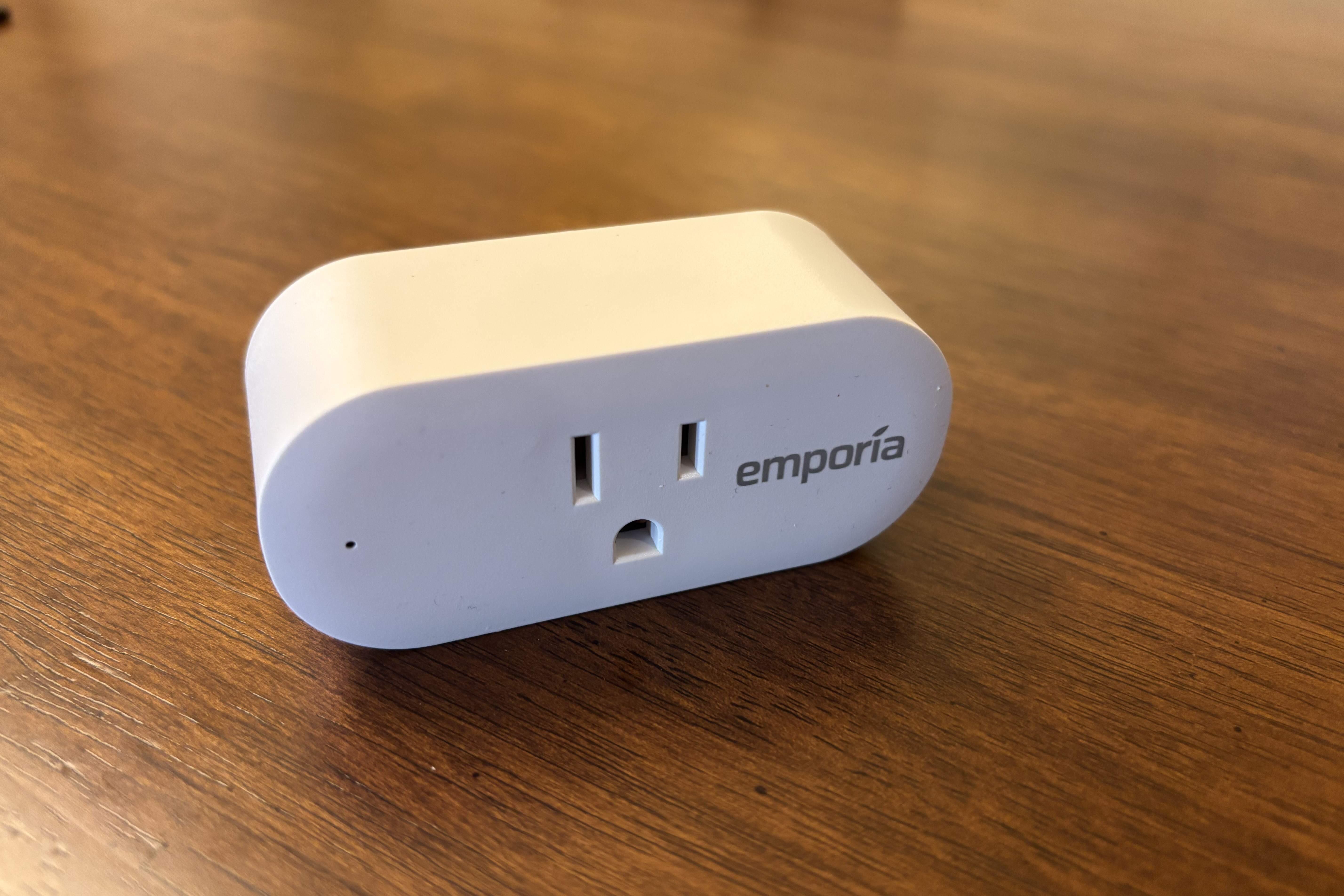
Smart plugs are the brilliant evolution of that concept. They are simple adapters that you plug into a regular wall outlet, and then you plug your appliance—a lamp, a fan, a coffee maker—into the smart plug. By connecting to your home’s Wi-Fi network, this little device suddenly makes your “dumb” appliance a whole lot smarter. You can control it from anywhere in the world using an app on your smartphone.
How Do Smart Plugs Actually Work Their Magic?
So, how does this little box turn your floor lamp into a futuristic beacon of convenience? It’s surprisingly simple. Inside every smart plug is a small relay (a type of switch) and a Wi-Fi chip.
When you use the app to set a schedule, you’re sending a command over the internet to a server, which then relays that command to the smart plug in your home. The plug stores this instruction. So, when 7:00 AM on Tuesday rolls around, the plug’s internal brain says, “Aha! Time to execute the ‘turn on coffee maker’ command,” and it closes the relay, allowing electricity to flow. It’s that straightforward. The real power comes from the sophisticated schedules you can create.
Your Step-by-Step Guide: How to Schedule Smart Plug On Off
Alright, let’s get down to business. While the exact steps might vary slightly between brands (like TP-Link Kasa, Wyze, or Meross), the fundamental process is nearly identical across the board.
- Get Connected: First things first, you need to set up your smart plug. This usually involves plugging it in, downloading the manufacturer’s dedicated app (e.g., Kasa Smart, Wyze Home), creating an account, and following the on-screen instructions to connect the plug to your home Wi-Fi network. Pro tip: Make sure you’re connecting it to your 2.4GHz Wi-Fi network, as most smart home devices prefer it over 5GHz for its better range and wall penetration.
- Find the Scheduling Feature: Open the app and select the smart plug you want to program. You’ll typically see a main screen with a large power button to manually turn it on or off. Look for an icon or menu option labeled “Schedule,” “Timer,” or “Routines.” This is your command center.
- Create a New Schedule: Tap on “Add Schedule” or a similar button. This is where you’ll define the automation rule. You’ll usually be presented with the following options:
- Time: Set the exact time you want the event to happen (e.g., 6:30 AM).
- Action: Choose whether the plug should turn ON or OFF at that time.
- Repeat: Select the days of the week you want this schedule to run. You can choose specific days (like Monday to Friday for a work-week routine) or have it run every day.
- Save and Repeat: Once you’ve configured your event, save it. For example, you could create one schedule to turn your bedside lamp ON at 10:00 PM on weekdays and another to turn it OFF at 11:00 PM. You can create as many on/off events as you need to build your perfect day.
Expert Take: According to Dr. Evelyn Reed, a leading voice in IoT integration, “The beauty of smart plug scheduling isn’t just about a single on/off event. It’s about creating an ‘ambient automation’ where your home’s environment subtly adjusts to your life’s rhythm without you ever having to think about it. That’s the true promise of the smart home.”
Beyond the Basics: Creative Ways to Schedule Your Smart Plug
Now that you know how to schedule smart plug on off commands, let’s have some fun. The real magic happens when you think beyond just turning lamps on and off.
- The Perfect Morning: Schedule your coffee maker to start brewing five minutes before your alarm goes off. Imagine waking up to the smell of fresh coffee every single day.
- Enhanced Security: Use the “Away Mode” or “Vacation Mode” feature found in many apps. This will turn a connected lamp on and off at random intervals within a set time frame, making it look like someone is home, which is a fantastic deterrent for potential burglars.
- The Gentle Wake-Up: Hate jarring alarm clocks? Schedule a dim lamp in your bedroom to slowly turn on 15 minutes before you need to wake up, simulating a natural sunrise.
- Protect Your Electronics: Schedule your device charging stations to turn off after a few hours in the middle of the night. This can help prevent overcharging and potentially prolong the battery life of your gadgets.
- Seasonal Automation: In the winter, schedule an electric blanket to pre-heat your bed an hour before you turn in for the night. In the summer, have a fan automatically turn on during the hottest part of the afternoon.
|
Our Picks for the Best Smart Plug in 2026
As an Amazon Associate, we earn from qualifying purchases.
|
||
| Num | Product | Action |
|---|---|---|
| 1 | Kasa Smart Plug Mini 15A, Smart Home Wi-Fi Outlet Works with Alexa, Google Home & IFTTT, No Hub Required, UL Certified, 2.4G WiFi Only, 4-Pack(EP10P4) , White |

|
| 2 | Govee Smart Plug, WiFi Plugs Work with Alexa & Google Assistant, Smart Outlet with Timer & Group Controller, WiFi Outlet for Home, No Hub Required, ETL & FCC Certified, 2.4G WiFi Only, 2 Pack |
|
| 3 | Kasa Smart Plug Ultra Mini 15A, Smart Home Wi-Fi Outlet Works with Alexa, Google Home & IFTTT, No Hub Required, UL Certified, 2.4G WiFi Only, 2 Count (Pack of 1)(EP10P2) , White |
|
| 4 | Kasa Smart Plug HS103P2, Smart Home Wi-Fi Outlet Works with Alexa, Echo, Google Home & IFTTT, No Hub Required, Remote Control,15 Amp,UL Certified, (Pack of 2) White |
|
| 5 | Amazon Basics Smart Plug, Works with Alexa Only, 2.4 GHz Wi-Fi, No Hub Required, 2 Pack, White |
|
| 6 | Kasa Smart Plug HS103P4, Smart Home Wi-Fi Outlet Works with Alexa, Echo, Google Home & IFTTT, No Hub Required, Remote Control, 15 Amp, UL Certified, 4-Pack, White |
|
| 7 | Govee Smart Plug, WiFi Plugs Work with Alexa & Google Assistant, Smart Outlet with Timer & Group Controller, WiFi Outlet for Home, No Hub Required, ETL & FCC Certified, 2.4G WiFi Only, 4 Pack |
|
| 8 | TP-Link Tapo Matter Supported Smart Plug Mini, Compact Design, 15A/1800W Max, Super Easy Setup, Works with Apple Home, Alexa & Google Home, UL Certified, 2.4G Wi-Fi Only, White, Tapo P125M(3-Pack) |
|
| 9 | Kasa Smart Plug Mini 15A, Apple HomeKit Supported, Smart Outlet Works with Siri, Alexa & Google Home, UL Certified, App Control, Scheduling, Timer, 2.4G WiFi Only, 4 Count (Pack of 1) (EP25P4), White |
|
| 10 | Amazon Basics Smart Plug, Works with Alexa Only, 2.4 GHz Wi-Fi, No Hub Required, 4-Pack, White |
|
Can Scheduling Smart Plugs Really Save You Money?
Let’s talk dollars and cents. The answer is a resounding yes. One of the biggest, unspoken energy drains in any home is “phantom load” or “vampire power.” This is the electricity that your devices consume even when they’re turned off but still plugged in—think your TV, game console, or computer setup.
By plugging your entire entertainment center into a smart power strip, you can schedule it to completely cut power overnight while you’re sleeping and during the day while you’re at work. Those little savings add up significantly on your monthly electricity bill. A well-planned schedule ensures you’re only paying for the electricity you’re actually using.
Integrating Schedules into Your Smart Home Ecosystem
If you’re already using a voice assistant, you can take your scheduling to the next level. Instead of just setting a schedule, you can build powerful “Routines” or “Automations.”
### Scheduling with Amazon Alexa
With Alexa, you can create a Routine. For example, you can set up a “Good Morning” routine that, when triggered by your alarm going off, not only turns on your smart-plug-connected lamp but also starts your coffee maker, reads you the news, and tells you the weather.
### Scheduling with Google Assistant
Google Home works similarly with its own Routines. You can create a “Bedtime” routine triggered by you saying, “Hey Google, goodnight.” This single command can turn off all your scheduled smart plugs, lock your smart locks, and adjust your thermostat.
### What About Apple HomeKit?
In Apple’s ecosystem, you’ll use the Home app to create “Automations.” You can set time-based automations that are very similar to the manufacturer’s app, or you can create more complex automations triggered by things like your location (e.g., turn on the porch light when you arrive home).
Frequently Asked Questions (FAQ)
Q1: What happens to my schedule if the Wi-Fi goes down?
A: This depends on the plug. Many modern smart plugs store the schedule locally on the device itself. This means that even if your internet connection drops, your scheduled on/off times will still run as programmed. However, you won’t be able to change the schedule or control the plug remotely until the Wi-Fi is restored.
Q2: Do smart plugs use a lot of electricity themselves?
A: No, they are incredibly efficient. A smart plug in standby mode typically consumes less than 1 watt of power. The energy savings you get from eliminating phantom load from larger appliances will far outweigh the tiny amount of power the plug itself uses.
Q3: Can I schedule a smart plug to turn on and off multiple times a day?
A: Absolutely! You can set as many distinct on/off events as you need. For example, you could have an aquarium light turn on in the morning, off in the afternoon for a few hours, and back on in the evening before shutting down for the night.
Q4: Is it safe to use a smart plug with a high-power appliance like a space heater?
A: You must check the plug’s specifications. Every smart plug has a maximum amperage and wattage rating (e.g., 15 Amps, 1800 Watts). Never plug in an appliance that draws more power than the smart plug is rated for, as it can be a serious fire hazard. Always buy plugs from reputable brands that are UL or ETL certified for safety.
Q5: How can I manually override a schedule?
A: It’s easy. You can always override the current schedule by using the app on your phone to turn the plug on or off instantly. Most smart plugs also have a physical power button on the device itself that you can press to manually toggle the power.
Your Home, Your Schedule, Your Rules
Mastering how to schedule smart plug on off functions is more than just a tech trick; it’s about reclaiming your time, saving money, and adding a layer of convenience and security to your life. You’re no longer just living in a house; you’re creating a responsive, intelligent home that works for you. It’s a small investment that pays huge dividends in peace of mind. So go ahead, unbox that smart plug, and start building a smarter, more automated life today.