Let’s be honest, we’ve all been there. It’s the middle of a sweltering night, you’re finally comfortable, and you realize the fan is blasting arctic air directly at you. The thought of getting out of bed to turn it off is almost as painful as the cold itself. What if you could control that fan with just your voice or a tap on your phone? That’s the simple genius of using a Smart Plug For Fans, and it’s your first, easiest step into a much cooler, more convenient home.
This isn’t just about avoiding a midnight trip across a dark room. It’s about transforming your trusty, “dumb” fan into a responsive, automated part of your smart home ecosystem. In this guide, we’ll break down everything you need to know, from the basic setup to clever tricks that will make you wonder how you ever lived without one.
So, Why Bother with a Smart Plug for Your Fan?
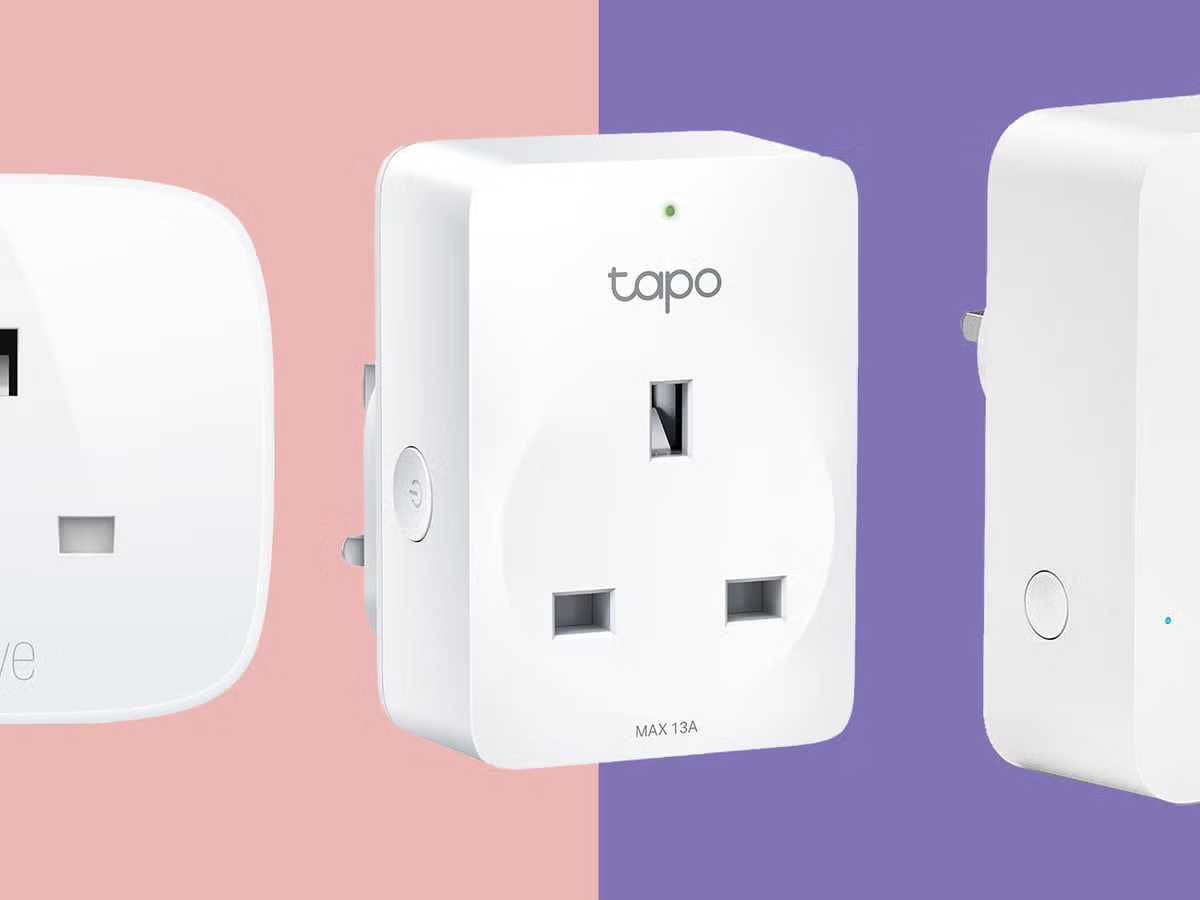
At its core, a smart plug is a simple adapter that fits between your device’s power cord and the wall outlet. But inside that small package is a Wi-Fi chip that changes everything. It puts the power—literally—in the palm of your hand.
A smart plug gives your standard fan superpowers. Here’s what you unlock:
- Voice Control: The undeniable cool factor. Lying in bed and saying, “Hey Google, turn on the bedroom fan,” is a small luxury that never gets old. It’s perfect for when your hands are full or you’re just feeling supremely lazy.
- Remote Access: Left the house and forgot to turn the fan off? No problem. Open the app on your phone, from anywhere in the world, and shut it down. You can also turn it on before you get home to start circulating the air.
- Smart Scheduling: This is where the real magic happens. You can create schedules to have your fan turn on automatically during the hottest part of the day and turn off at night to save energy. Wake up to a gentle breeze by scheduling it to start five minutes before your alarm.
- Home Automation Routines: Integrate your fan into larger smart home scenes. For example, a “Good Night” routine could dim the lights, lock the doors, and turn on your fan simultaneously.
How Does a Smart Plug Work with a Fan, Exactly?
This is a fantastic question because there’s one crucial detail to understand. A smart plug is essentially a remote-controlled on/off switch. It doesn’t control the fan’s internal functions like speed or oscillation. It simply controls the flow of electricity to the fan.
For this to work, your fan must have a physical, mechanical switch (like a dial, a pull-chain, or a toggle switch). You need to be able to leave the fan in the “On” position, at your desired speed. This way, when the smart plug sends power to it, the fan starts up immediately.
Crucial Tip: If your fan has a soft-touch electronic button and a digital display, it likely won’t work with a smart plug. These fans usually reset to an “Off” or “Standby” state when power is cut and restored, meaning they won’t turn on automatically when the smart plug powers up. Always check your fan type first!
What to Look For in a Smart Plug for Fans
Not all smart plugs are created equal, especially when dealing with a motorized appliance like a fan. Here’s a quick checklist of what matters most.
Power Rating and Safety Certifications
A fan’s motor pulls a significant amount of current, especially when it first starts up. You must choose a smart plug that can handle this load safely.
- Check the Amperage: Most smart plugs are rated for 10 or 15 amps. For most household fans, a 10-amp plug is sufficient, but a 15-amp plug provides a greater safety margin, especially for larger box fans or industrial models.
- Look for Certifications: Ensure the plug is certified by a recognized safety body like UL (Underwriters Laboratories) or ETL. This means it has been tested to meet strict safety standards, protecting you from fire hazards.
Smart Home Ecosystem Compatibility
Do you use Alexa, Google Assistant, or Apple HomeKit? Make sure the smart plug you choose is compatible with your preferred voice assistant. Most major brands support Alexa and Google, while HomeKit compatibility can sometimes be less common or require a specific model.
Connectivity: Wi-Fi, Matter, and Hubs
- Wi-Fi: The most common type. It connects directly to your home’s Wi-Fi network without needing any extra hardware. Simple and effective.
- Matter: The new universal standard for smart home devices. A Matter-certified plug offers greater interoperability, meaning it will work seamlessly across Apple, Google, Amazon, and Samsung ecosystems. It’s a great way to future-proof your setup.
- Zigbee/Z-Wave: These plugs require a separate smart home hub (like a Samsung SmartThings or Hubitat Hub). They create their own mesh network, which can be more reliable and less taxing on your Wi-Fi, but the initial setup is more involved.
|
Our Picks for the Best Smart Plug in 2026
As an Amazon Associate, we earn from qualifying purchases.
|
||
| Num | Product | Action |
|---|---|---|
| 1 | TP-Link Tapo Matter Supported Smart Plug Mini, Compact Design, 15A/1800W Max, Super Easy Setup, Works with Apple Home, Alexa & Google Home, UL Certified, 2.4G Wi-Fi Only, White, Tapo P125M(3-Pack) |

|
| 2 | Kasa Smart Plug Ultra Mini 15A, Smart Home Wi-Fi Outlet Works with Alexa, Google Home & IFTTT, No Hub Required, UL Certified, 2.4G WiFi Only, 2 Count (Pack of 1)(EP10P2) , White |
|
| 3 | Kasa Smart Plug Mini 15A, Smart Home Wi-Fi Outlet Works with Alexa, Google Home & IFTTT, No Hub Required, UL Certified, 2.4G WiFi Only, 4-Pack(EP10P4) , White |
|
| 4 | Amazon Basics Smart Plug, Works with Alexa Only, 2.4 GHz Wi-Fi, No Hub Required, 4-Pack, White |
|
| 5 | Govee Smart Plug, WiFi Plugs Work with Alexa & Google Assistant, Smart Outlet with Timer & Group Controller, WiFi Outlet for Home, No Hub Required, ETL & FCC Certified, 2.4G WiFi Only, 2 Pack |
|
| 6 | Kasa Smart Plug HS103P2, Smart Home Wi-Fi Outlet Works with Alexa, Echo, Google Home & IFTTT, No Hub Required, Remote Control,15 Amp,UL Certified, (Pack of 2) White |
|
| 7 | Kasa Smart Plug HS103P4, Smart Home Wi-Fi Outlet Works with Alexa, Echo, Google Home & IFTTT, No Hub Required, Remote Control, 15 Amp, UL Certified, 4-Pack, White |
|
| 8 | Amazon Basics Smart Plug, Works with Alexa Only, 2.4 GHz Wi-Fi, No Hub Required, 2 Pack, White |
|
| 9 | Kasa Smart Plug Mini 15A, Apple HomeKit Supported, Smart Outlet Works with Siri, Alexa & Google Home, UL Certified, App Control, Scheduling, Timer, 2.4G WiFi Only, 4 Count (Pack of 1) (EP25P4), White |
|
| 10 | Govee Smart Plug, WiFi Plugs Work with Alexa & Google Assistant, Smart Outlet with Timer & Group Controller, WiFi Outlet for Home, No Hub Required, ETL & FCC Certified, 2.4G WiFi Only, 4 Pack |
|
Your Step-by-Step Guide to a Smarter Breeze
Getting your smart plug for fans up and running is incredibly simple and usually takes less than five minutes.
- Download the App: Find the manufacturer’s companion app in your phone’s app store (e.g., Kasa Smart, Wyze, TP-Link Tapo) and install it.
- Create an Account: You’ll need to create a free account to manage your devices.
- Plug It In: Plug the smart plug into the desired wall outlet. A light on the plug should start blinking, indicating it’s ready for pairing.
- Connect to Wi-Fi: Follow the in-app instructions. This usually involves connecting to the plug’s temporary Wi-Fi network and then providing your home Wi-Fi credentials.
- Name Your Device: Give it a clear, easy-to-remember name like “Bedroom Fan” or “Living Room Fan.” This is what you’ll use for voice commands, so keep it simple!
- Set Your Fan: Plug your fan into the smart plug. Make sure to turn the fan’s physical switch to the “On” position and set your preferred speed.
- Test It Out: Use the app to turn the plug on and off. Then, link the app to your Alexa or Google Home account and try a voice command. Success!
Beyond On and Off: Creative Uses for Your Smart Fan
Now that you’re set up, let’s explore some clever automations that elevate the experience from a simple remote control to a truly smart appliance.
- Temperature-Based Automation: Some smart home platforms (like SmartThings or using IFTTT) allow you to trigger your fan based on a smart thermostat or weather service. For example: “If the room temperature rises above 75°F, turn on the Living Room Fan.”
- The “I’m Leaving” Routine: Use your phone’s location (geofencing) to automatically turn off the fan when you leave the house, ensuring you never waste electricity.
- White Noise for Sleep: Schedule the fan to run on a low setting throughout the night for soothing white noise and then turn off just before you wake up.
As smart home futurist Dr. Alistair Finch notes, “The true power of home automation isn’t in the most expensive, complex gadgets. It’s in making everyday objects, like a simple fan, work intelligently for you. The smart plug is the bridge that makes this accessibility a reality for everyone.”
Frequently Asked Questions (FAQ)
Can a smart plug control the speed of my fan?
No, a standard smart plug cannot control fan speed. It only controls the power (on/off). To control speed, you would need a specialized smart fan or an in-wall smart fan control switch, which requires electrical installation.
Do I need a smart home hub to use a smart plug for a fan?
Not usually. The vast majority of popular smart plugs connect directly to your home’s 2.4GHz Wi-Fi network and do not require a separate hub. Only plugs using protocols like Zigbee or Z-Wave need a dedicated hub.
How much electricity does a smart plug use on its own?
Very little. A smart plug in standby mode typically consumes less than 1 watt of power. The energy savings from preventing your fan from running unnecessarily will far outweigh the plug’s own consumption.
Is it safe to use a smart plug with a powerful window fan?
It depends on the plug’s power rating. Check the fan’s electrical specifications (usually on a sticker on the motor) and ensure its amperage draw is well below the smart plug’s maximum rating (e.g., a 7-amp fan is safe for a 10-amp or 15-amp plug).
Can I plug a power strip with multiple fans into one smart plug?
Technically, yes, but you must be extremely careful. You have to add up the total power consumption of all devices on the strip and ensure it doesn’t exceed the smart plug’s maximum load. For safety, it’s generally better to use one smart plug per major appliance.
Your First Step to a Smarter Home
Upgrading your home doesn’t have to be a complicated or expensive project. It can start with something as small and impactful as a smart plug for fans. It’s an affordable, simple solution that offers immediate benefits in comfort, convenience, and energy efficiency. By turning a simple appliance into an automated, voice-controlled part of your home, you’re not just cooling a room—you’re building a smarter, more responsive living space, one breeze at a time.